How to create a Docker template
Video Tutorial
📺 Watch the Video Tutorial - Follow along step-by-step to create a Docker template
This guide uses Ubuntu as an example to show how to create a Docker template.
-
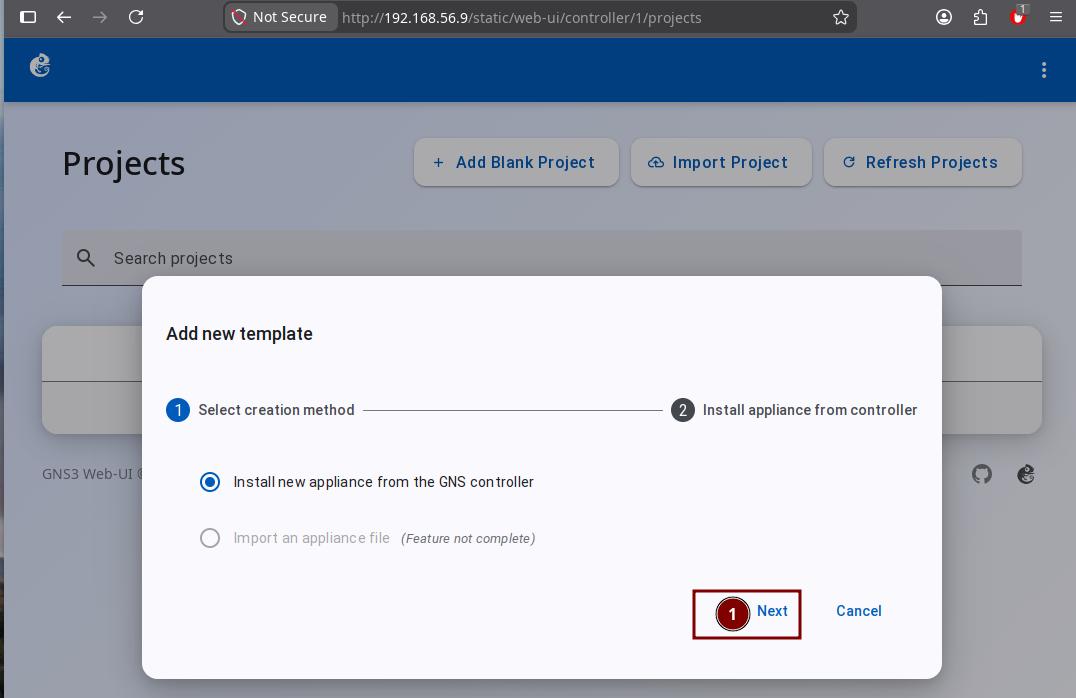
In the new template wizard, click the "Next" button.
-
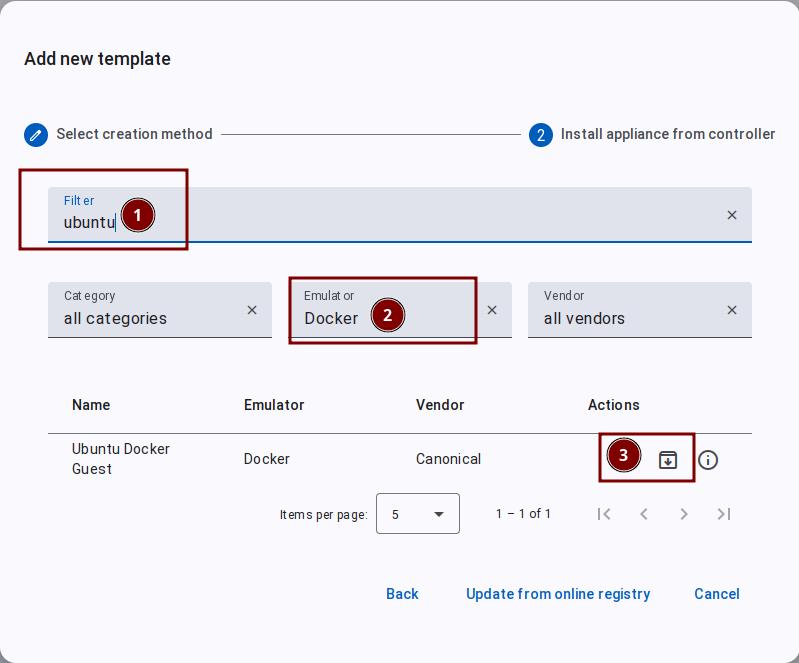
Type "ubuntu" in the search box to search quickly. Then click the button marked "2" in the image.
-
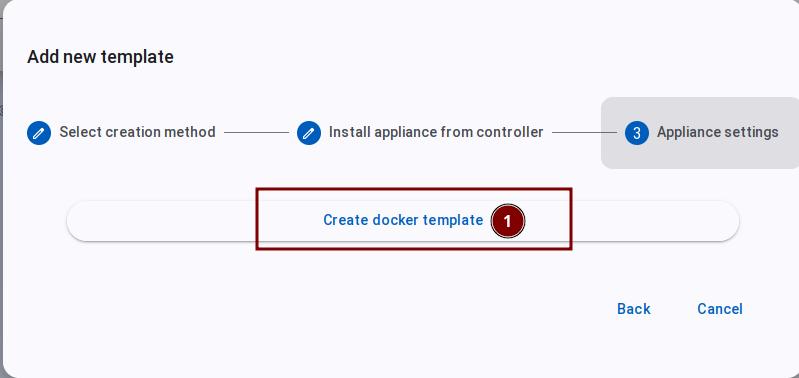
As shown in the image below, click the "Create Docker Template" button.
-
Enter a template name. The default name is
Ubuntu Docker Guest. Click the "Add Template" button to finish.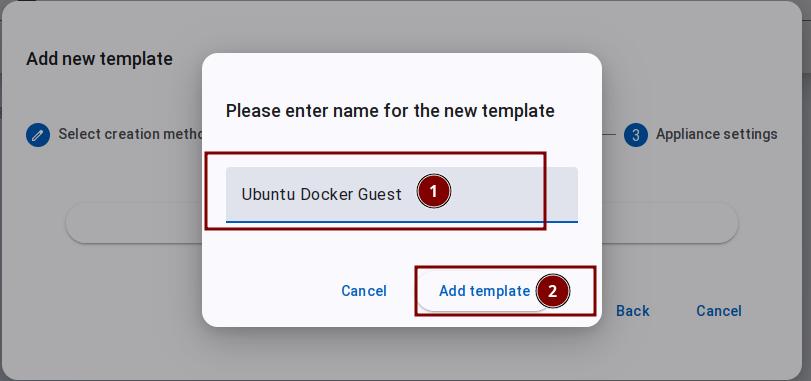
After you add the template here, the first time you use it in a topology, GNS3 will download the image from Docker Hub.