New Template
A template is a configuration that defines how a device runs in GNS3. After you create a template, you can add the device node to your project.
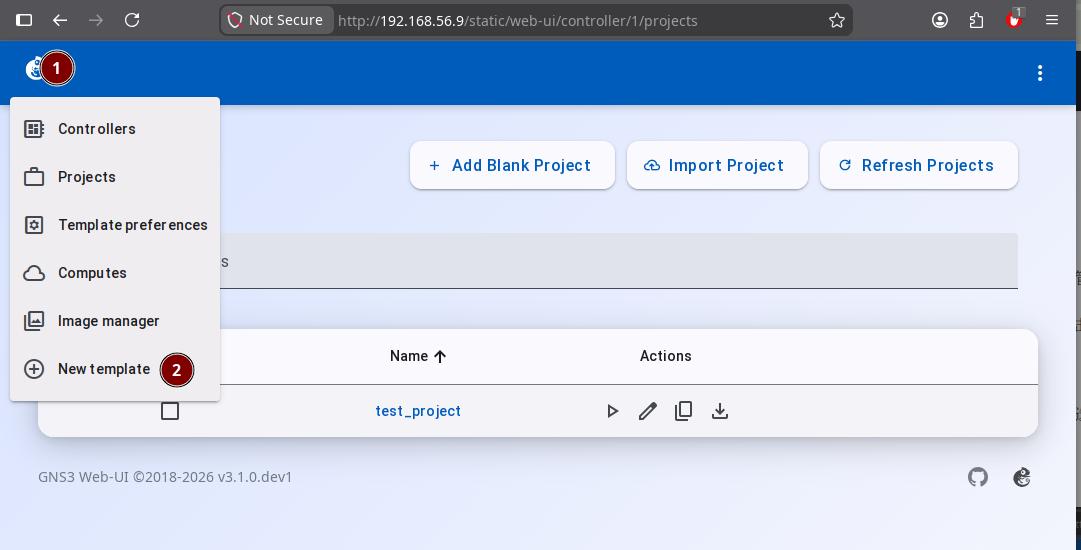
On the project home page, click the GNS3 Logo in the top left corner. Then select New Template from the dropdown menu to open the creation wizard.
Template Update
Download the latest appliances files from GitHub.
-
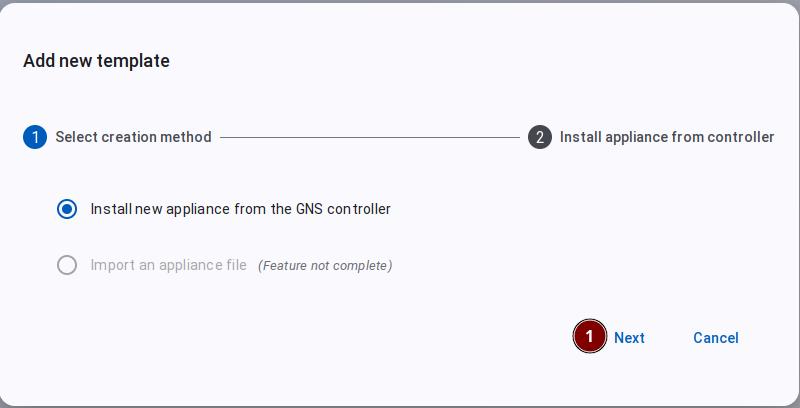
In the "Add new template" dialog, click the Next button as shown below.
-
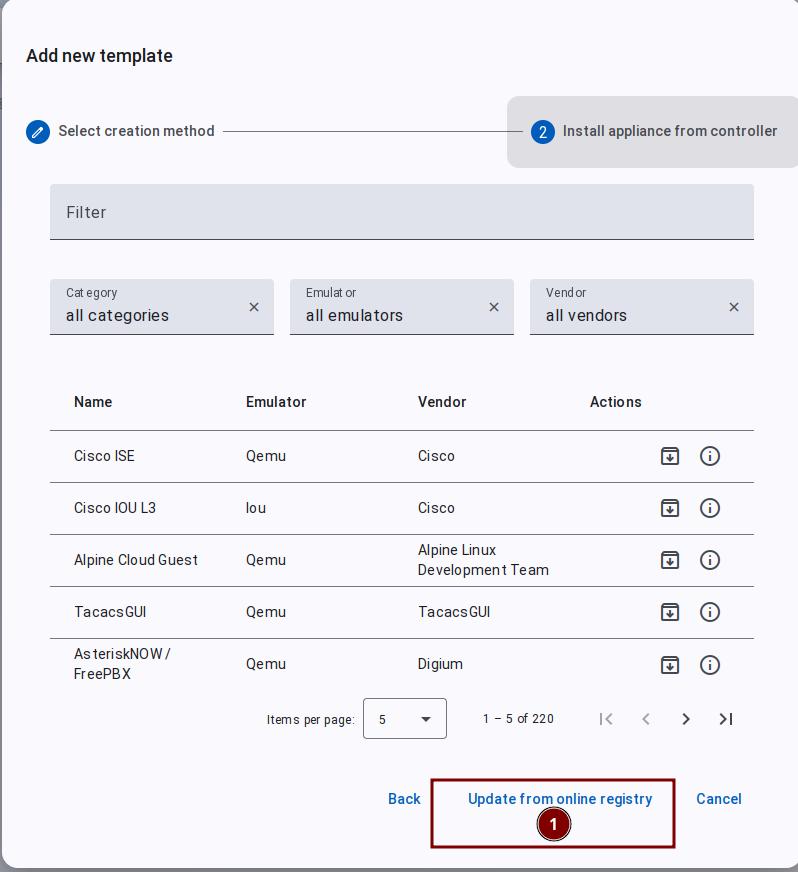
Then click the "Update from online registry" button as shown below to download the latest appliances files from GitHub (https://api.github.com/repos/GNS3/gns3-registry/contents/appliances).
Appliance files are the "instruction manuals" for network devices.
The difference with and without appliance files:
- Without appliance files: You need to manually configure dozens of parameters (which image to use, how much memory, how many interfaces, what system architecture, etc.)
- With appliance files: Like ordering from a menu, simply select the device type and the system automatically configures all parameters according to the manual
Information contained in appliance files:
- Device name and description
- Required image files
- Memory, CPU, and interface count configurations
- Device icon style
Simply put: Someone else has already figured out how to configure the device for you, so you can use it directly without starting from scratch.
Template Types
Choose the guide that matches your device type:
- How to create a Cisco IOS template — using Cisco 7200 as an example
- How to create a Cisco IOU template — using IOU L3 as an example
- How to create a QEMU template — using Cisco IOSv as an example
- How to create a Docker template — using Ubuntu as an example