How to use AI real-time packet analysis
Architecture Overview
AI real-time packet analysis is powered by the GNS3 AI Assistant. The LLM constructs tshark parameters autonomously — the framework does not hardcode protocols, only performs safety validation.
How to Use
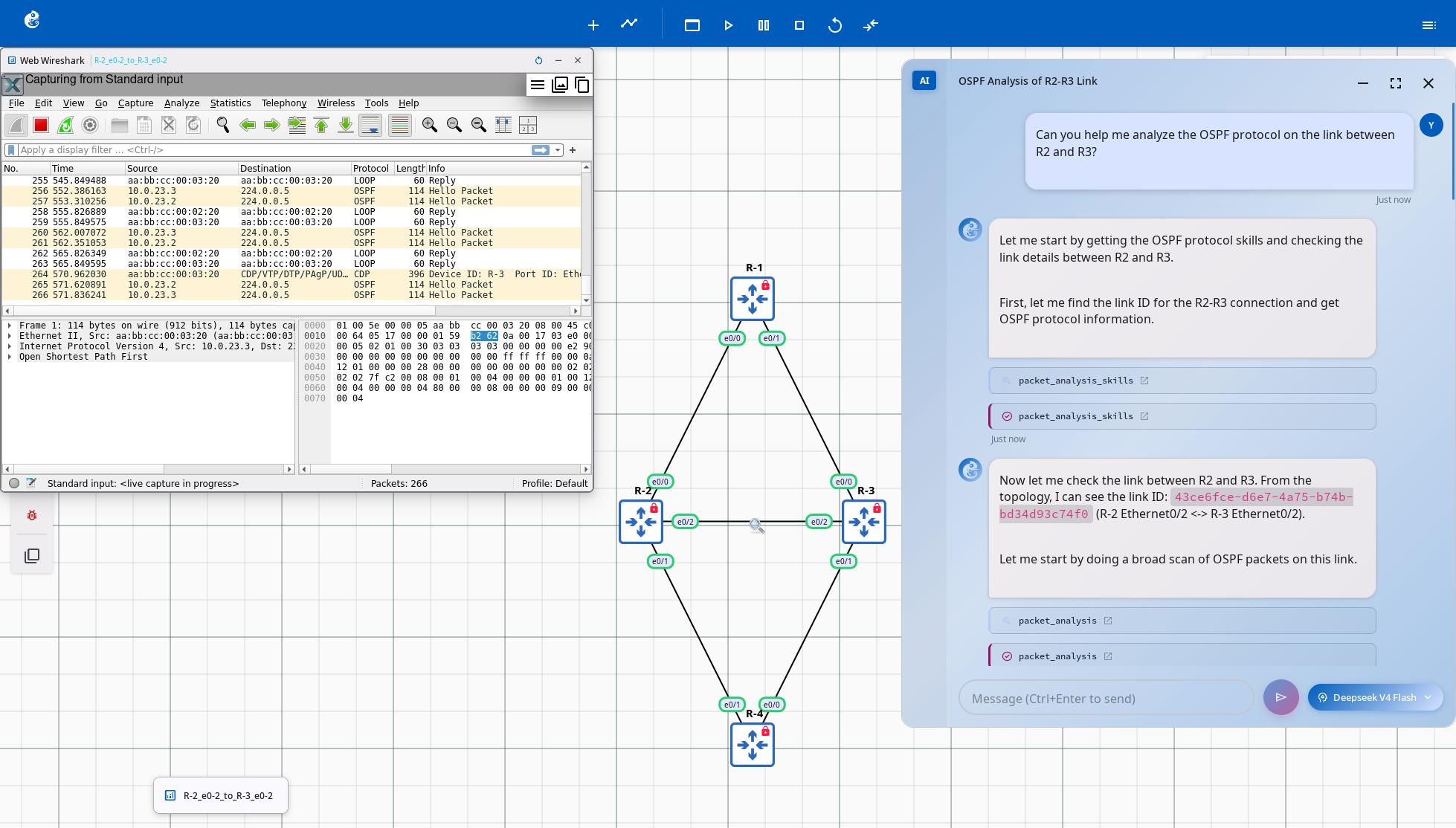
- In the project topology page, right-click the link you want to capture and select "Start capture" to begin packet capture. You can also select "Start Web Wireshark" to view live capture data directly in your browser.
- Open the AI Assistant window and describe your analysis requirement, for example: "Analyze OSPF protocol between r2 and r3".
- Wait for the AI Assistant to analyze and return the results.
Core Flow
Tool Overview
| Tool | Source File | Purpose | Available Modes |
|---|---|---|---|
PacketAnalysisTool | packet_analysis_tool.py | Download live PCAP + tshark analysis | teaching / lab_automation |
PacketAnalysisSkillsTool | registry.py (skills module) | Query protocol-level analysis knowledge (fields, filters) | teaching / lab_automation |
Agent Workflow (LangGraph)
Server Capture API
| Endpoint | Function |
|---|---|
POST /v3/projects/{pid}/links/{lid}/capture/start | Start packet capture on a link |
POST /v3/projects/{pid}/links/{lid}/capture/stop | Stop packet capture |
GET /v3/projects/{pid}/links/{lid}/capture/file | Download PCAP file (available even while capture is active) |
GET /v3/projects/{pid}/links/{lid}/capture/stream | Stream PCAP data |
WS /v3/projects/{pid}/links/{lid}/capture/web-wireshark | Web Wireshark WebSocket proxy |
Key Design Points
- LLM-driven Analysis — The LLM constructs tshark parameters itself; the framework does not hardcode protocol logic, only performs safety validation
- Live PCAP — Captures can be downloaded and analyzed while running, no need to stop capturing
- Dual Knowledge Sources — External repository provides protocol-specific knowledge; local tshark field registry provides exact field names
- Safety First — Pre-validation of tshark field names prevents execution failures from invalid fields
Feature Contributor
AI Real-time Packet Analysis feature was developed and contributed by YueGuobin.
- LinkedIn: Guobin Yue
License
This document is licensed under CC BY-NC-ND 4.0 (Attribution-NonCommercial-NoDerivatives). Author: YueGuobin