How to inject faults for testing
Fault injection is a feature of the GNS3 AI Assistant. It simulates network problems in your topology. This helps you practice your network troubleshooting skills. The feature uses AI to automatically analyze your network topology, choose the right fault type, and inject it into the project.
Steps to Use
-
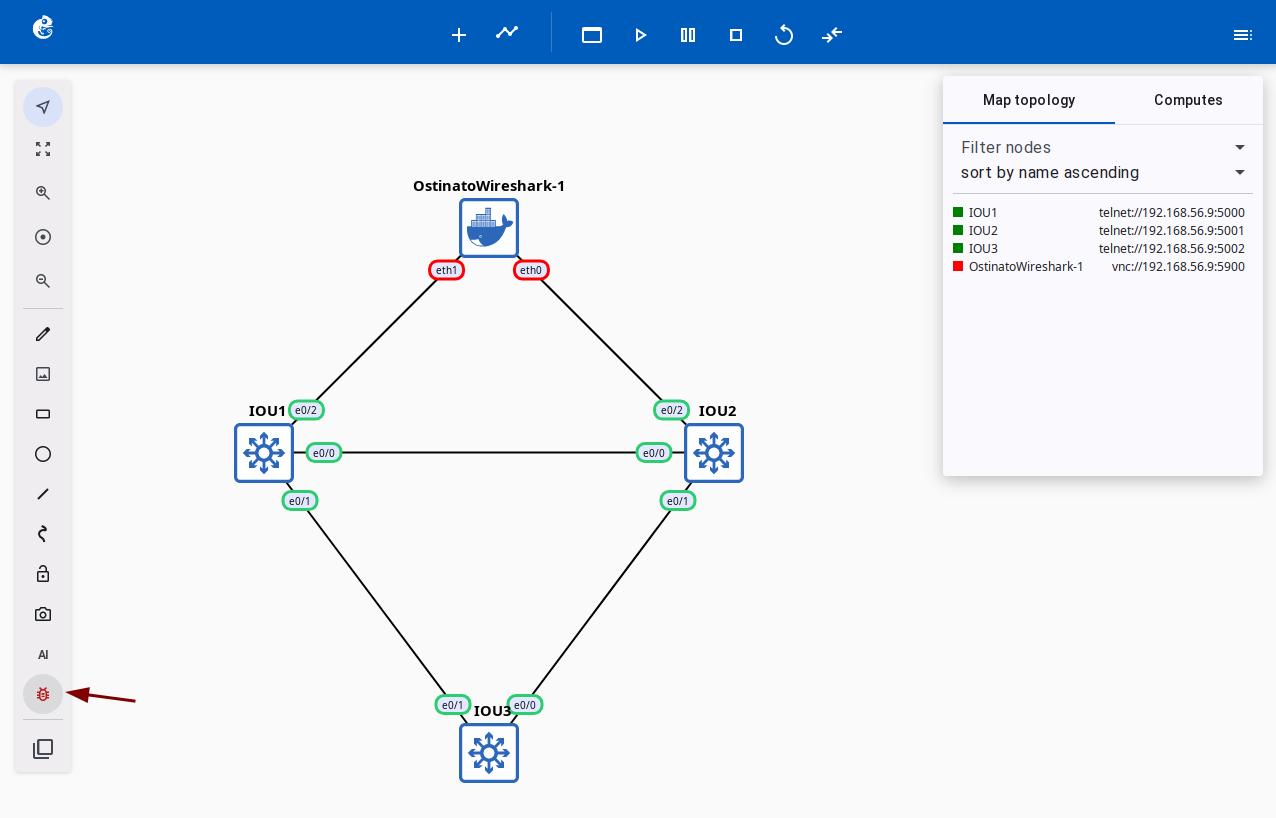
On the project topology page, click the fault injection button in the left toolbar (shown in the image below).
-
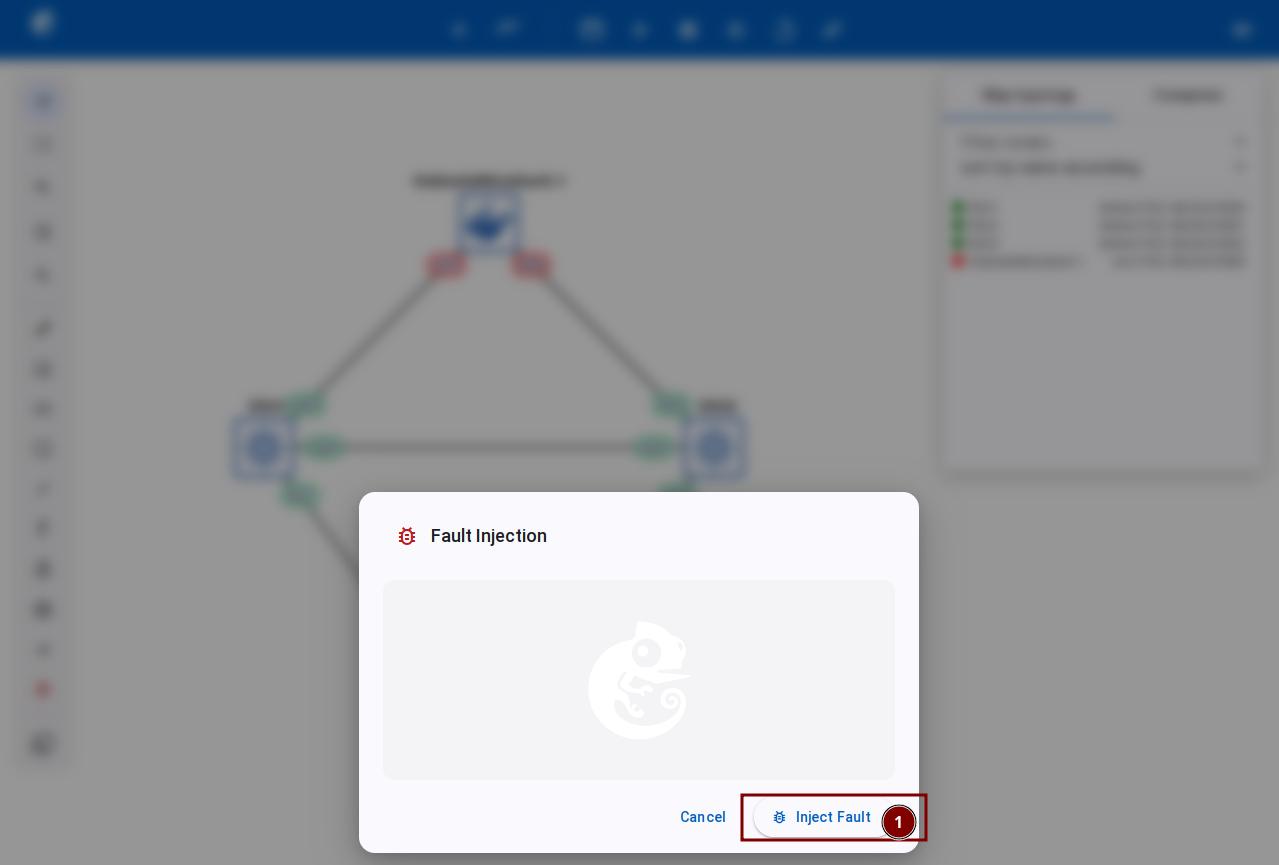
In the "Fault Injection" dialog, click the "Inject Fault" button.
-
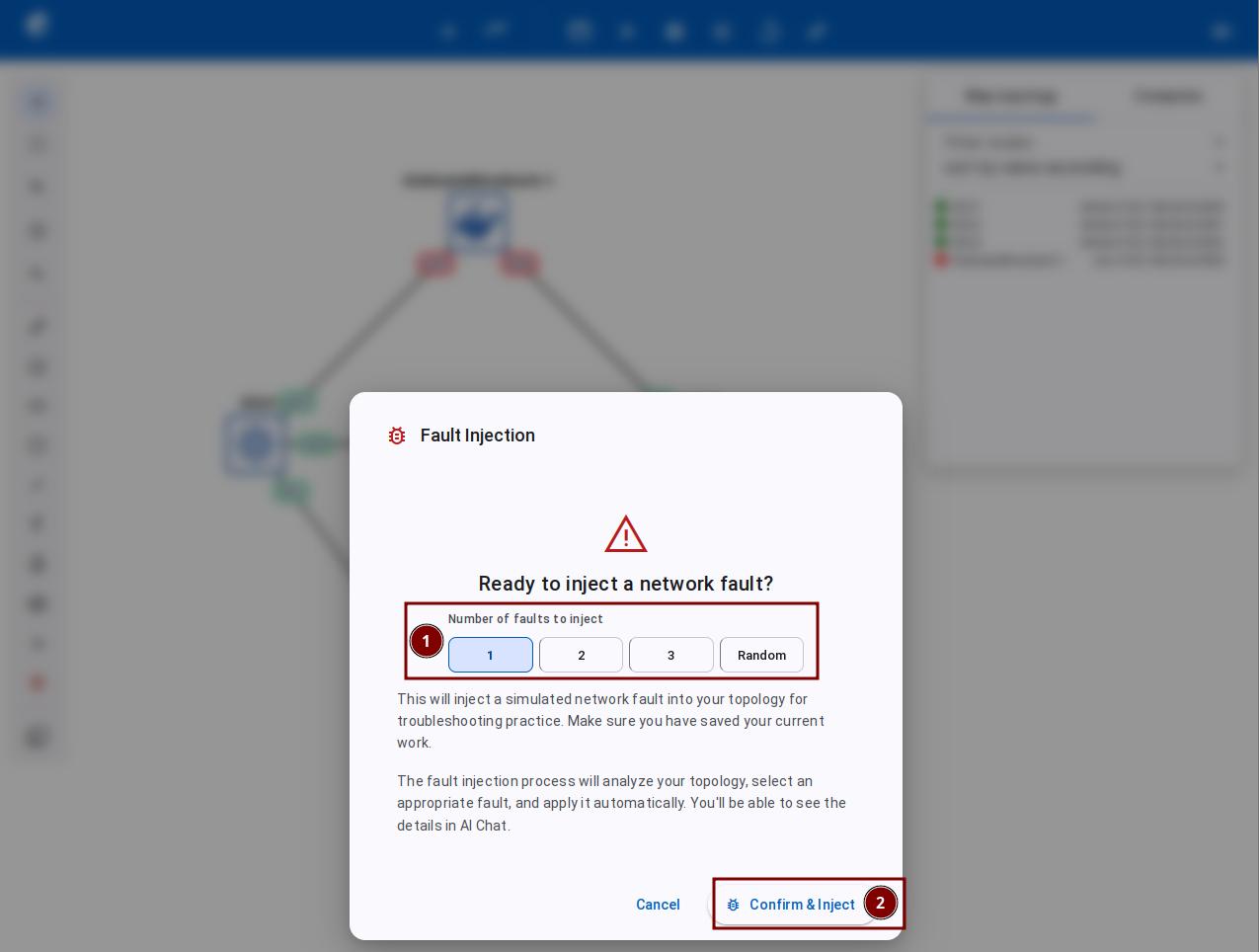
Choose how many faults to inject (you can pick 1-3 faults or a random number). Then click the "Confirm & Inject" button.
-
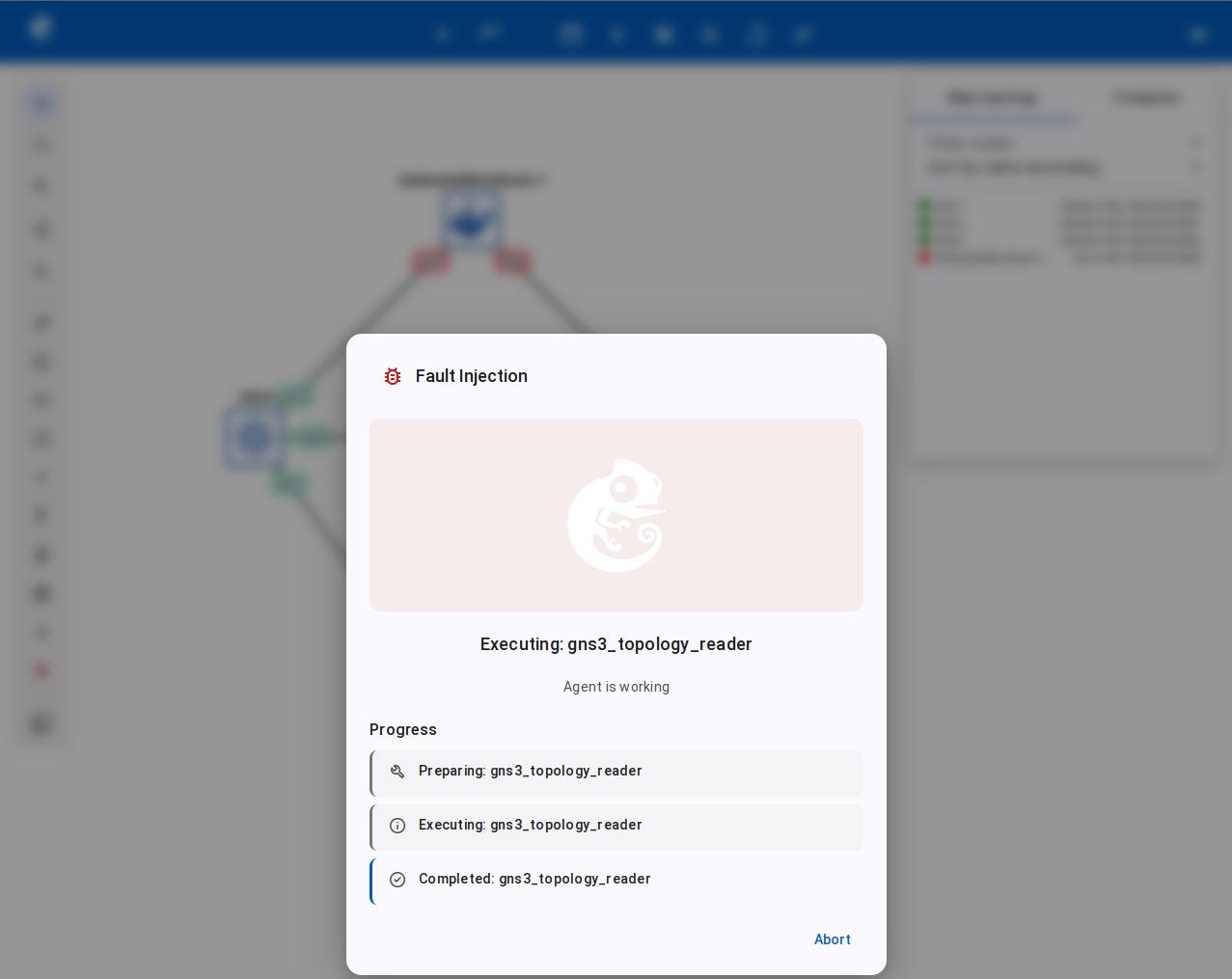
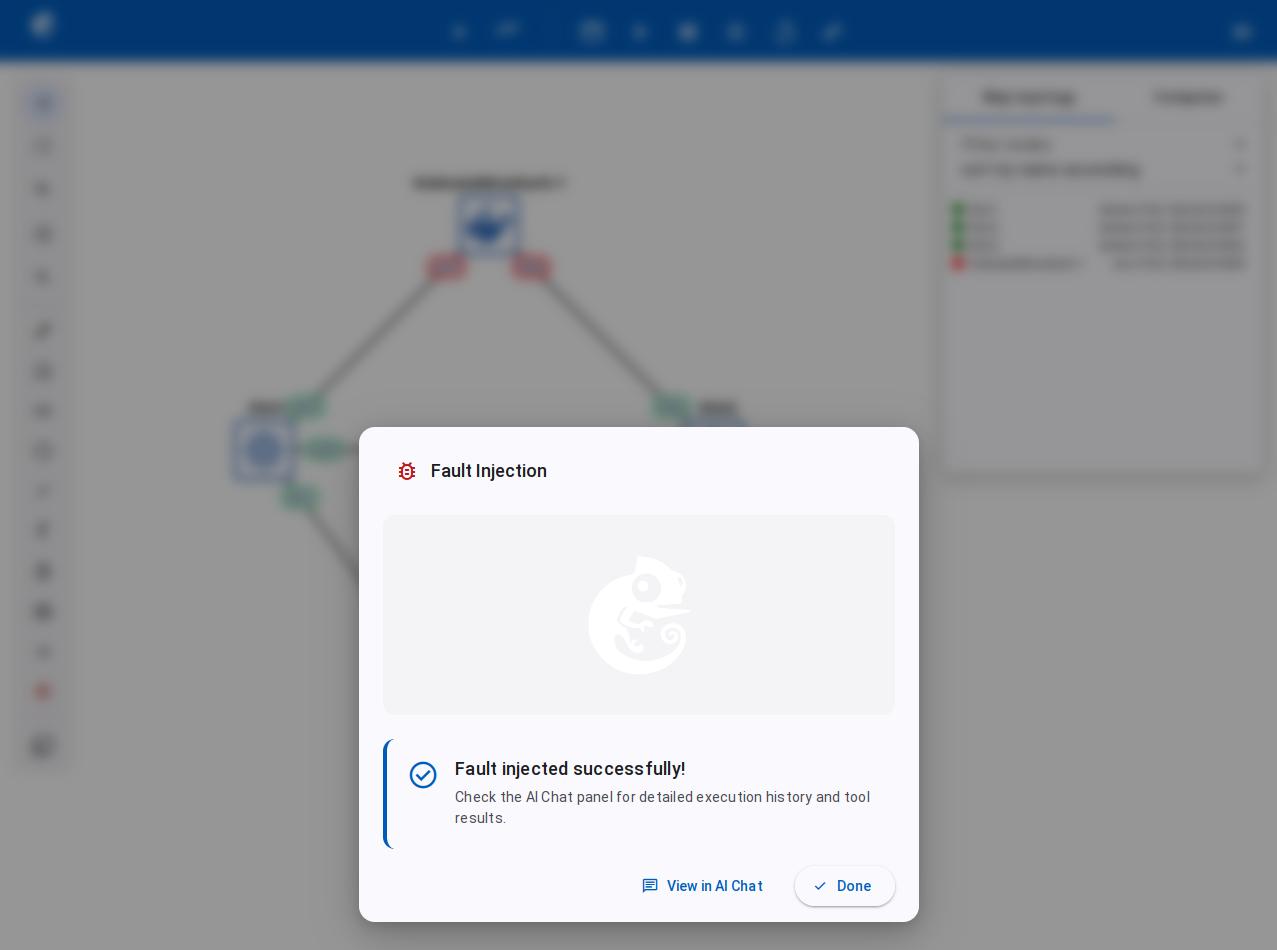
Wait for the fault injection to finish. The screen shows real-time progress.
-
After the fault injection is done, you can see the results.
-
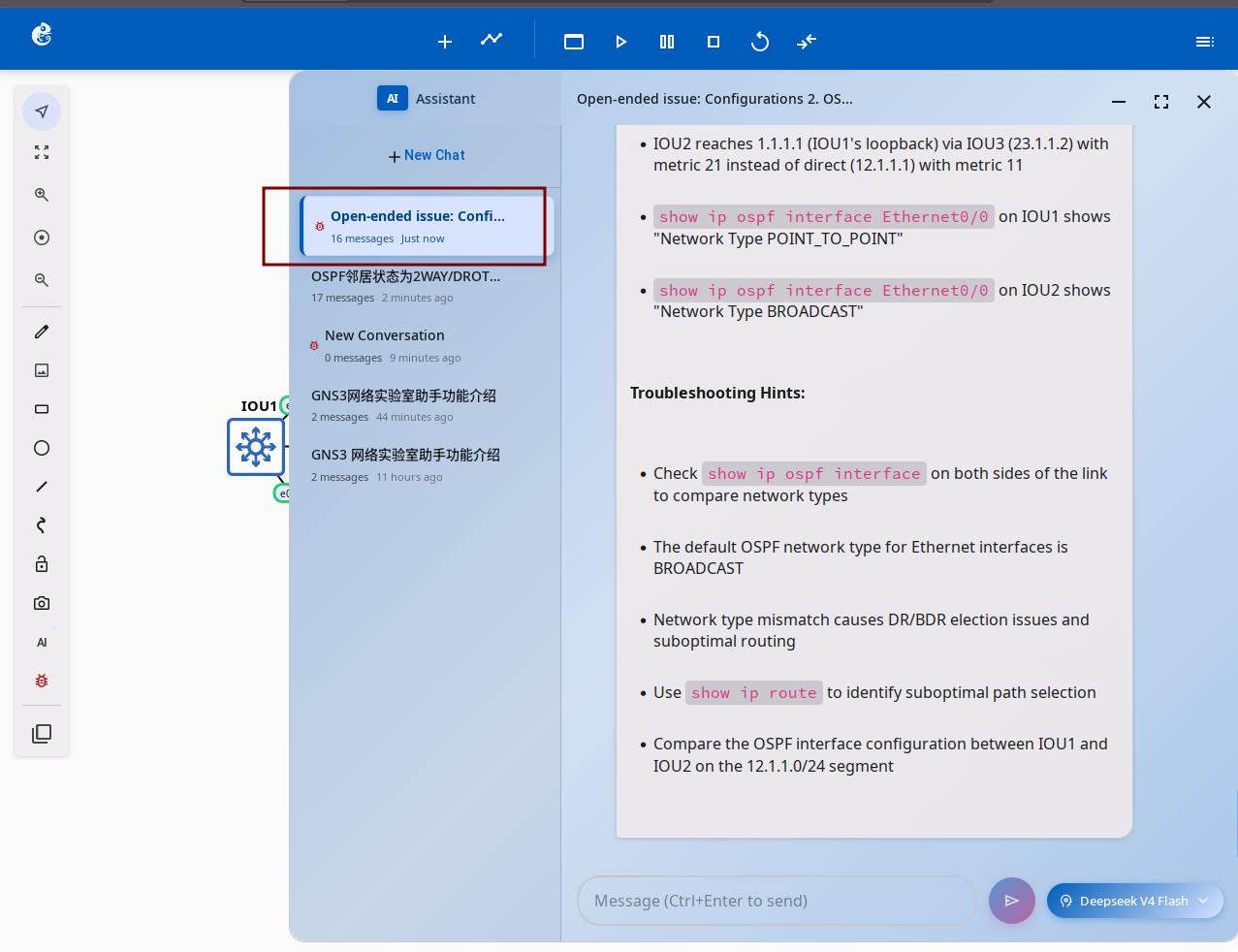
Check the AI Assistant for the detailed steps of the fault injection. This can help you if you are not sure about the cause of the problem.
Architecture Overview
Core Flow
Tool Overview
| Tool | Source File | Purpose | Available Modes |
|---|---|---|---|
InjectionSkillsTool | registry.py (skills module) | Query protocol-level fault definitions (config change commands) | troubleshooting_injection |
GNS3PacketFilterTool | gns3_packet_filter.py | Link-layer fault injection (delay, loss, corruption, BPF) | troubleshooting_injection |
ExecuteMultipleDeviceConfigCommands | config_tools_nornir.py | Batch execute device config changes | troubleshooting_injection |
ExecuteMultipleDeviceCommands | display_tools_nornir.py | Read device configuration (read-only) | troubleshooting_injection |
GNS3TopologyTool | gns3_client | Get project topology info | troubleshooting_injection |
Fault Injection API
| Endpoint | Function |
|---|---|
POST /v3/projects/{pid}/chat/inject | Trigger fault injection, set troubleshooting_injection mode and start Agent |
Prerequisite: Project must be in opened state, otherwise returns 403.
GNS3PacketFilterTool Link Filters
Simulates network impairment at the link layer by applying delay, packet loss, corruption, or dropping matching traffic to disrupt link quality. The bpf filter matches packets using BPF expressions and drops them, enabling precise link interference.
| Filter Type | Function | Parameters |
|---|---|---|
delay | Latency + jitter | [latency(0-32767), jitter(0-32767)] |
packet_loss | Packet loss rate | [chance(0-100)] |
corrupt | Packet corruption rate | [chance(0-100)] |
frequency_drop | Drop every Nth packet | [frequency(-1~32767)] |
bpf | Berkeley Packet Filter (standard BPF syntax) | Text expression, supports protocol (arp/icmp/tcp), port (port 80), host (host 10.0.0.1), net (net 192.168.0.0/16), logical combos (and/or/not), same as tcpdump syntax |
Agent Workflow (LangGraph)
Key Design Points
- Dedicated API Endpoint —
POST /chat/injectis specifically for fault injection, automatically switches totroubleshooting_injectionmode - LLM-driven Fault Selection — LLM analyzes topology, queries matching protocol faults via
InjectionSkillsTool, no hardcoded scenarios - Dual-layer Injection — Device-level config changes + link-level network impairment for complete troubleshooting coverage
- Reversible Faults — Each injection includes recovery commands; link filters can be cleared with
action: clear - Safety First — BPF syntax pre-validated via tshark; config commands restricted by
command_filter - Context Filtering —
InjectionSkillsToolrequirescontextparameter, returns only faults matching the topology protocol
Feature Contributor
Fault Injection feature was developed and contributed by YueGuobin.
- LinkedIn: Guobin Yue
License
This document is licensed under CC BY-NC-ND 4.0 (Attribution-NonCommercial-NoDerivatives). Author: YueGuobin