How to monitor system status
On the project home page, click the three-dot button at the top right and select "System Status".
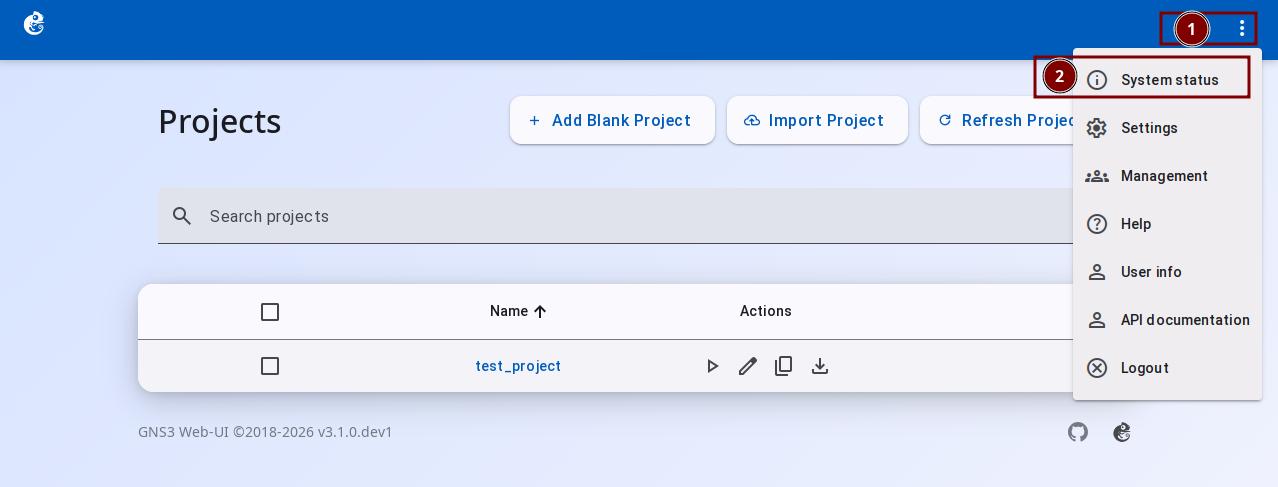
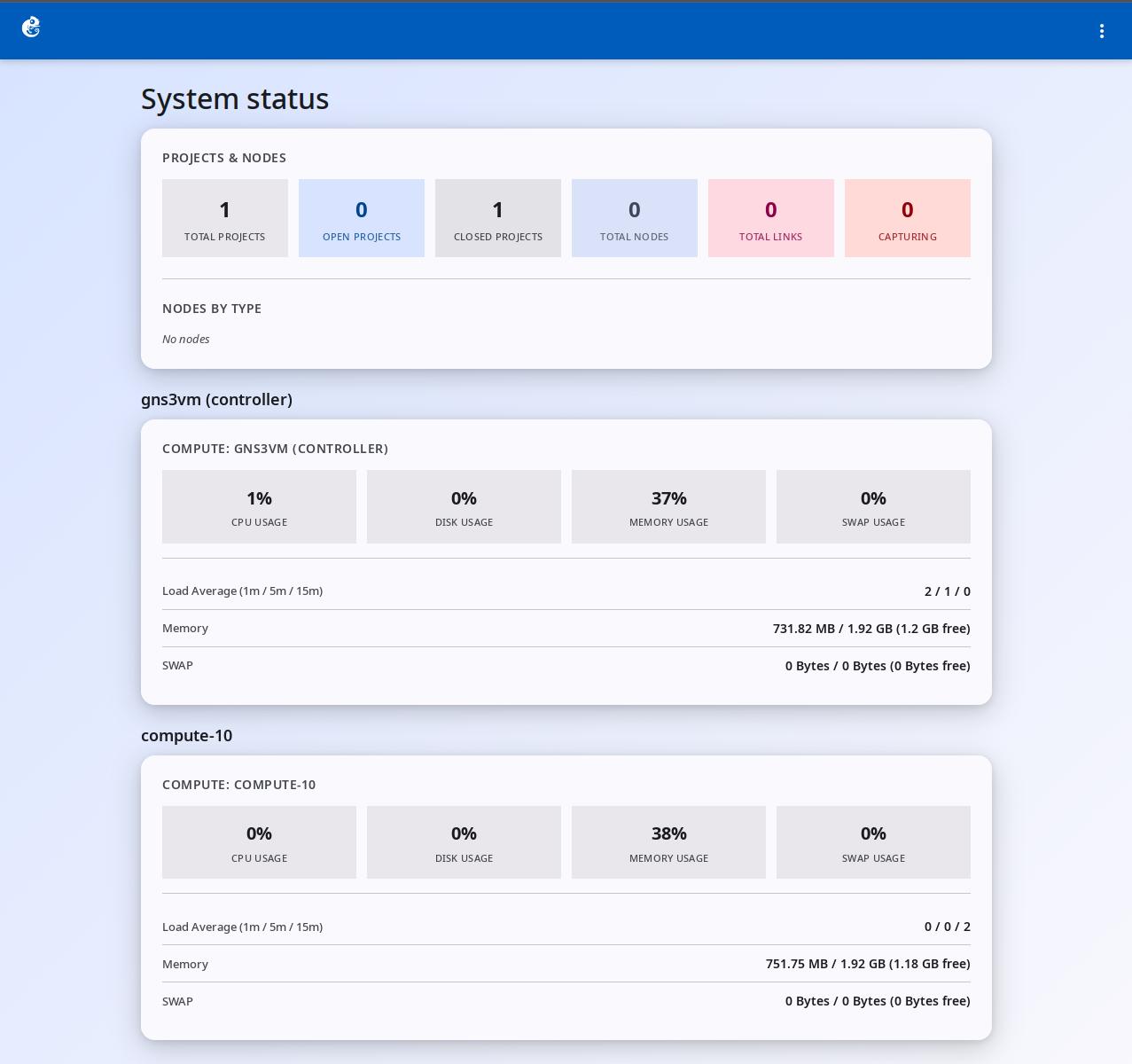
The System Status page shows real-time system resource information about the GNS3 controller and all compute nodes. This helps administrators monitor and plan system resources. The page refreshes data every 20 seconds automatically.
Page Content
1. Projects & Nodes
Shows overall project statistics and a summary of nodes and links:
- Total Projects: Total number of all projects in the system
- Open Projects: Number of projects that are currently open
- Closed Projects: Number of projects that are currently closed
- Total Nodes: Total number of nodes in all projects
- Total Links: Total number of all links
- Capturing: Number of links that are capturing packets
2. Nodes by Type
Shows the number of nodes by type. Common types include: vpcs, docker, qemu, dynamips, iou, and others.
3. Nodes by Status
Shows the number of nodes by status: started, suspended, stopped, queued.
4. Compute Node Statistics
Each compute node (local and remote) shows its own resource usage card.
Resource Usage
- CPU Usage: CPU usage percentage (0-100%)
- Disk Usage: Disk space usage percentage (0-100%)
- Memory Usage: Memory usage percentage (0-100%)
- SWAP Usage: Swap space usage percentage (0-100%)
Detailed System Information
- Load Average (1m / 5m / 15m): System load averages
- Memory: Memory usage details, format: used / total (remaining)
- SWAP: Swap space usage details, format: used / total (remaining)
Auto Refresh
The page refreshes data every 20 seconds automatically. If the refresh fails (for example, connection lost), an error message will show.
Data Source
The statistics come from the GNS3 controller's /statistics API. This API collects:
- System information from all compute nodes (CPU, memory, disk, load)
- Project statistics from all projects (number of projects, number of nodes)
- Node statistics grouped by type and by status
- Link statistics