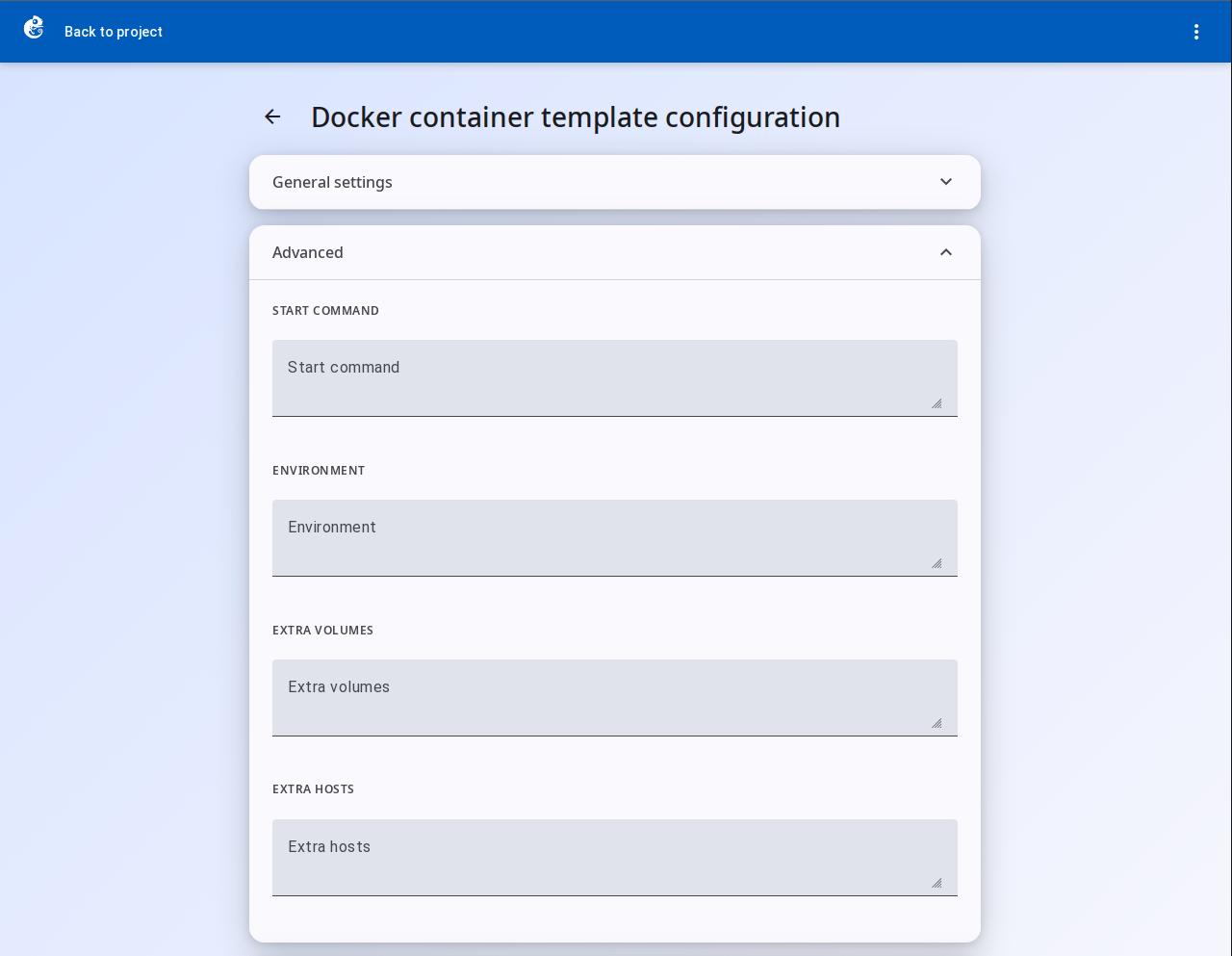
How to configure Docker template preferences
Docker is a node type in GNS3 based on container technology. Unlike QEMU/Dynamips virtual machines, Docker shares the host machine kernel. It starts very fast.
Create a Template
This example uses an Ubuntu container to show how to create a Docker template.
-
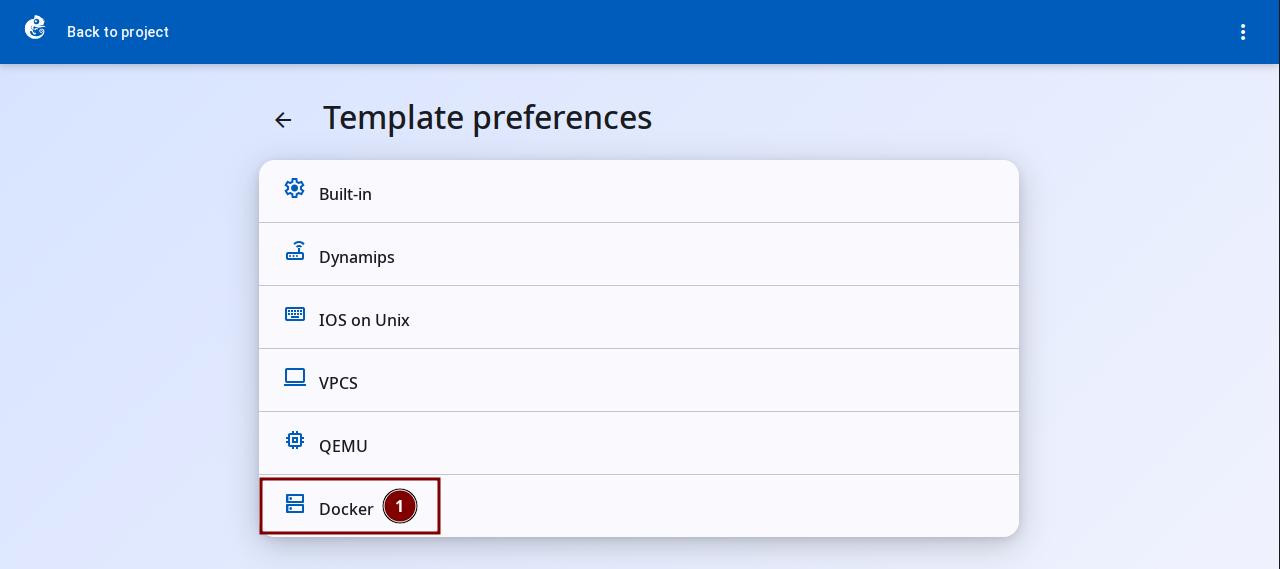
Click the "Docker" option to enter.
-
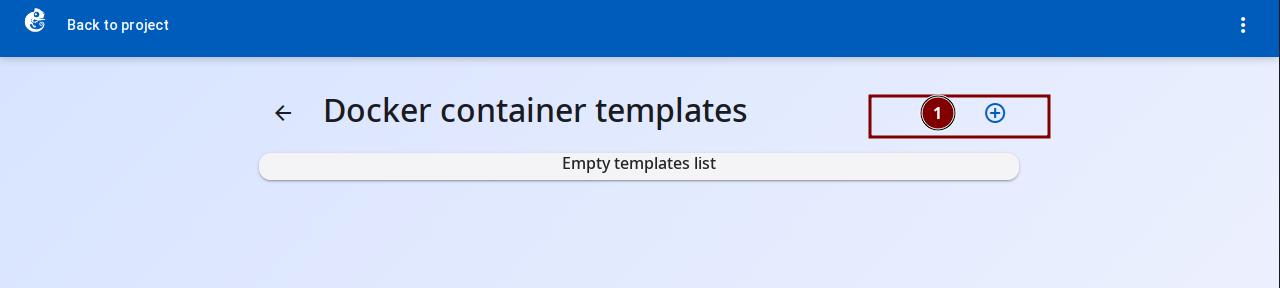
Click the + button at the top right to add a new template.
-
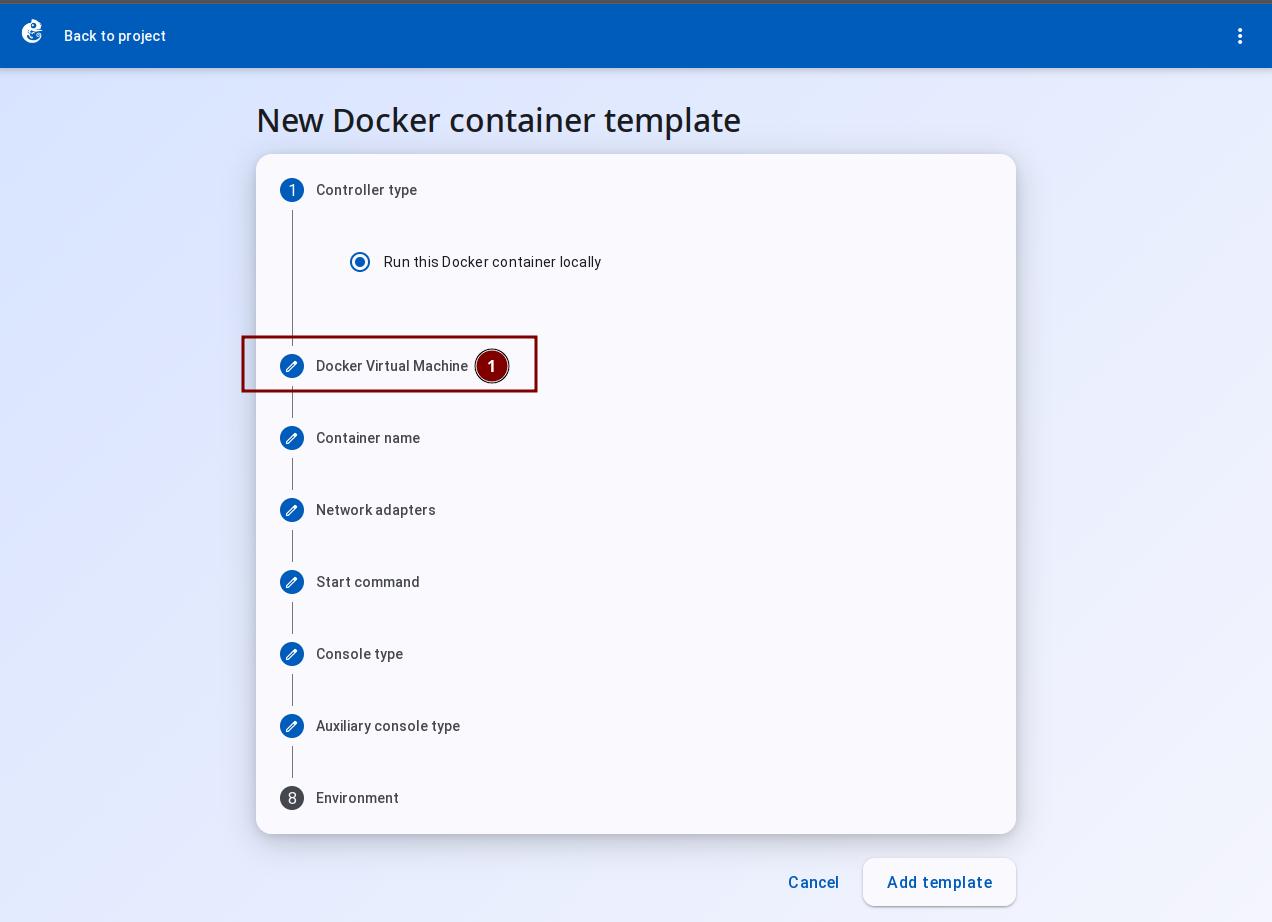
Follow the wizard steps. Click "Docker Virtual Machine".
-
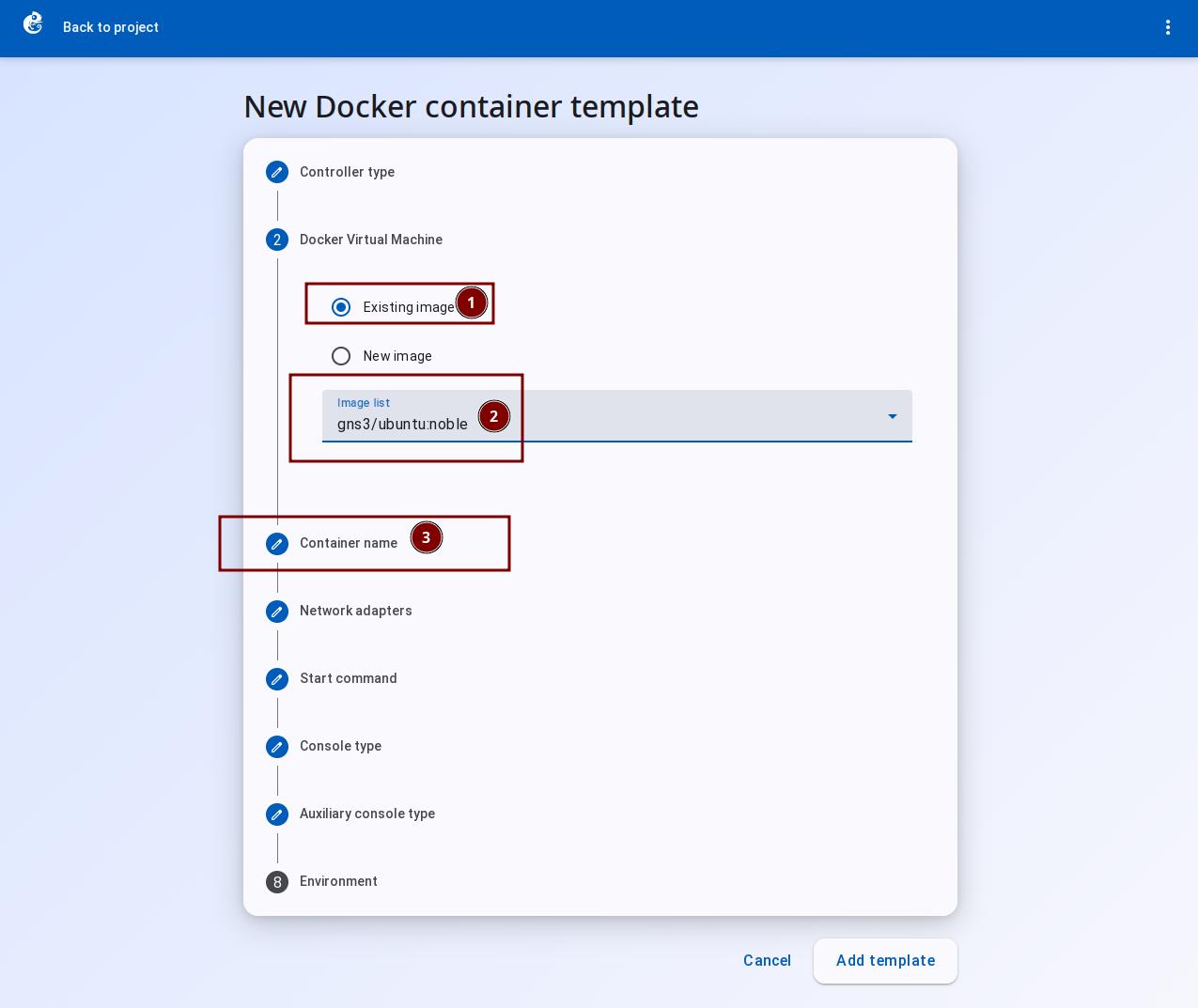
If the image already exists, choose "Existing image" and select it from the list. Then click "Container name".
-
If the image does not exist, choose "New image". Enter the image name in "Image name" (e.g.
ubuntu:latest). Then click "Container name".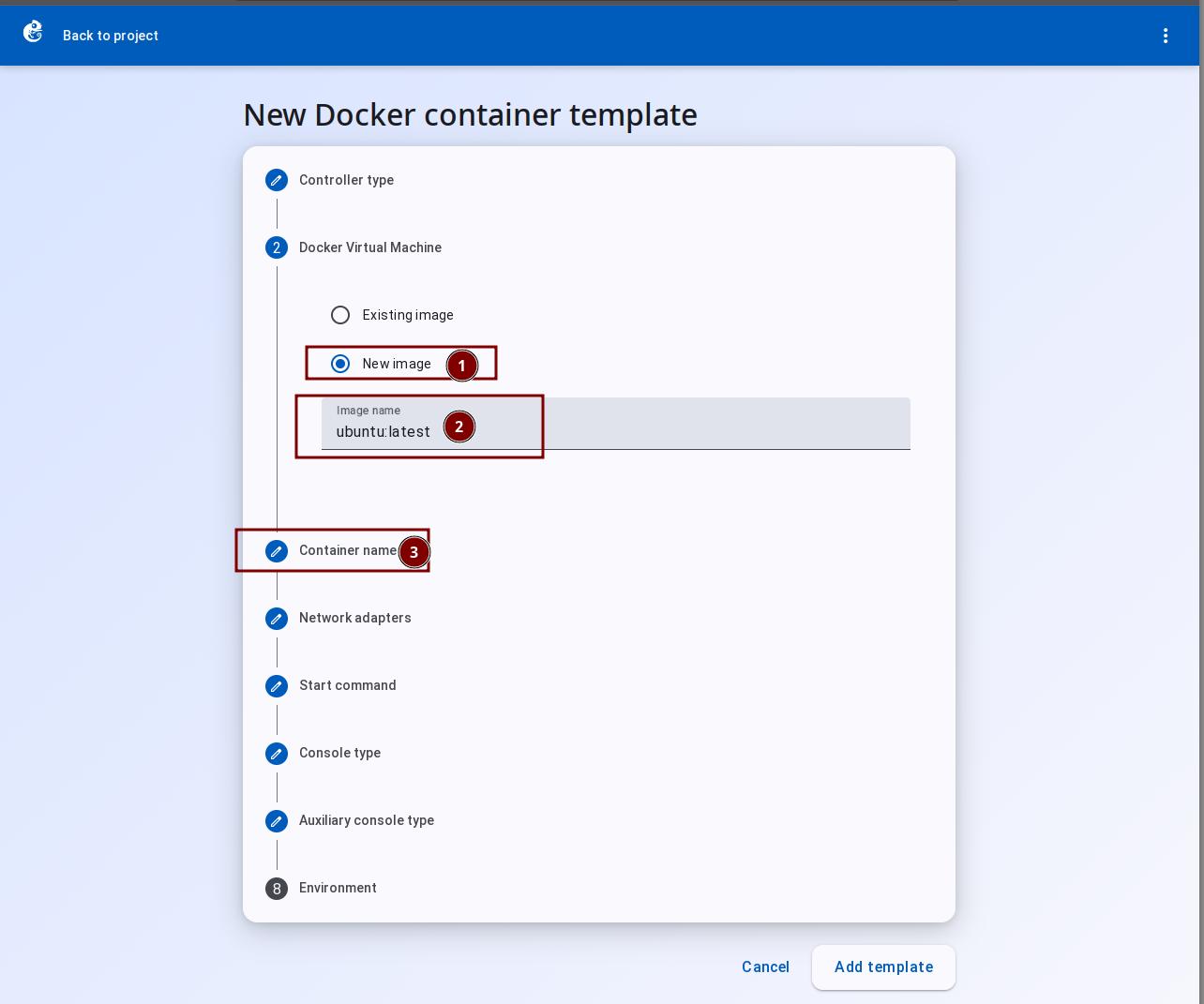
-
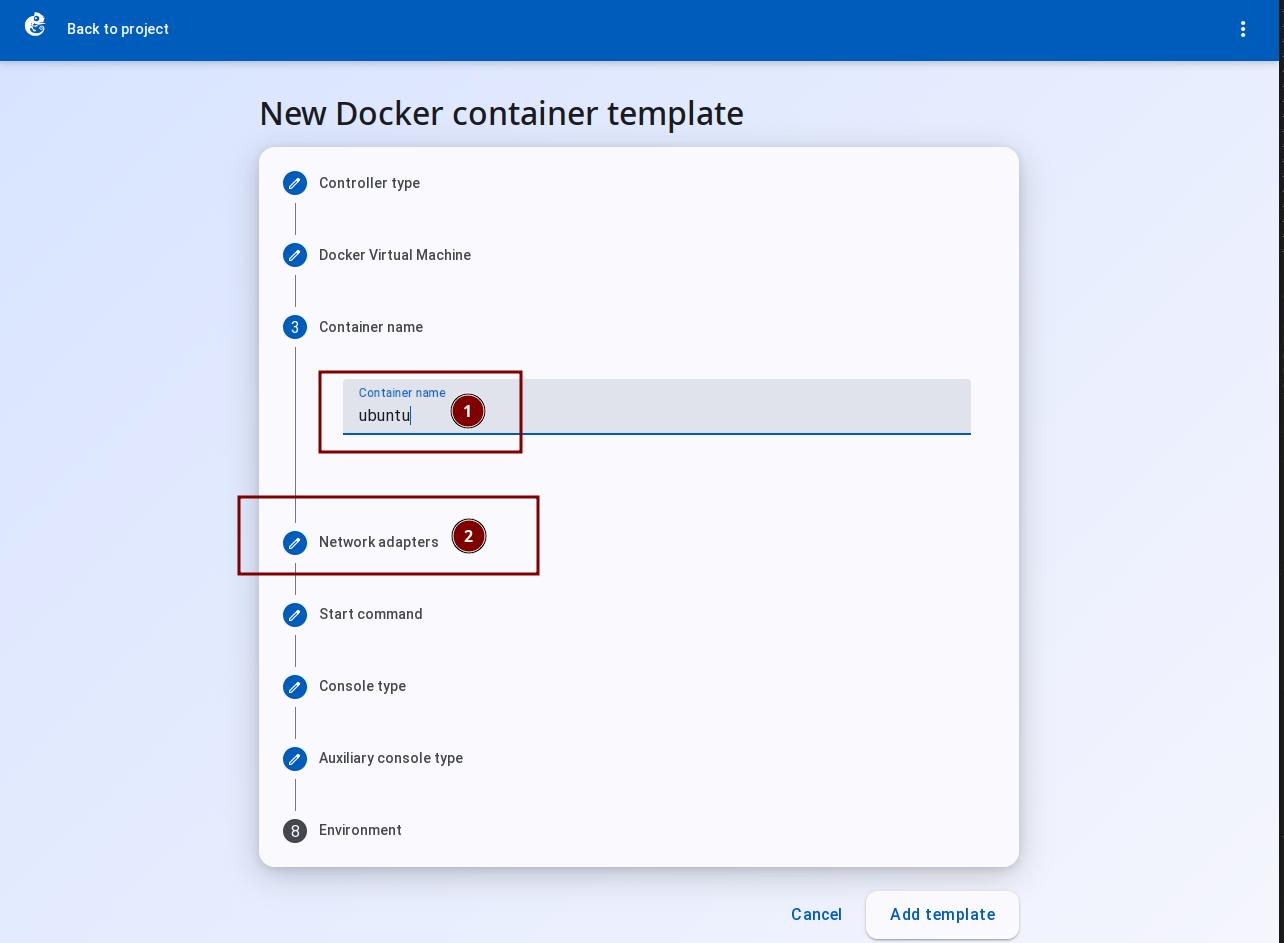
In "Container name", enter the container template name. Then click "Network adapters".
-
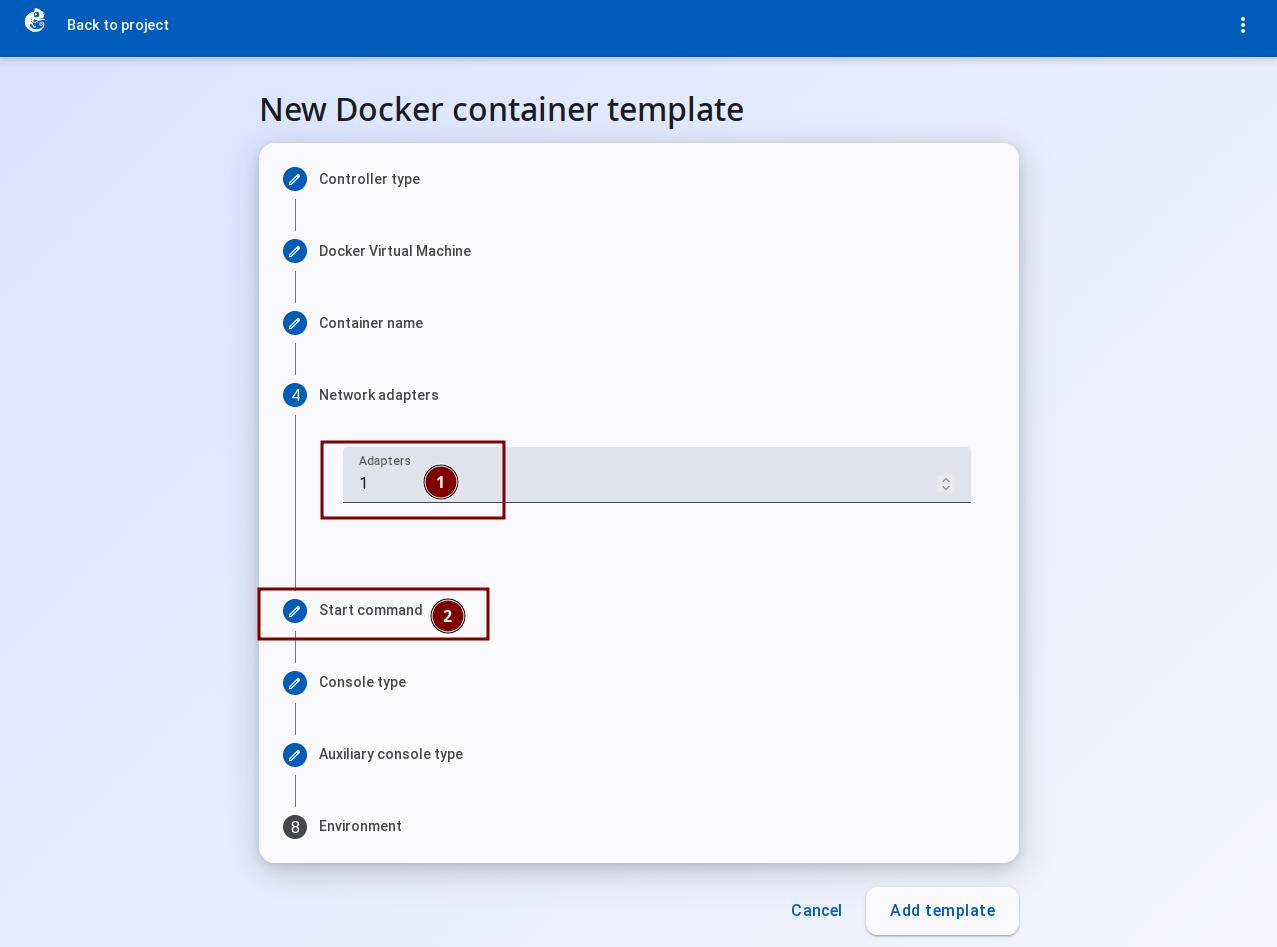
In "Network adapters", set the number of interfaces. Then click "Start command".
-
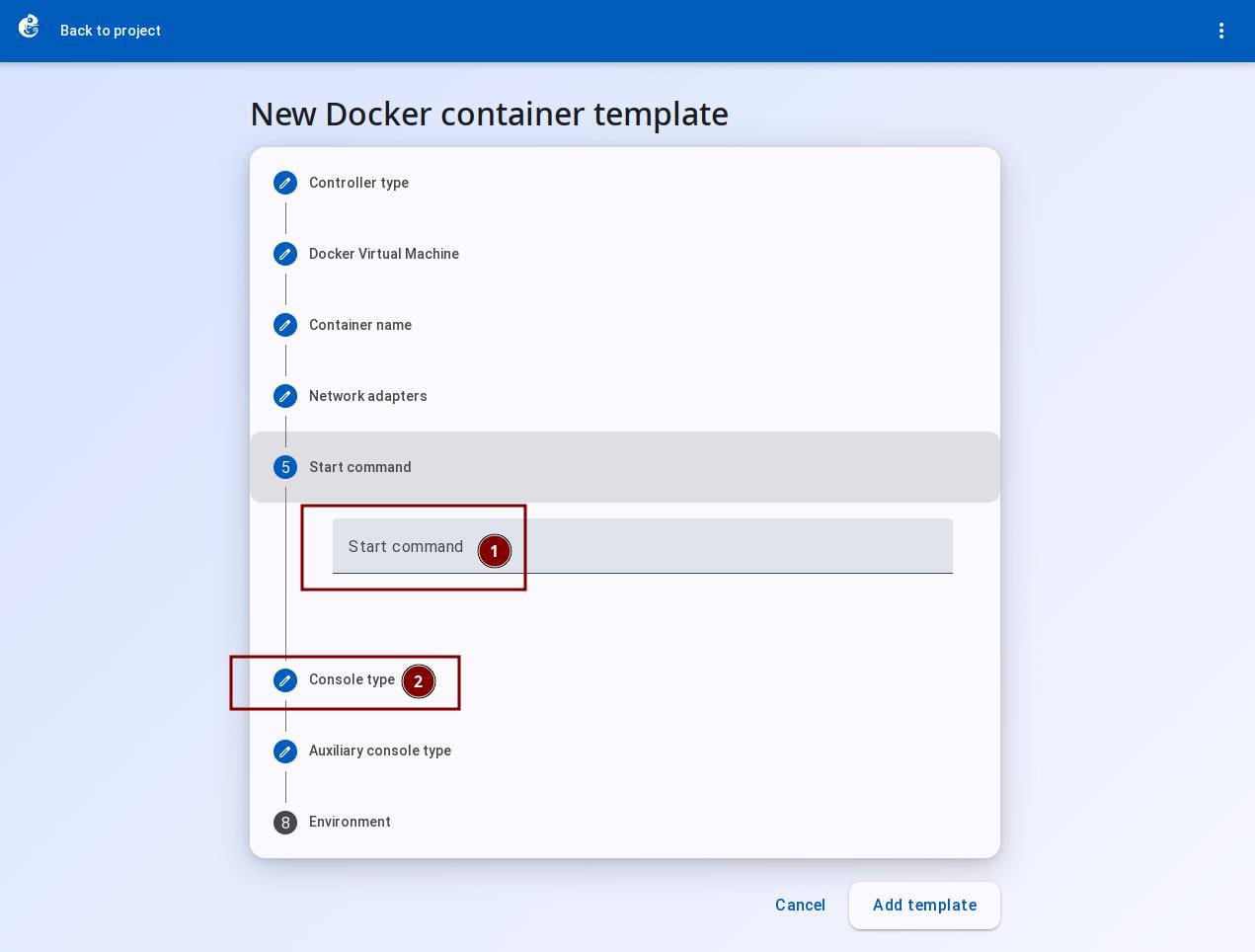
In "Start command", enter the startup parameters. Then click "Console type".
-
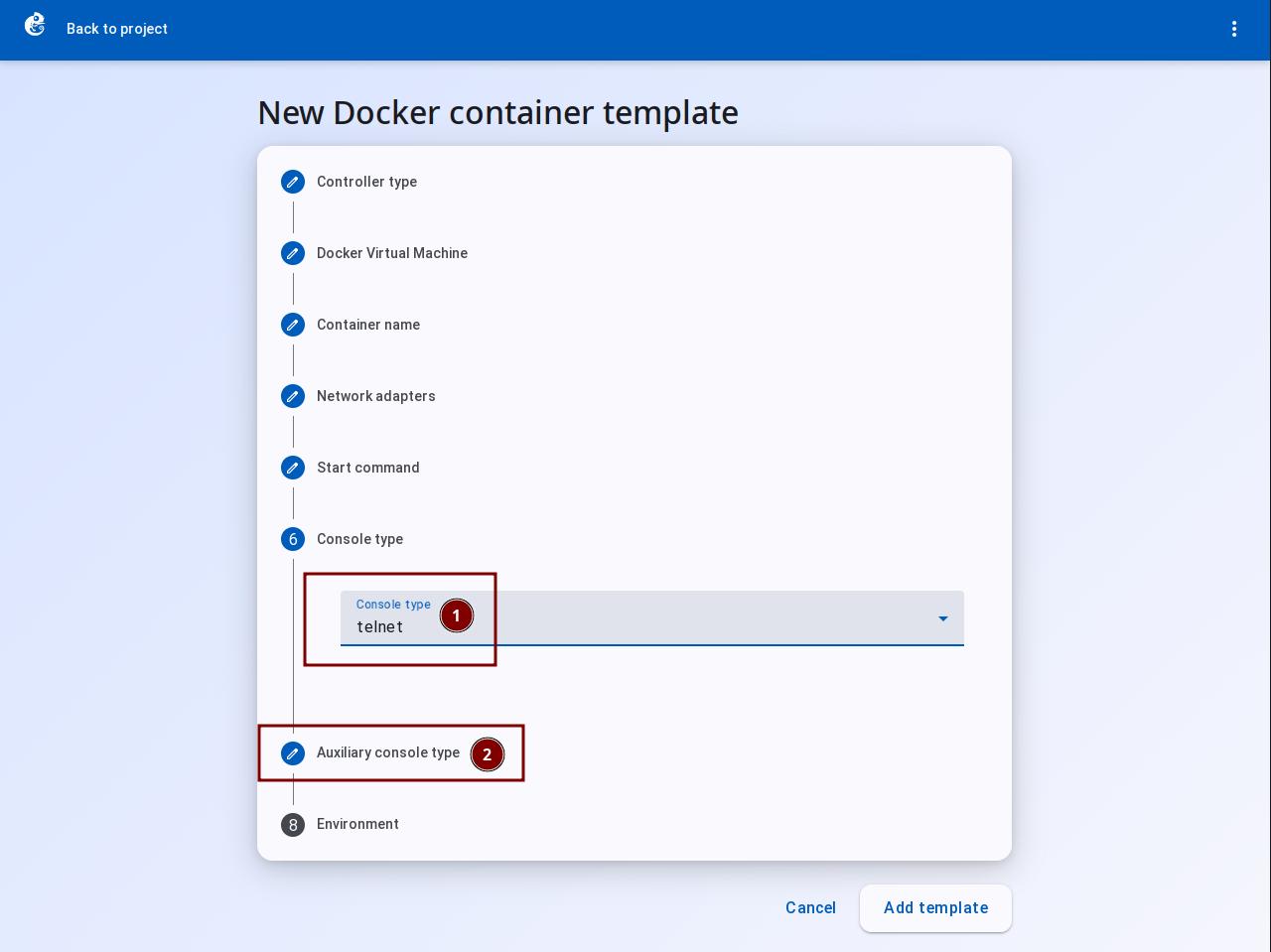
Choose the console type based on the container type (telnet/vnc, etc.). Then click "Auxiliary console type".
-
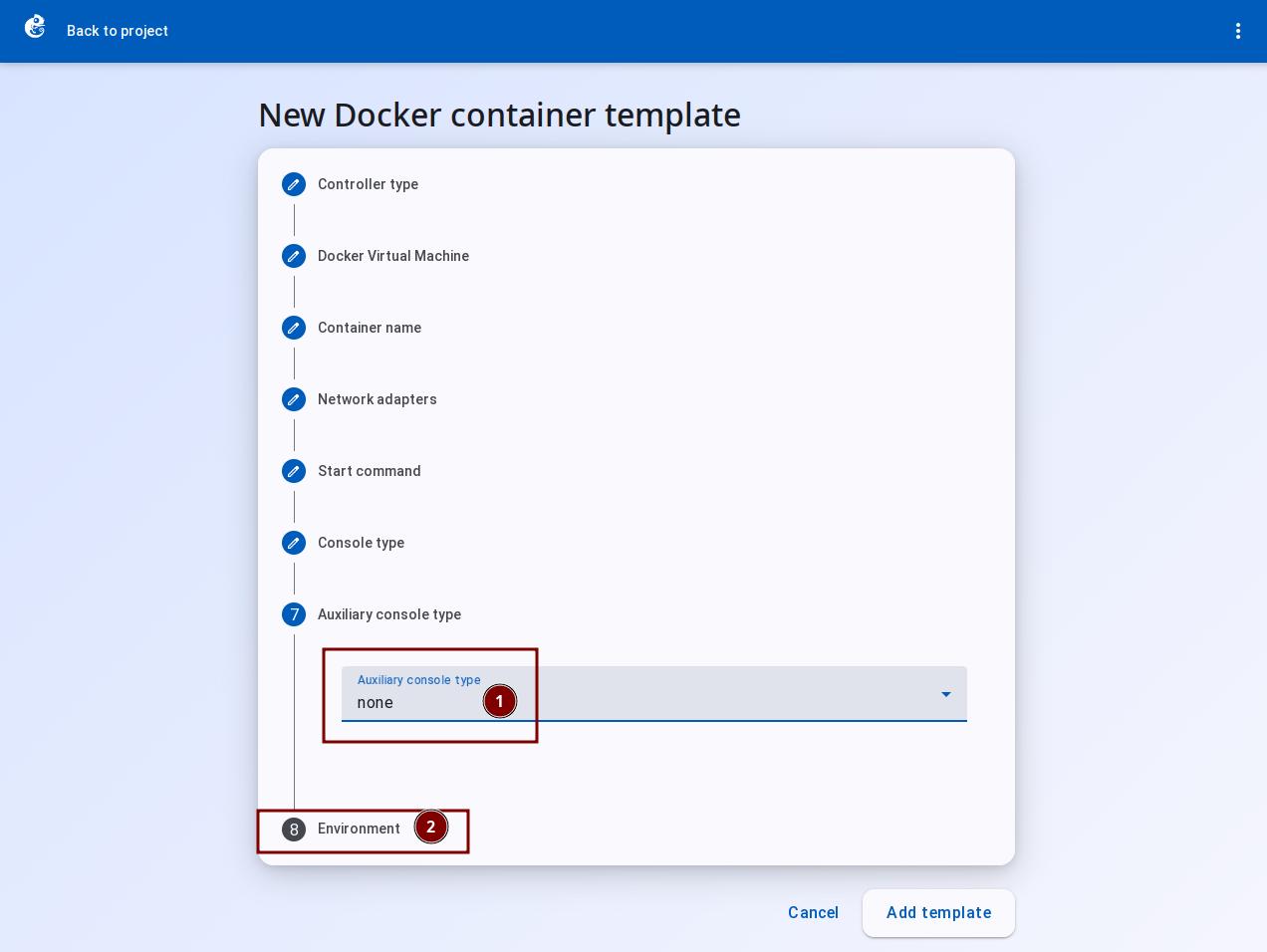
Set "Auxiliary console type" to "None". Then click "Environment".
-
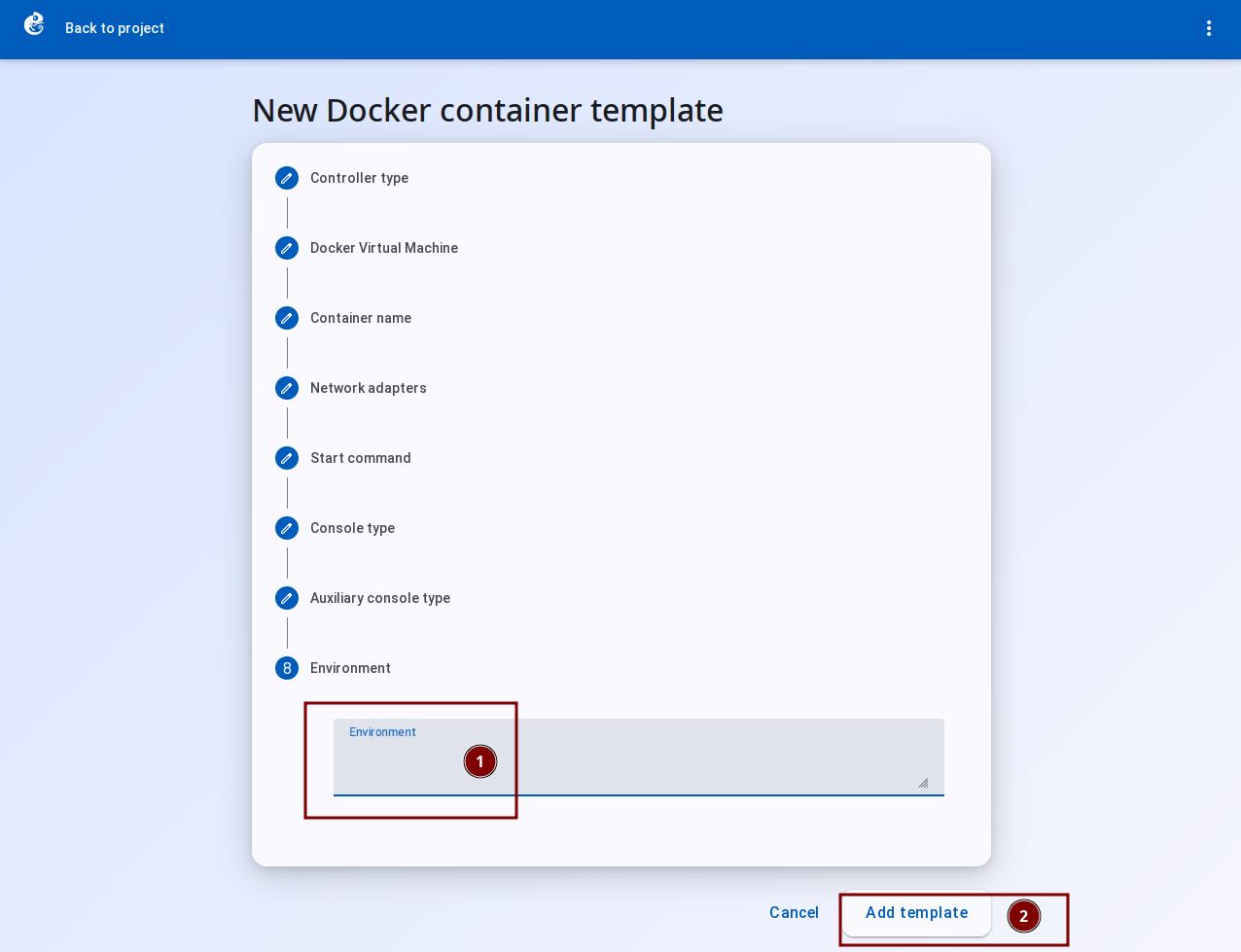
In "Environment", set the container environment variables. Then click "Add Template" to finish.
-
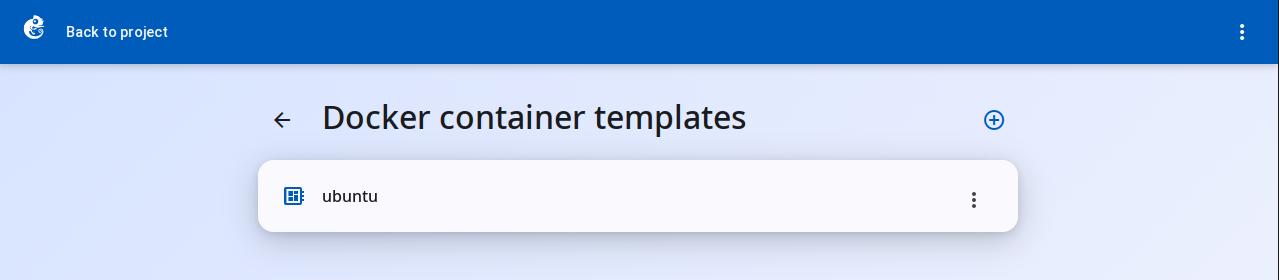
After creation, you can see the new template in the list.
-
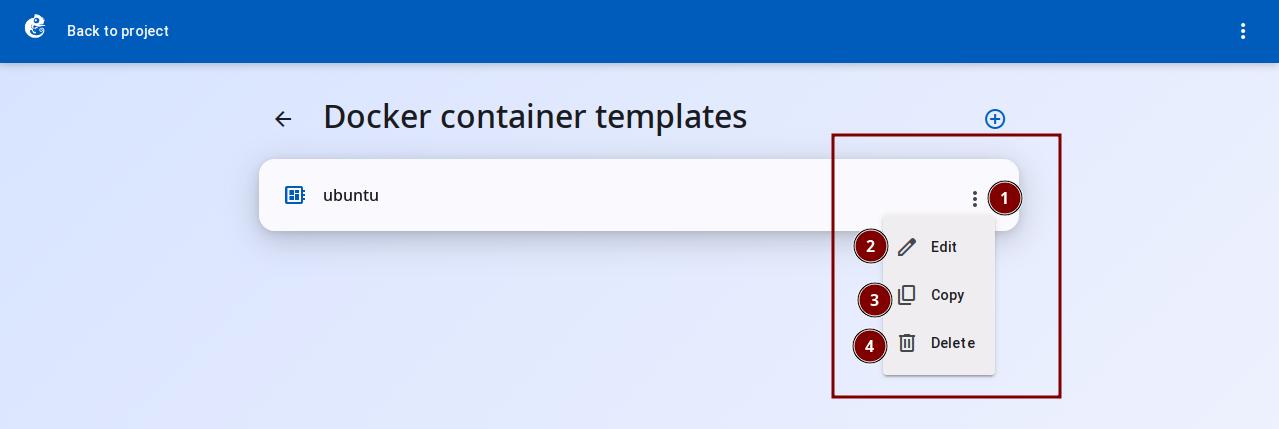
Click the three-dot button on the right to choose Delete, Copy, or Edit.
Differences from Other Node Types
| Feature | Docker | QEMU | Dynamips | VPCS |
|---|---|---|---|---|
| Technology type | Container (shared kernel) | Full virtualization | Hardware simulation | Simulated PC |
| Startup speed | Very fast (seconds) | Slow (minutes) | Slow | Fast |
| Image size | Small (layered storage) | Large (several GB) | Medium | Very small |
| Number of NICs | 0-100 | 0-275 | Depends on platform | 1 |
| Console types | 8 types | 7 types | telnet/ssh | telnet |
| Memory limit | Optional (0 = no limit) | Required | Required | None |
| CPU limit | Optional (supports decimals) | Required | Required | None |
Docker Template Configuration Details
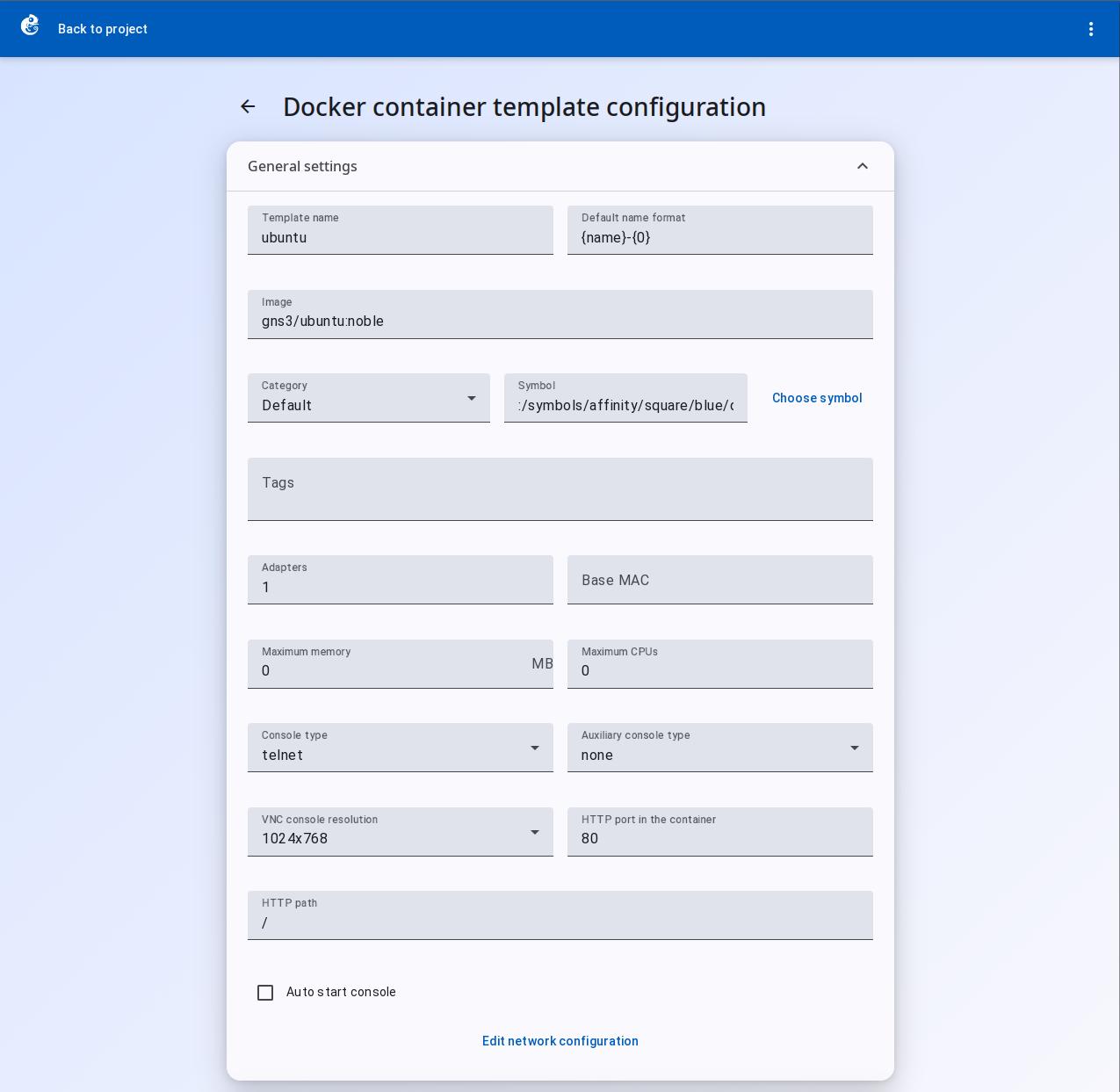
General Settings
| Field | Type | Unit | Use |
|---|---|---|---|
| Template name | Text | -- | Name of the template, shown in the list |
| Default name format | Text | -- | Auto-naming format for instances, e.g. {name}-{0} |
| Image | Text | -- | Docker image name (e.g. ubuntu:latest) |
| Category | Dropdown | -- | Device category |
| Symbol | Text + button | -- | Topology icon |
| Tags | Chip input | -- | Tags for sorting/filtering |
| Adapters | Number | count | Number of network adapters, default is 0 |
| Base MAC | Text | -- | Base MAC address, leave empty for auto-generation |
| Maximum memory | Number | MB | Memory limit, 0 = no limit |
| Maximum CPUs | Number | count | CPU core limit, 0 = no limit |
| Console type | Dropdown | -- | telnet / ssh / vnc / http / https / none |
| Auxiliary console type | Dropdown | -- | Auxiliary console type |
| VNC console resolution | Dropdown | -- | VNC resolution, only works when console_type is vnc |
| HTTP port in the container | Number | -- | HTTP port number inside the container |
| HTTP path | Text | -- | HTTP path, e.g. /, /gui |
| Auto start console | Checkbox | -- | Automatically opens the console when enabled |
| Edit network configuration | Button | -- | Customize NIC MAC addresses |
Custom Network Configuration
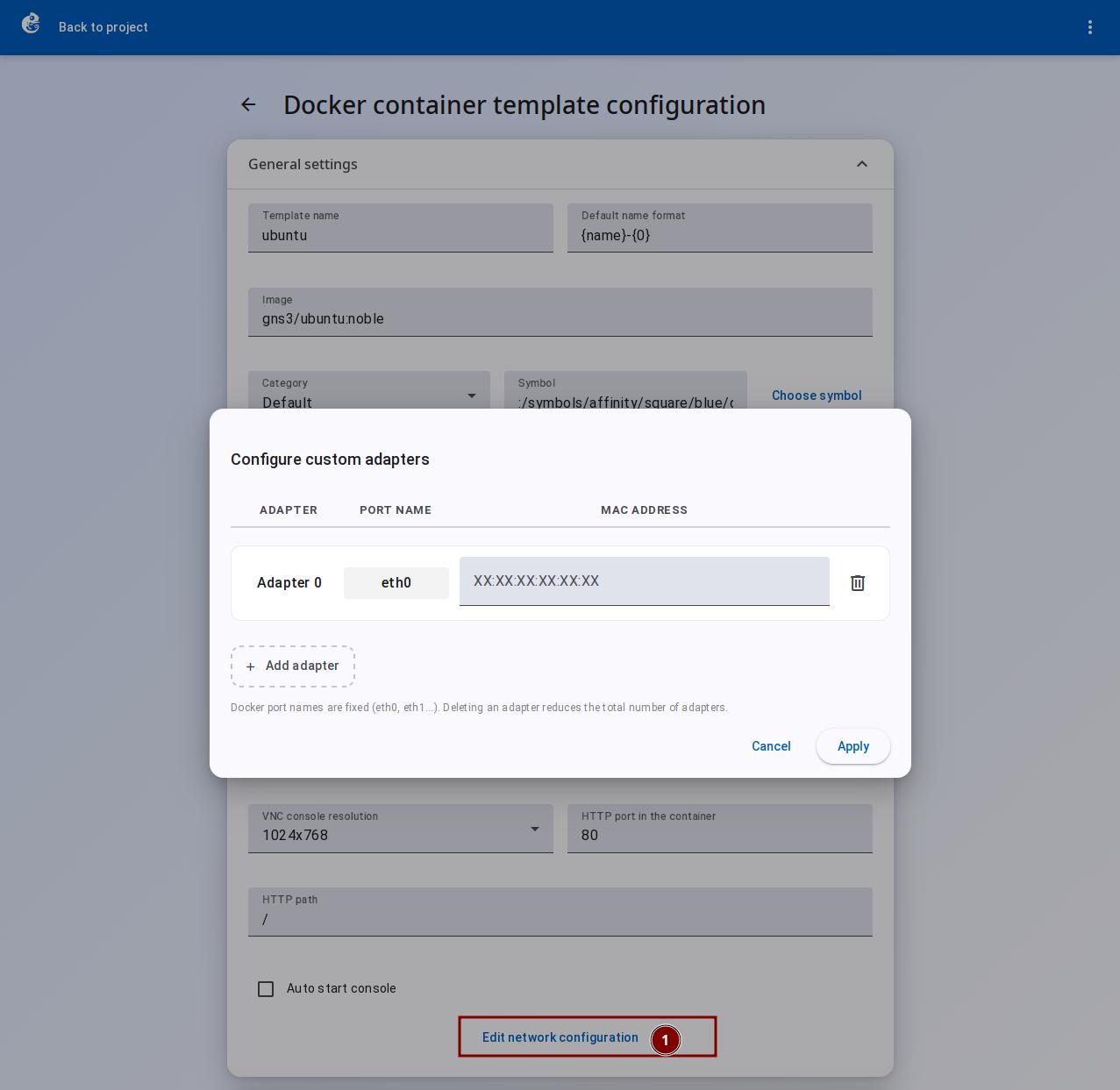
Click "Edit network configuration" to open the dialog. One NIC per row:
| Column | Field type | Use |
|---|---|---|
| Adapter | Read-only label | NIC number, auto-increment |
| Port name | Read-only text | Port name, fixed as eth0, eth1... (Docker convention) |
| MAC address | Text input | MAC address, can be customized. Leave empty for auto-generation |
| Action | Delete button | Delete this NIC |
Advanced Settings
Start Command
| Field | Type | Use |
|---|---|---|
| Start command | Text area | Container startup command. Overrides the Docker image default CMD |
Environment
| Field | Type | Use |
|---|---|---|
| Environment | Text area | Environment variables, one per line, format KEY=VALUE. Supports template variables: %vm-name%, %vm-id%, %project-id%, %project-path% |
Example:
DB_HOST=192.168.1.10
DB_PORT=5432
API_KEY=%vm-id%
PROJECT=%project-id%
Extra Volumes
| Field | Type | Use |
|---|---|---|
| Extra volumes | Text area | Extra mounted volumes. One container directory path per line. Data is not lost when the container is deleted |
Example:
/data
/config
/var/log/app
Extra Hosts
| Field | Type | Use |
|---|---|---|
| Extra hosts | Text area | Extra hostname mappings. One per line, format hostname:IP |
Example:
gns3.local:192.168.100.10
database.internal:10.0.0.5
api.example.com:172.16.0.100