How to configure Dynamips template preferences
Dynamips is the engine in GNS3 that uses IOS images to simulate Cisco routers. Unlike built-in templates, Dynamips IOS router templates need to be created by the user. You must select the IOS image, choose the platform, configure slots, and so on.
Supported Platforms (7 types)
| Platform | Models | RAM (default) | NVRAM | Special fields |
|---|---|---|---|---|
| c7200 | 7200 series | 512 MB | 512 KB | npe, midplane |
| c3745 | 3745 | 256 MB | 256 KB | -- |
| c3725 | 3725 | 128 MB | 256 KB | -- |
| c3600 | 3620 / 3640 / 3660 | 192 MB | 128 KB | chassis |
| c2691 | 2691 | 192 MB | 256 KB | -- |
| c2600 | 2610~2651XM and more chassis | 160 MB | 128 KB | chassis |
| c1700 | 1720~1760 | 160 MB | 128 KB | chassis |
Create a Template
Different platforms support different Network Adapters. Please choose based on your device.
-
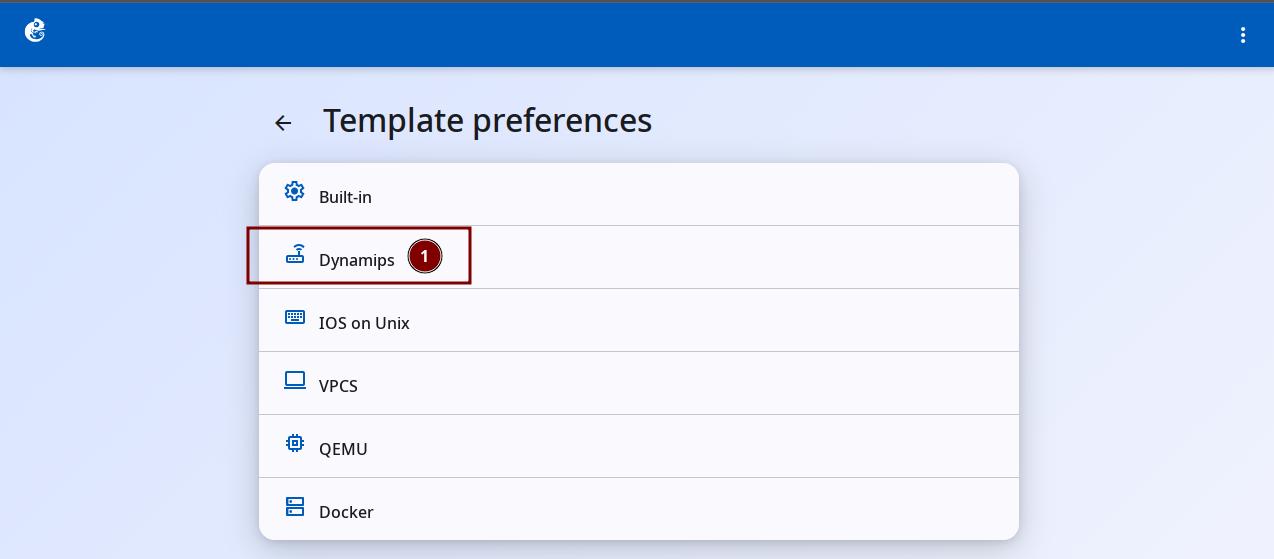
Click the "Dynamips" option to enter.
-
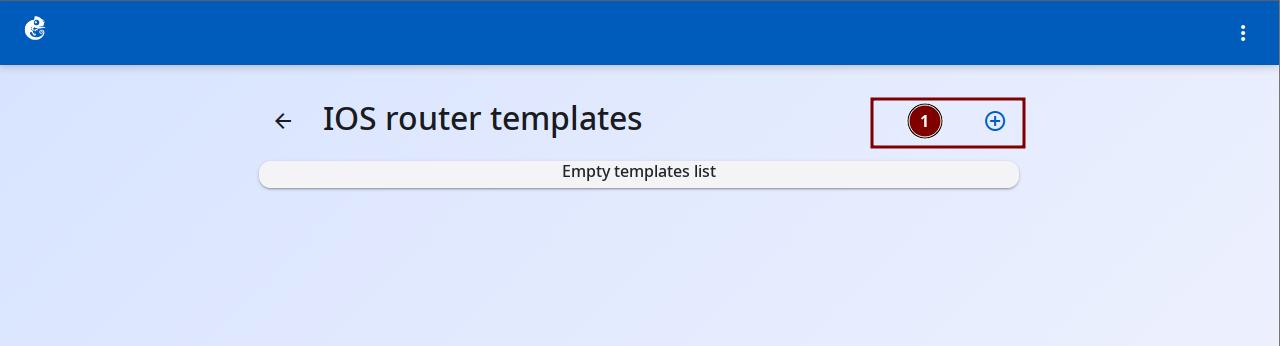
Click the + button at the top right to add a new template.
-
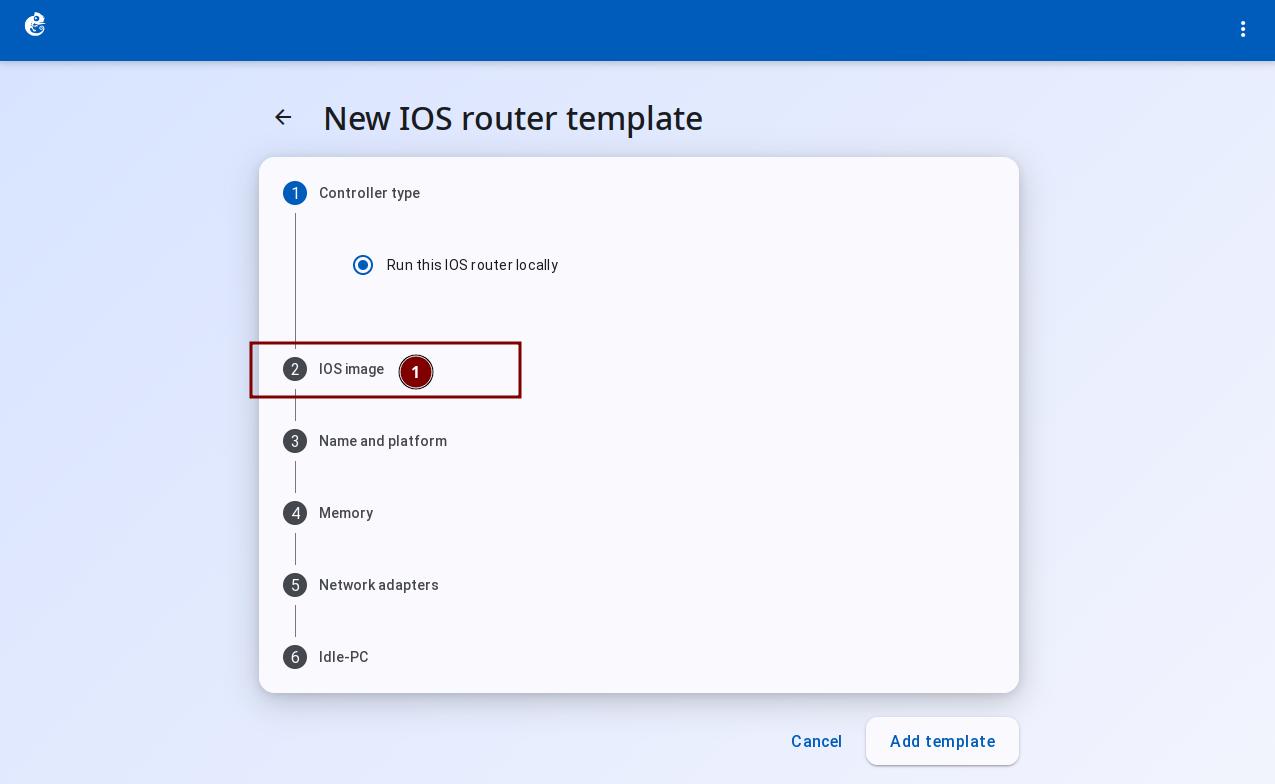
Follow the wizard steps. Click "IOS Image".
-
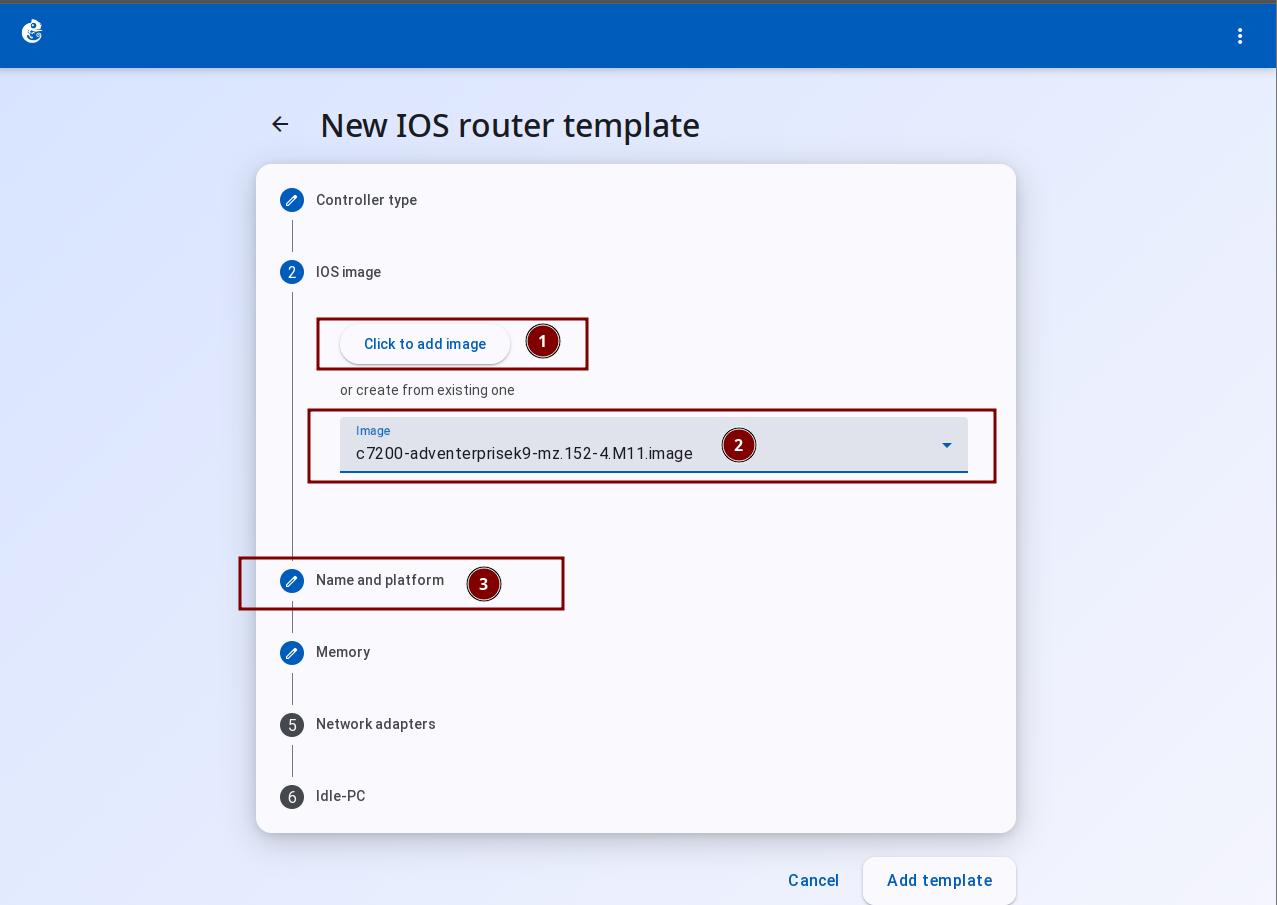
In the IOS Image step, click "Click to add image" to upload a local image file, or choose an already uploaded image from the list below. Then click "Name and platform".
-
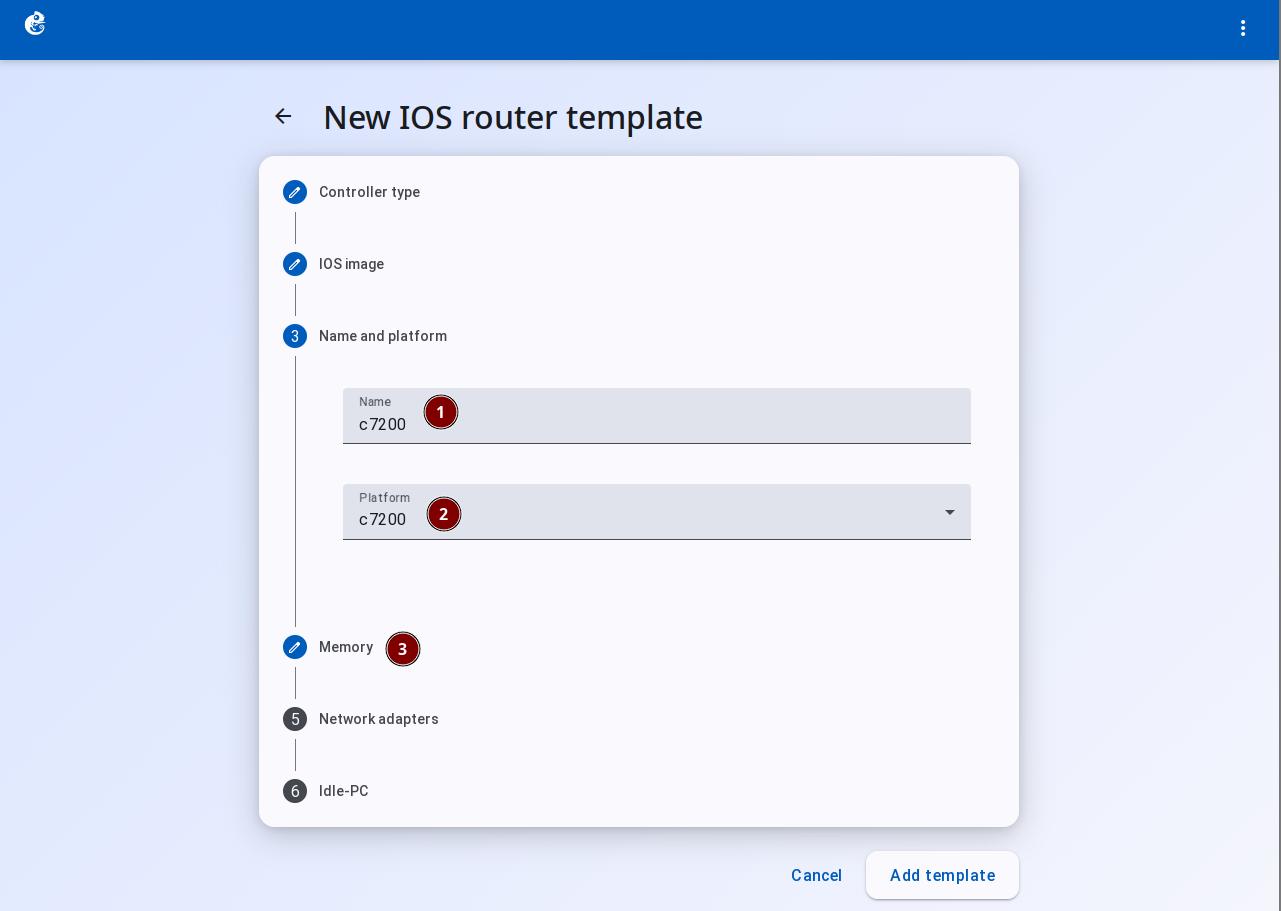
In Name and platform, enter the name and choose the platform. Then click "Memory".
-
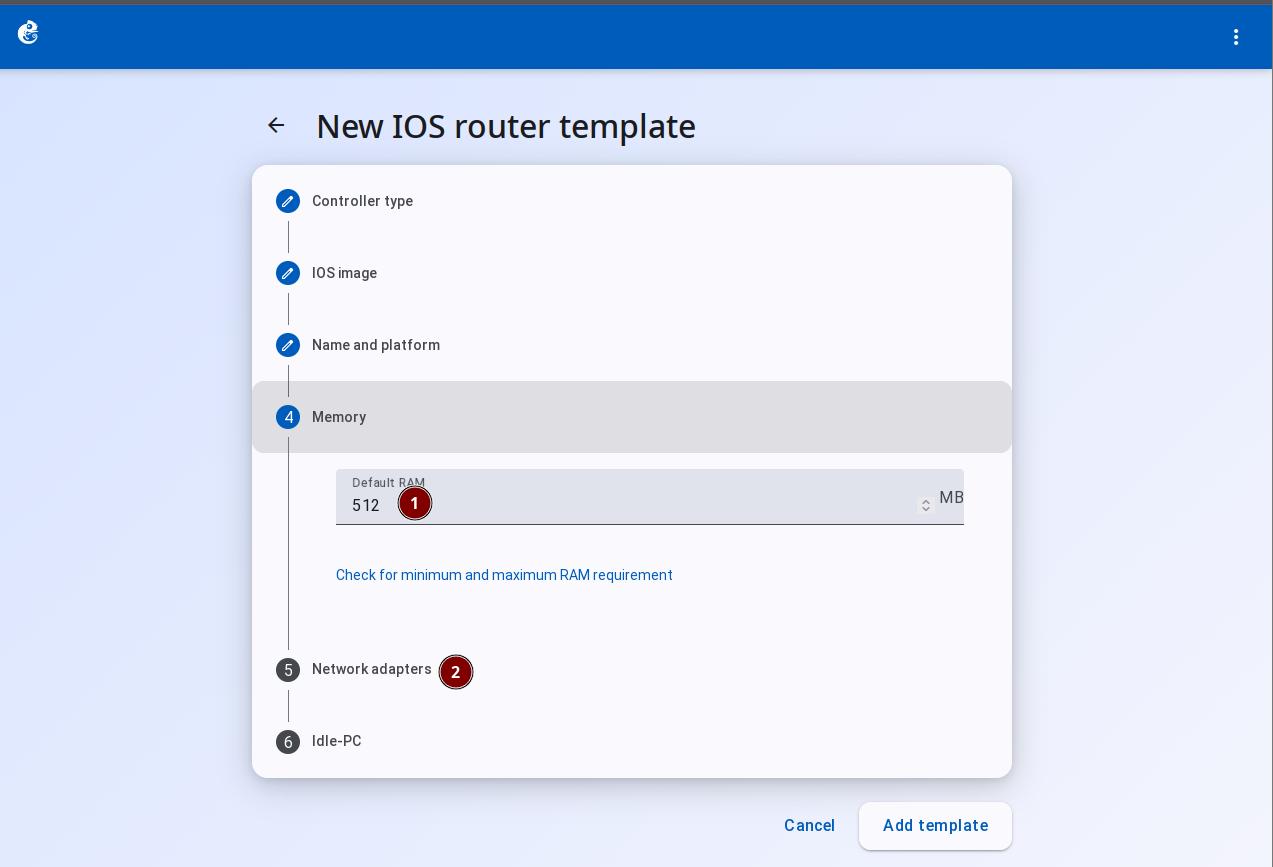
In Memory, you can change the RAM size. The default values are fine. Then click "Network adapters".
-
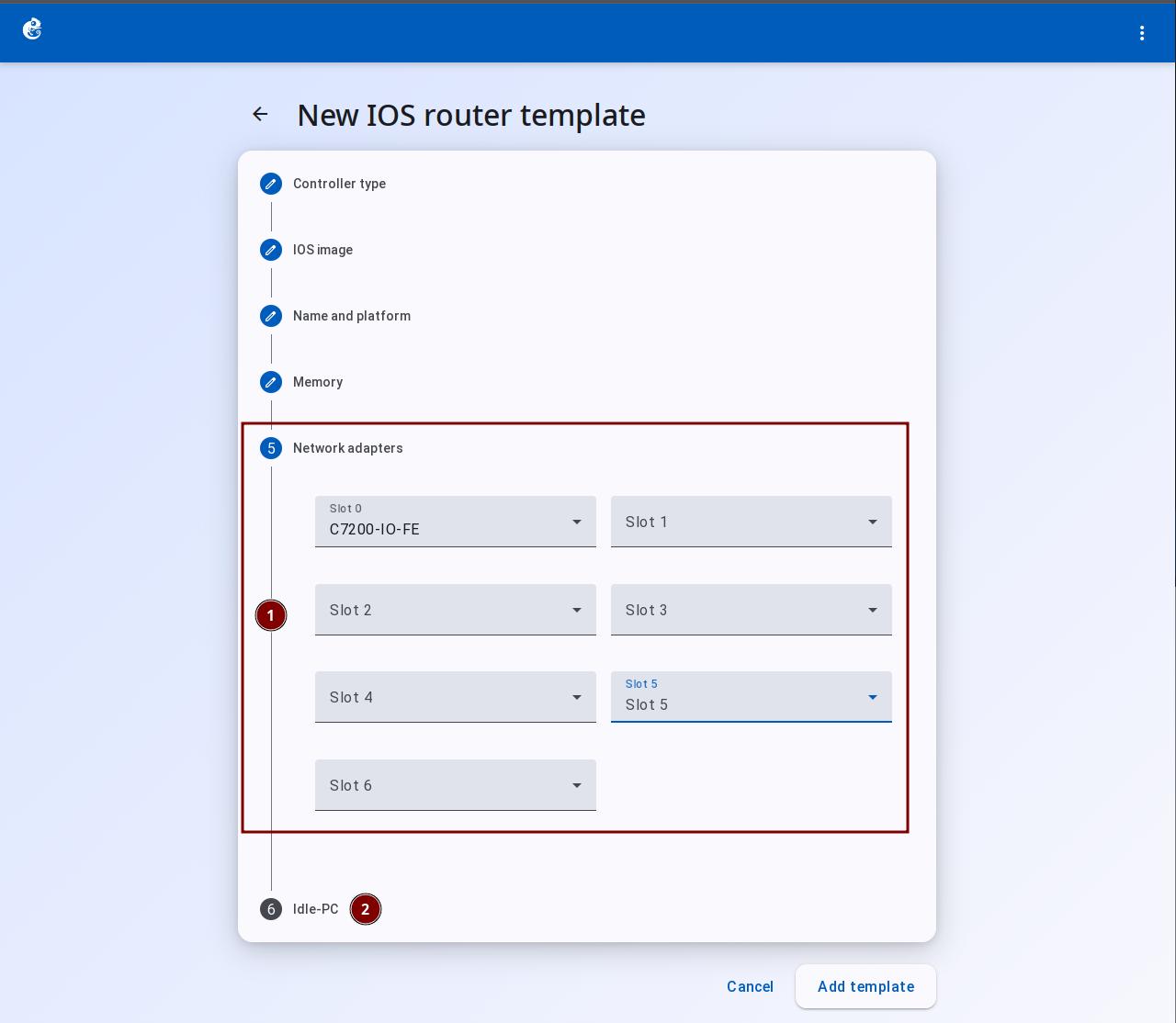
In Network adapters, select the interface cards for the template. Then click "Idle-PC".
-
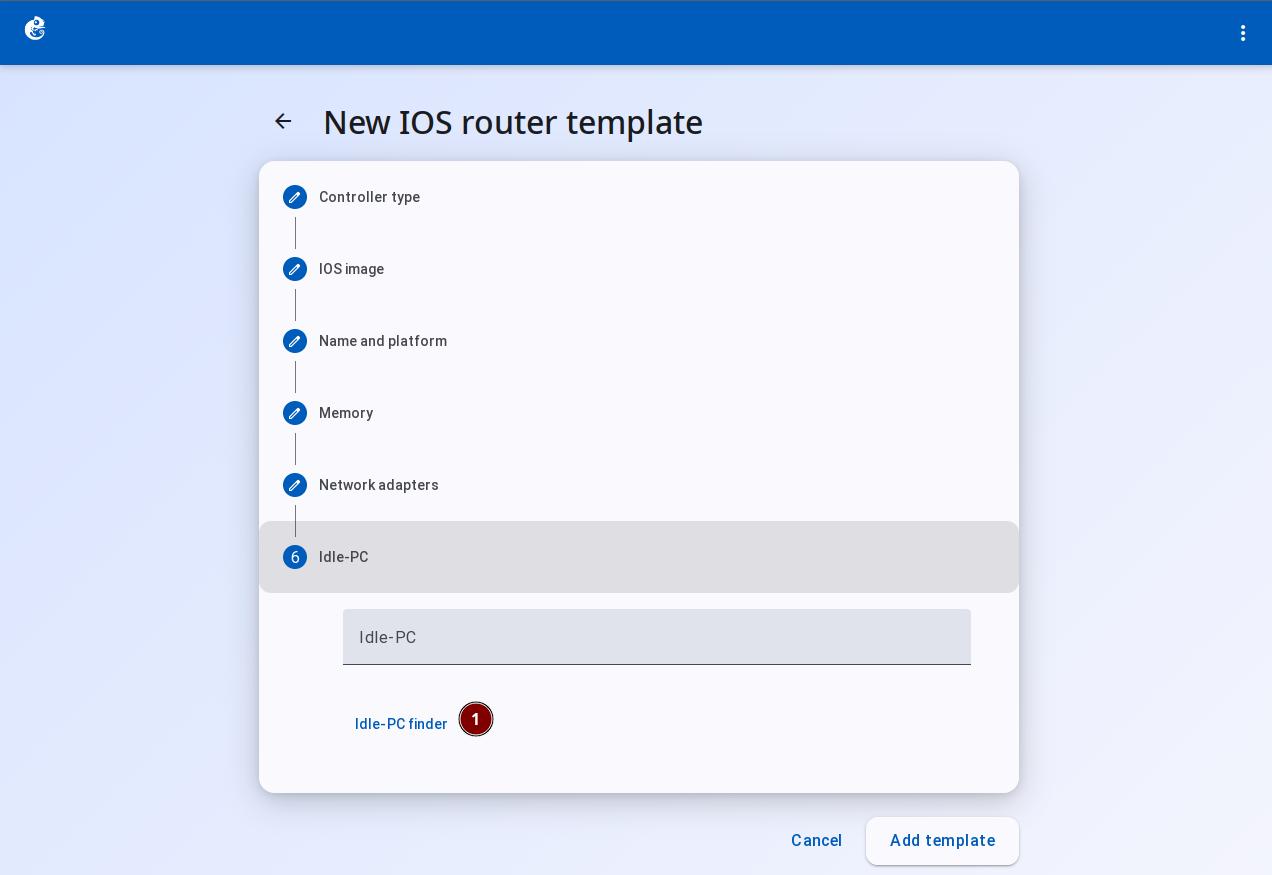
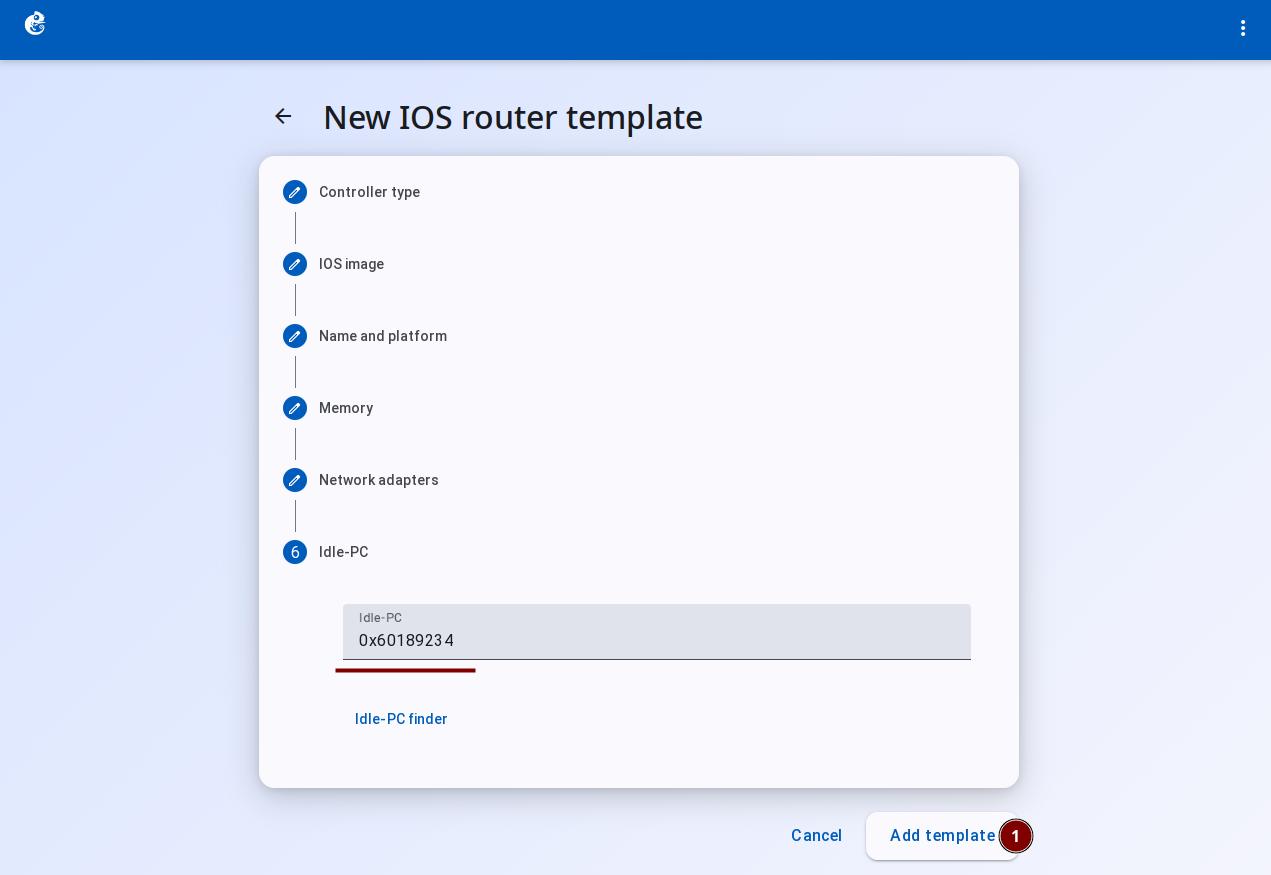
Click the "Idle-PC finder" button to calculate the Idle-PC value. This value helps reduce CPU usage.
-
After the calculation is done, click the "Add Template" button.
-
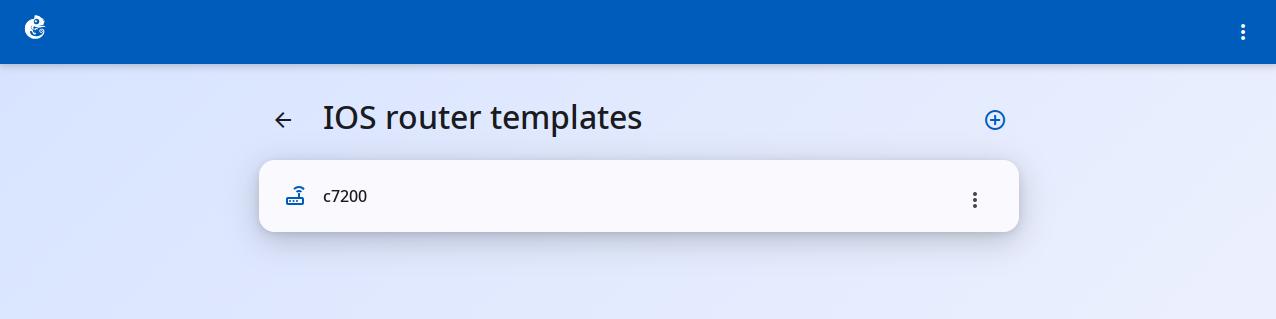
After creation, you can see the new template in the list.
-
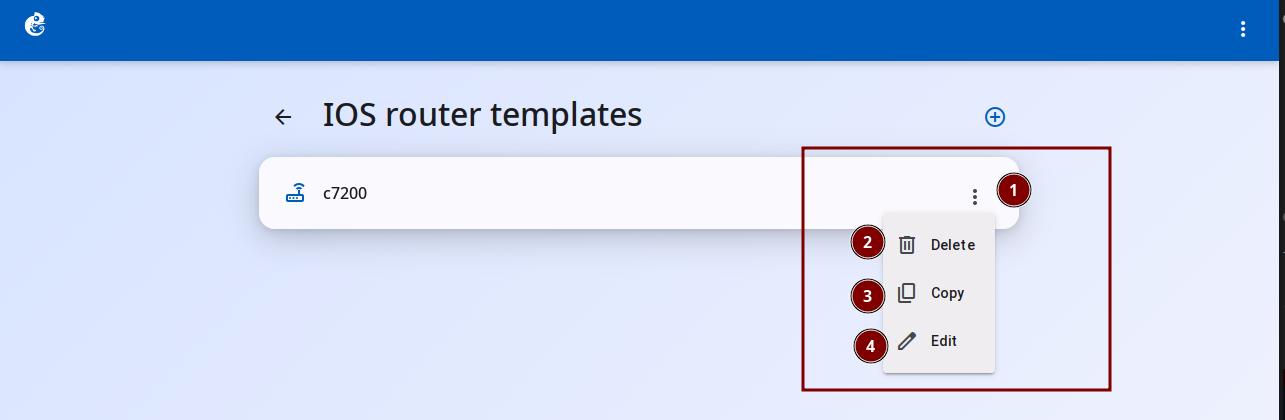
Click the three-dot button on the right to choose Delete, Copy, or Edit.
IOS Router Template Configuration Details
Click the "Edit" button to enter the configuration details.
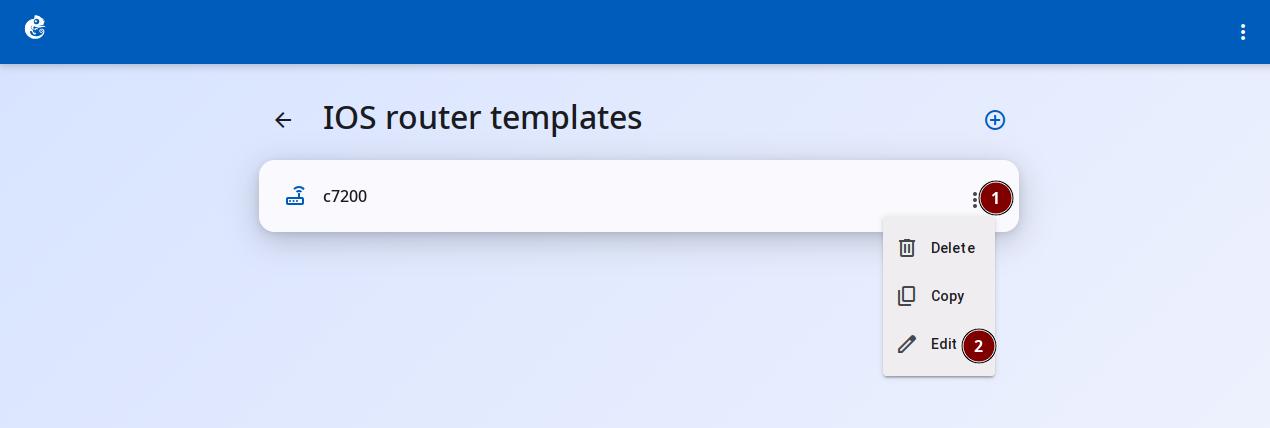
General Settings (c7200)
Here are all the fields in the General settings area of the IOS router template configuration page and what they do:
| Field | Type | Default | Use |
|---|---|---|---|
| Template name | Text | Required, no default | Name of the template, shown in the list |
| Default name format | Text | R{0} | Auto-naming format for instances. 0 is an increasing number |
| Category | Dropdown | router | Category for grouping in the device panel |
| Symbol | Text + button | router | Icon shown on the topology |
| Platform | Read-only | c7200 (cannot change after creation) | Platform name |
| Chassis | Read-only | Not applicable | c7200 has no chassis option |
| Tags | Chip input | [] | Tags for sorting/filtering |
| IOS image path | Text | Required, no default | Path to the IOS image file |
| Initial startup-config | Text | ios_base_startup-config.txt | Startup configuration file |
| Initial private-config | Text | "" (empty) | Private configuration file |
| Console type | Dropdown | telnet | Options: telnet / vnc / spice / none |
| Auxiliary console type | Dropdown | none | Auxiliary console type |
| Auto start console | Checkbox | False | Automatically opens the console when enabled |
For example, on Cisco IOS devices, you need to add a device_type tag so that AI Copilot can recognize the device type, for example device_type:cisco_ios_telnet. Without the correct tag, AI Copilot cannot work with this device.
Special notes about c7200:
- c7200 has no Chassis option (unlike c1700/c2600/c3600), so Chassis is not shown in General settings
- c7200 network adapters are configured in the Slots area
- When Console type is set to vnc or spice, the server needs VNC/SPICE support to work correctly
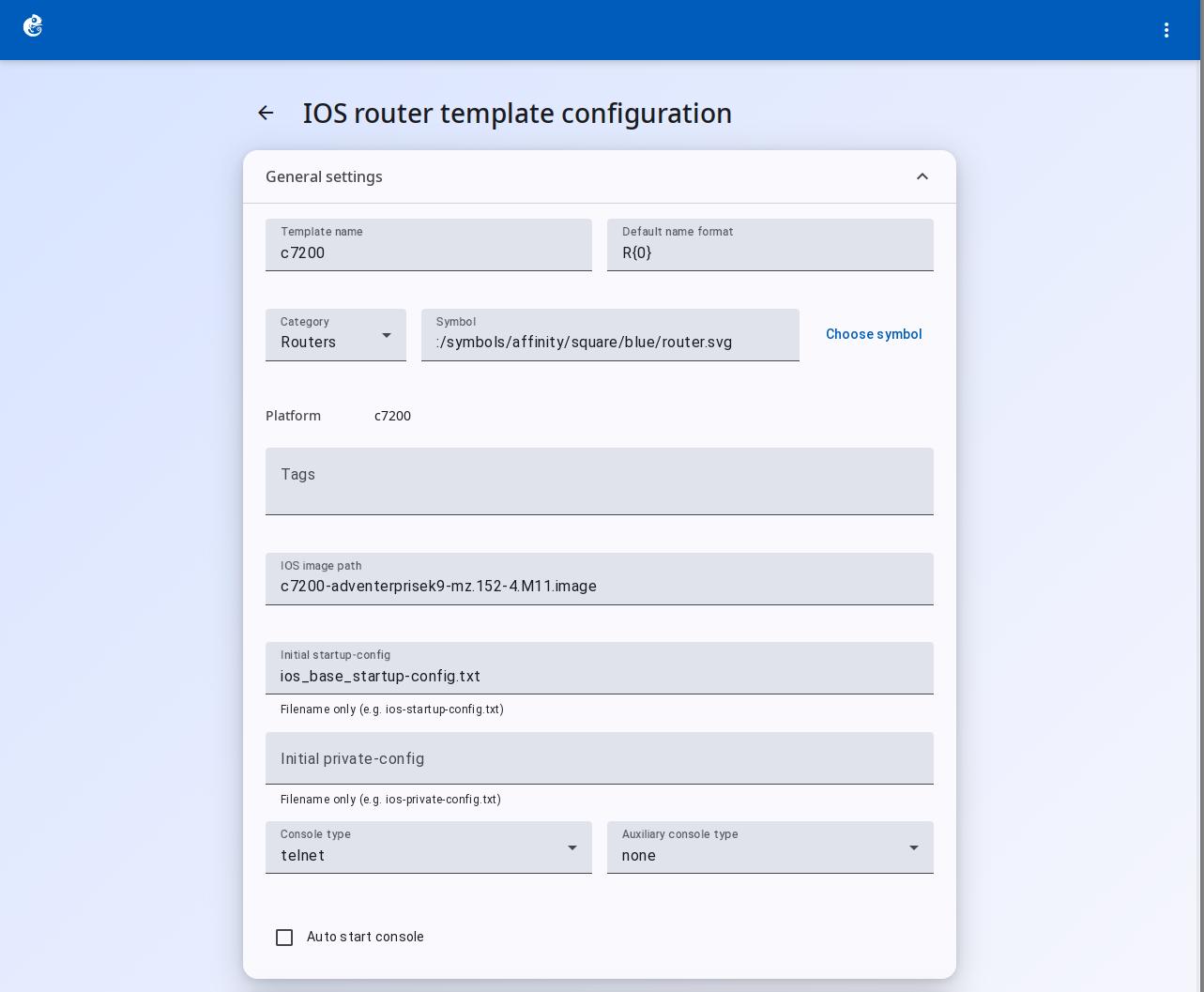
Memories and Disks
This area has two parts: Memory and Disk.
Memory
| Field | Type | Unit | Template default | Compute actual value | Use |
|---|---|---|---|---|---|
| RAM size | Number input | MB | 512 | 256 | Memory for the router |
| NVRAM size | Number input | KB | 512 | 128 | Non-volatile RAM, stores startup-config |
| I/O memory | Number input | % | Not applicable | -- | c7200 does not have this field. Managed by Slot 0 IO controller |
Disk
| Field | Type | Unit | Template default | Compute actual value | Use |
|---|---|---|---|---|---|
| PCMCIA disk0 | Number input | MB | 0 | 64 | ATA flash disk0 size. Set to 0 to disable |
| PCMCIA disk1 | Number input | MB | 0 | 0 | Second storage device |
Template default values are not the same as the actual Dynamips process defaults. The template gives recommended values. The compute side has the hard defaults from Dynamips.
Special notes about c7200:
- c7200 does not show the I/O memory field. I/O memory is managed by the IO controller card selected in Slot 0
- PCMCIA disk0/disk1 match the real router's disk0: and disk1:. c7200 usually needs at least disk0 to start IOS
- There is a checkbox "Automatically delete NVRAM and disk files" at the bottom. When checked, NVRAM and disk files are cleaned up when the project is deleted
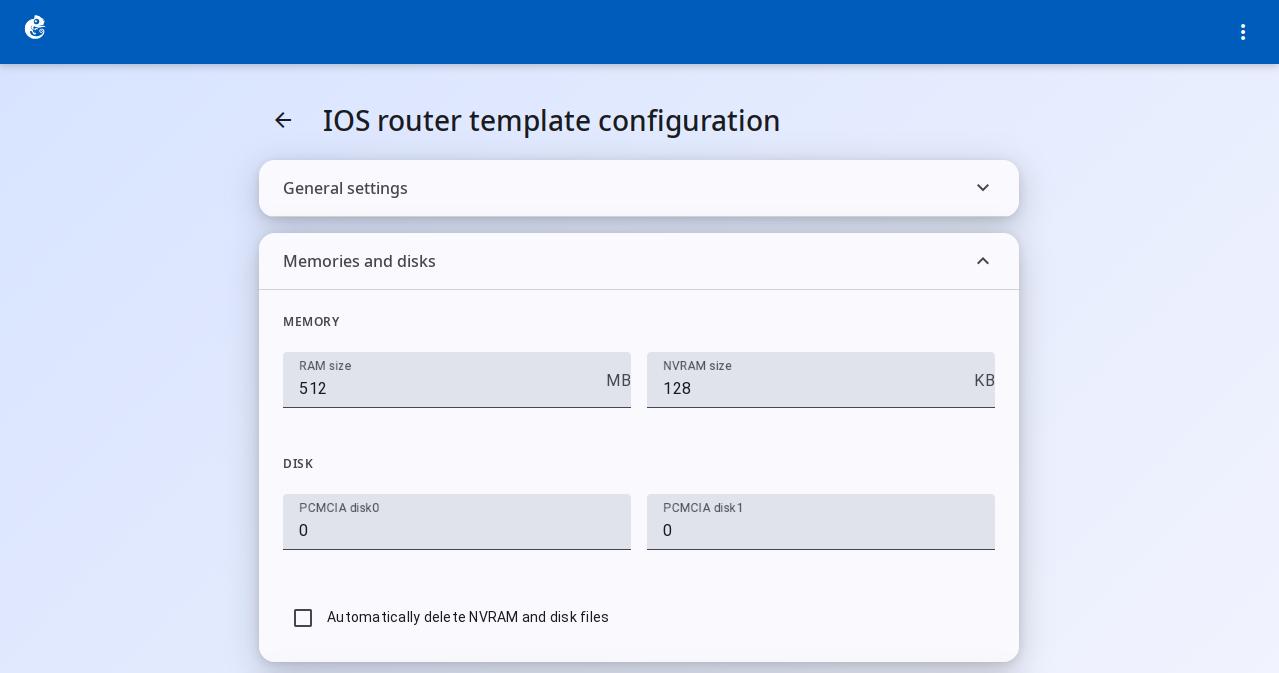
Slots (c7200)
c7200 simulates a 7206 router. It has 7 slots (0-6). Slot 0 is the IO controller (single choice). Slots 1-6 are port adapters (can choose multiple, can be empty).
| Slot | Available adapters | Description |
|---|---|---|
| Slot 0 | C7200-IO-FE, C7200-IO-2FE, C7200-IO-GE-E | IO controller. Provides out-of-band management interface. 1 or 2 Fast Ethernet ports, or 1 Gigabit port |
| Slots 1-6 | PA-A1 | ATM adapter, for ATM network interfaces |
| PA-FE-TX | Single port Fast Ethernet | |
| PA-2FE-TX | Dual port Fast Ethernet | |
| PA-GE | Single port Gigabit Ethernet | |
| PA-4T+ | 4-port serial (enhanced) | |
| PA-8T | 8-port serial | |
| PA-4E | 4-port Ethernet | |
| PA-8E | 8-port Ethernet | |
| PA-POS-OC3 | Packet-over-SONET OC3 interface |
Behavior:
- Slot 0: only one IO controller can be selected (no empty option)
- Slots 1-6: multiple choices allowed, can be left empty
- Template defaults: Slot 0 -> None, Slots 1-6 -> None (all empty at template level). The client UI may fill in the first available option automatically
- c7200 has no WIC slots. WIC functions are provided by the Slot 0 IO controller
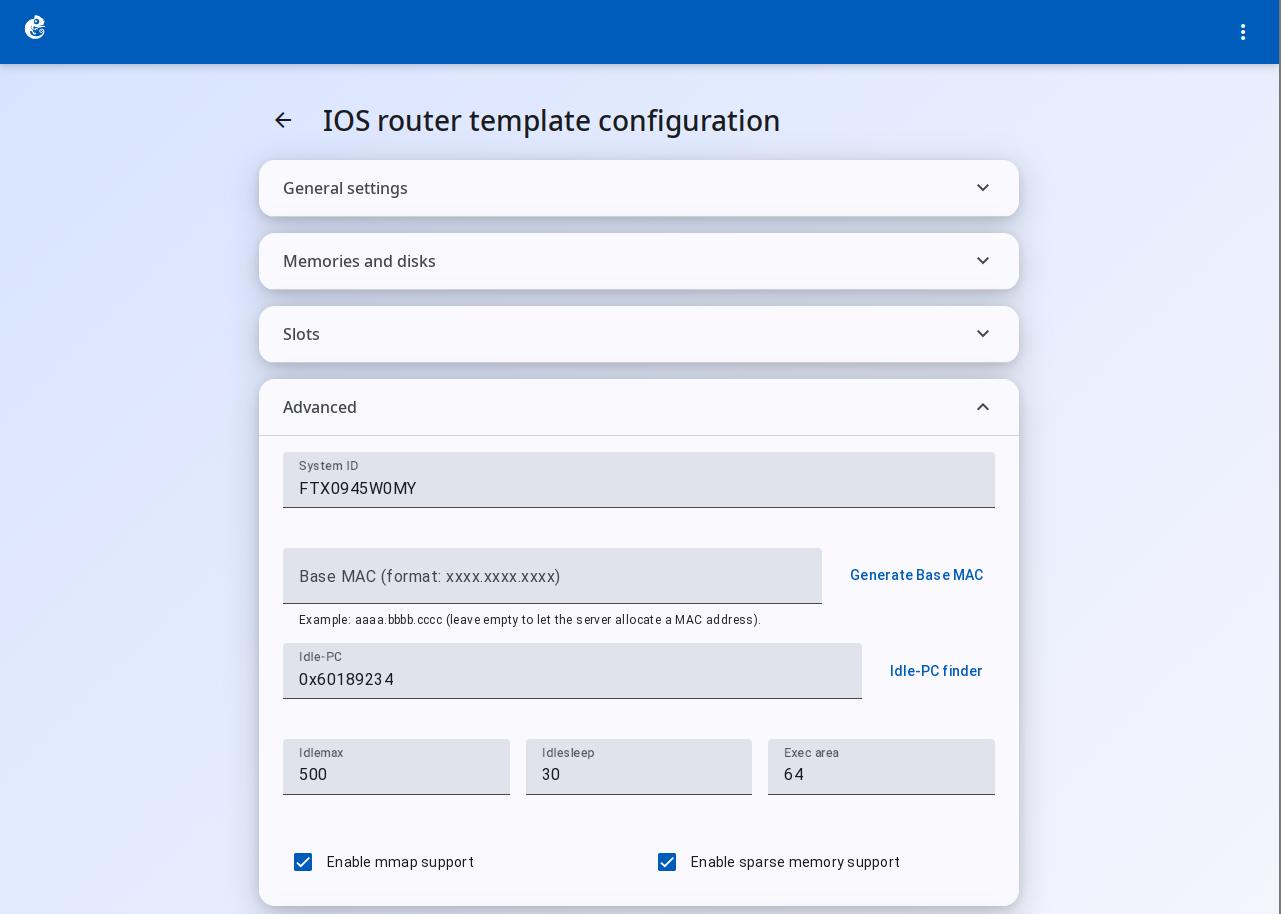
Advanced Settings (c7200)
| Field | Type | Default | Use |
|---|---|---|---|
| System ID | Text | FTX0945W0MY | Cisco router System ID, used to unlock feature sets |
| Base MAC | Text (format xxxx.xxxx.xxxx) | "" (empty) | Base MAC address. If empty, the server assigns one automatically |
| Idle-PC | Text (hex 0x...) | "" (empty) | Key parameter to lower CPU usage. Detected with Idle-PC finder |
| Idlemax | Number | 500 | Idle detection parameter, controls max CPU time slice |
| Idlesleep | Number | 30 | Sleep time per idle cycle (microseconds) |
| Exec area | Number | 64 | JIT compiler execution area size |
| Enable mmap support | Checkbox | True | Enables memory-mapped file support |
| Enable sparse memory support | Checkbox | True | Sparse memory support, enabled by default on c7200 |
Important notes for c7200:
- Idle-PC is required for c7200. Without it, the host CPU will stay at 100%
- mmap and sparsemem: for c7200 with 512 MB RAM or more, it is recommended to enable both
- c7200 may need more conservative Idlemax and Idlesleep values than lower-end platforms