How to configure QEMU template preferences
QEMU is the most complex node type in GNS3. It has the most configuration options. It supports full hardware virtualization.
Create a Template
This example uses a Cisco IOSv image to show how to create a QEMU template.
-
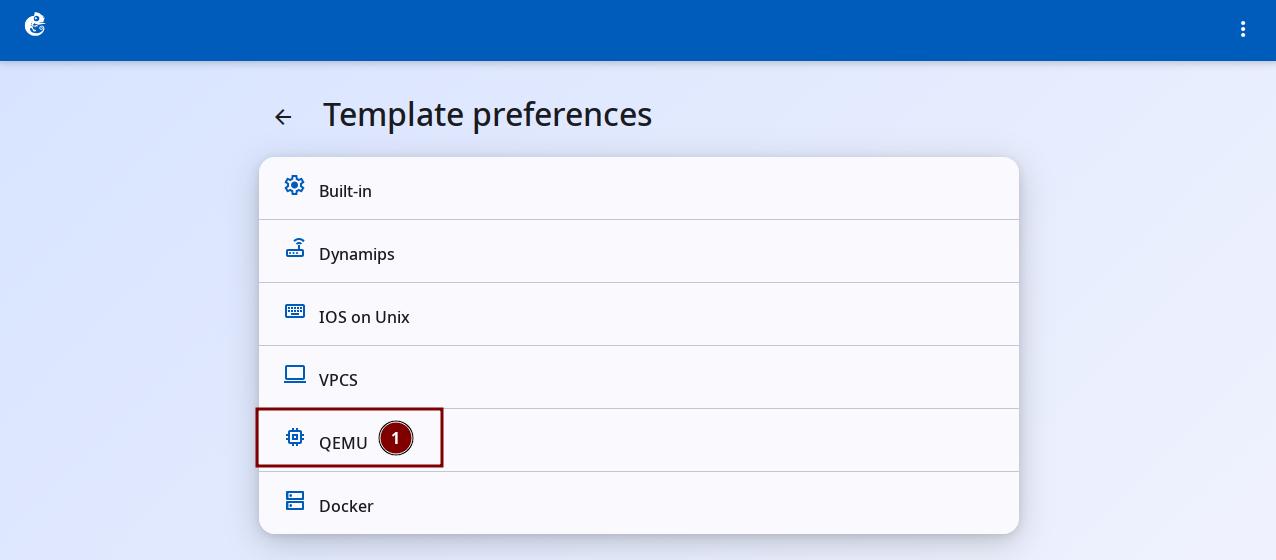
Click the "QEMU" option to enter.
-
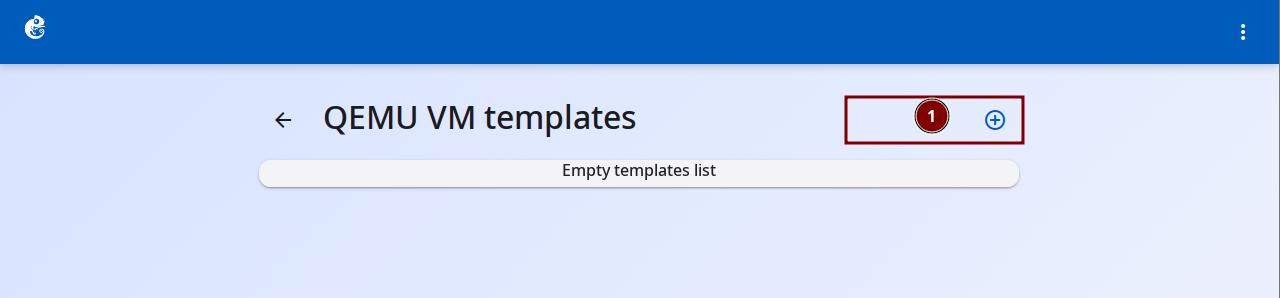
Click the + button at the top right to add a new template.
-
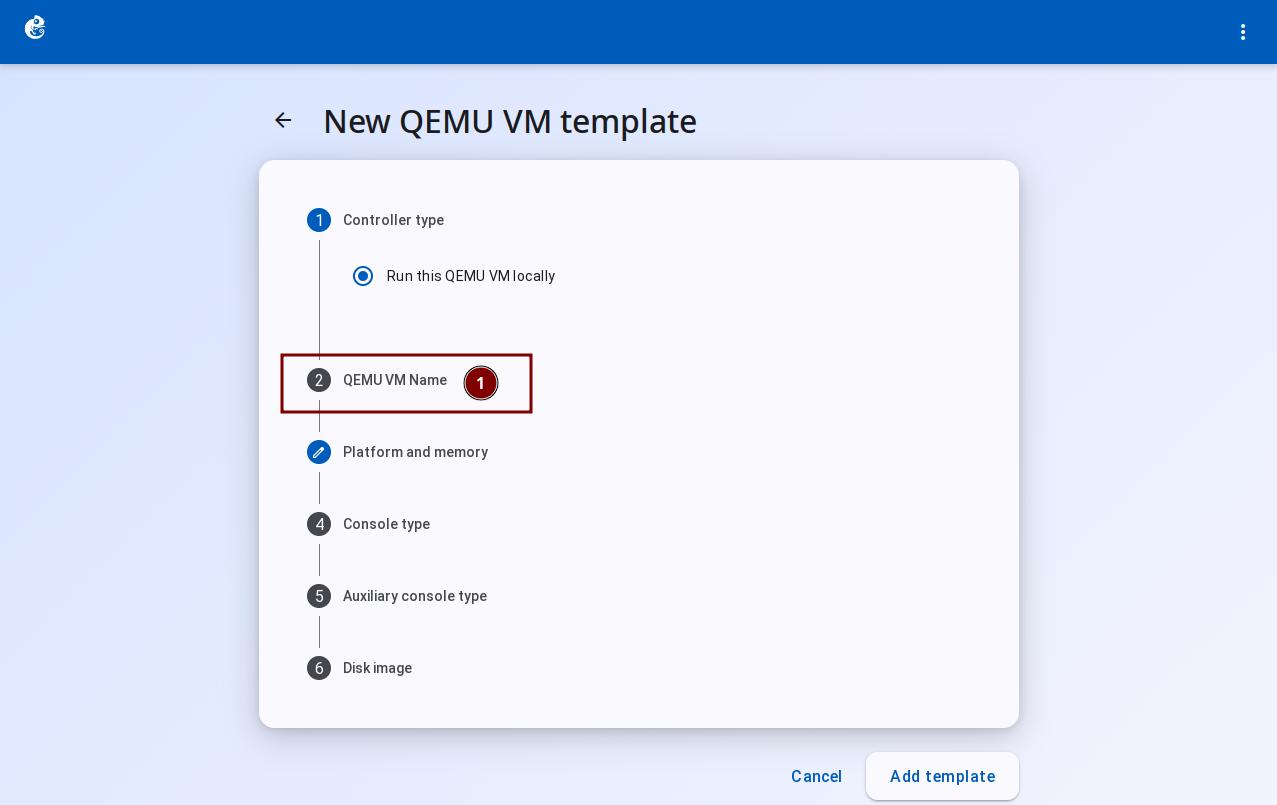
Follow the wizard steps. Click "QEMU VM Name".
-
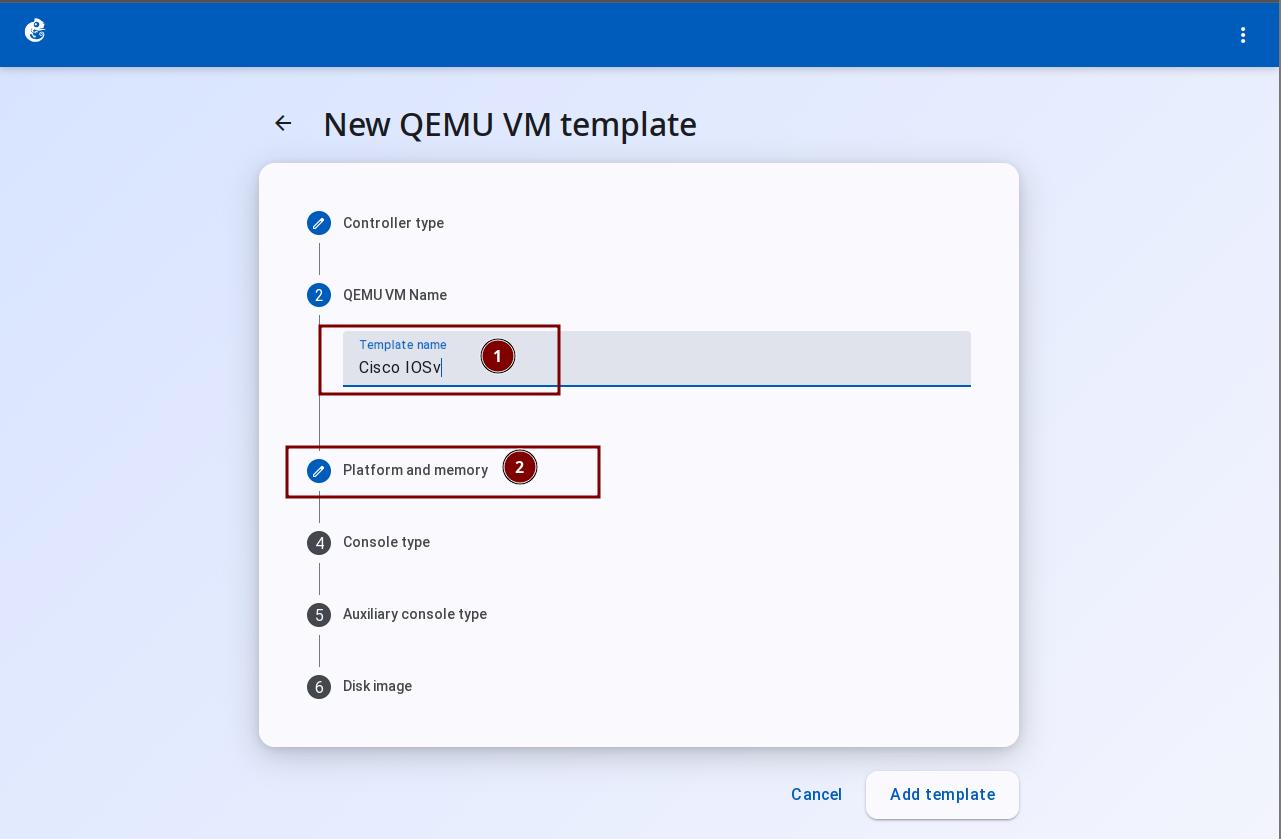
Enter the template name. Then click "Platform and memory".
-
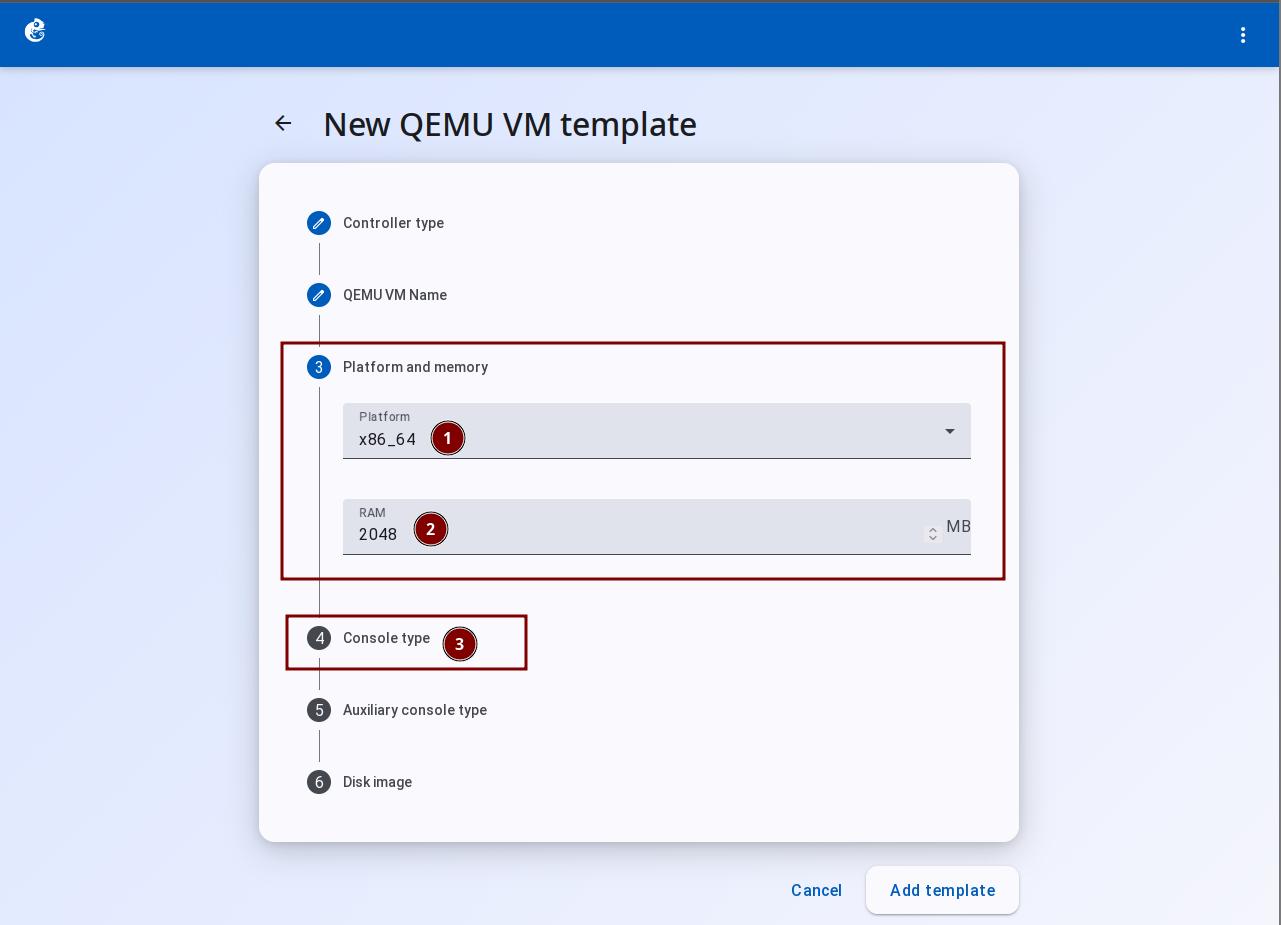
Choose Platform and RAM. Then click "Console type".
-
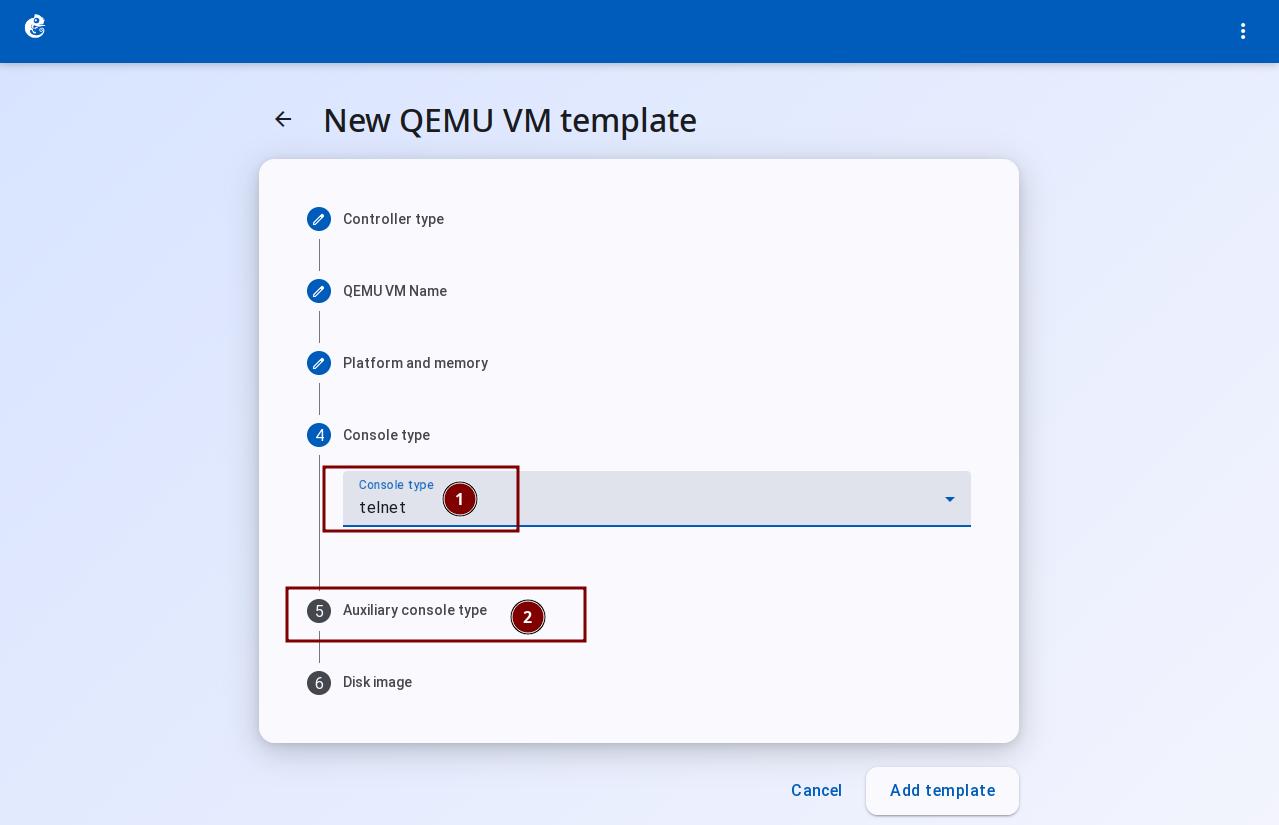
Set Console type to telnet. Then click "Auxiliary console type".
-
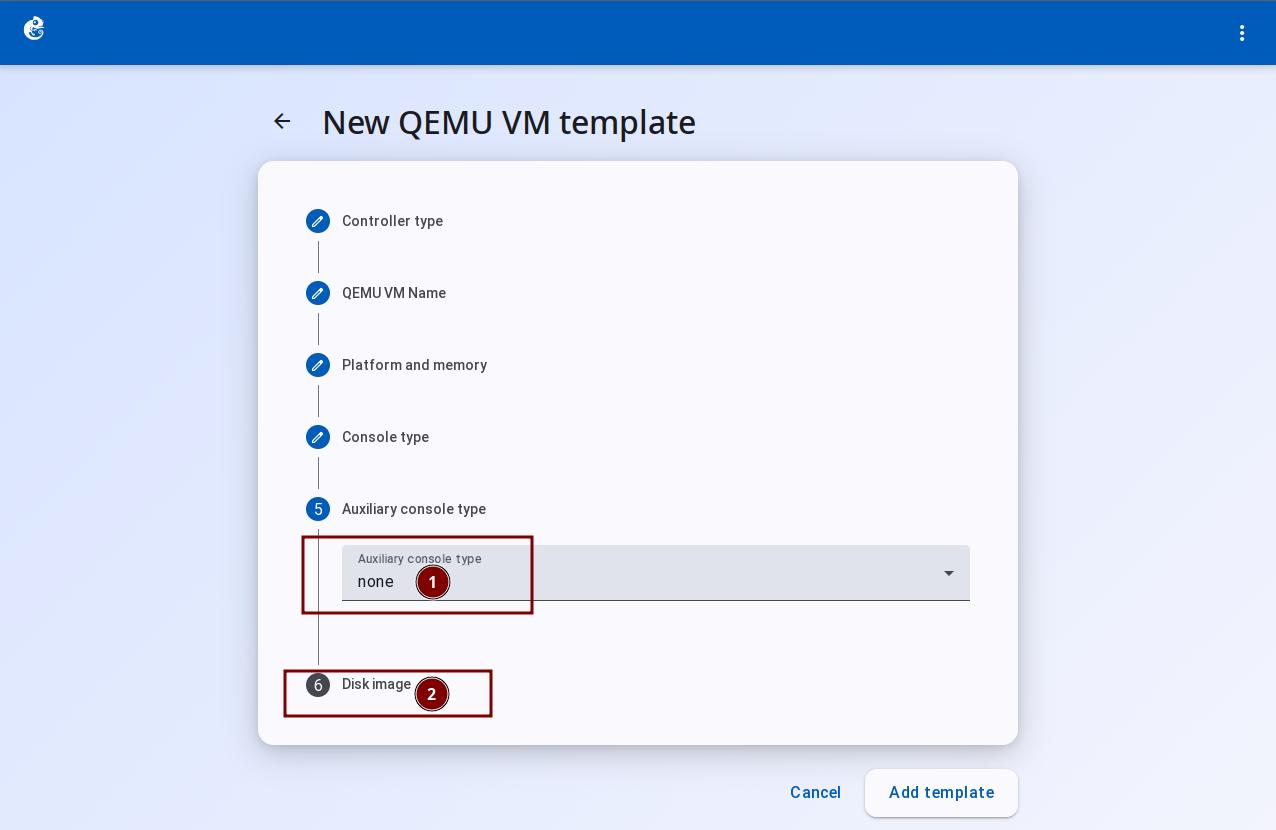
Set Auxiliary console type to none. Then click "Disk image".
-
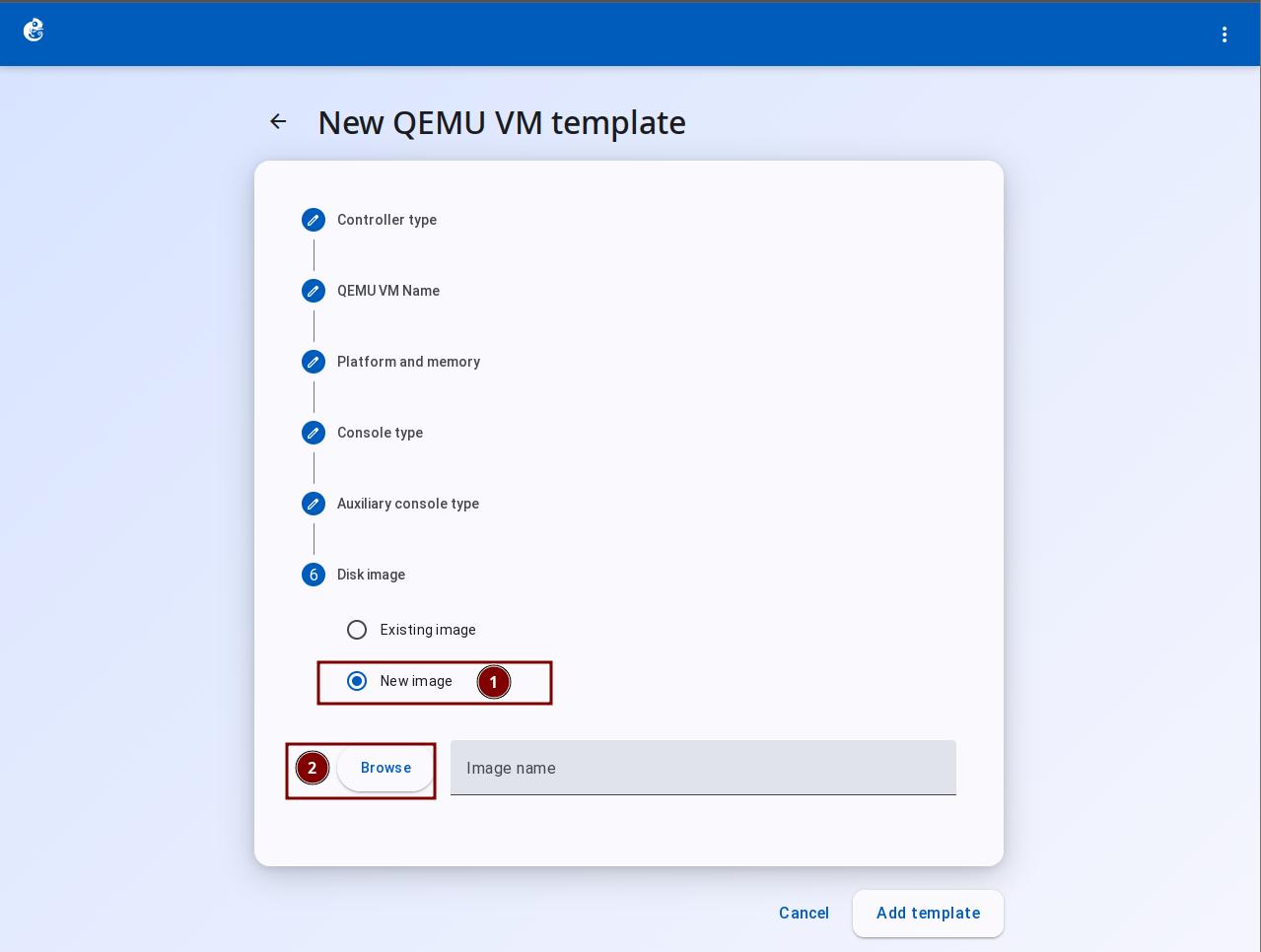
Upload the image file.
-
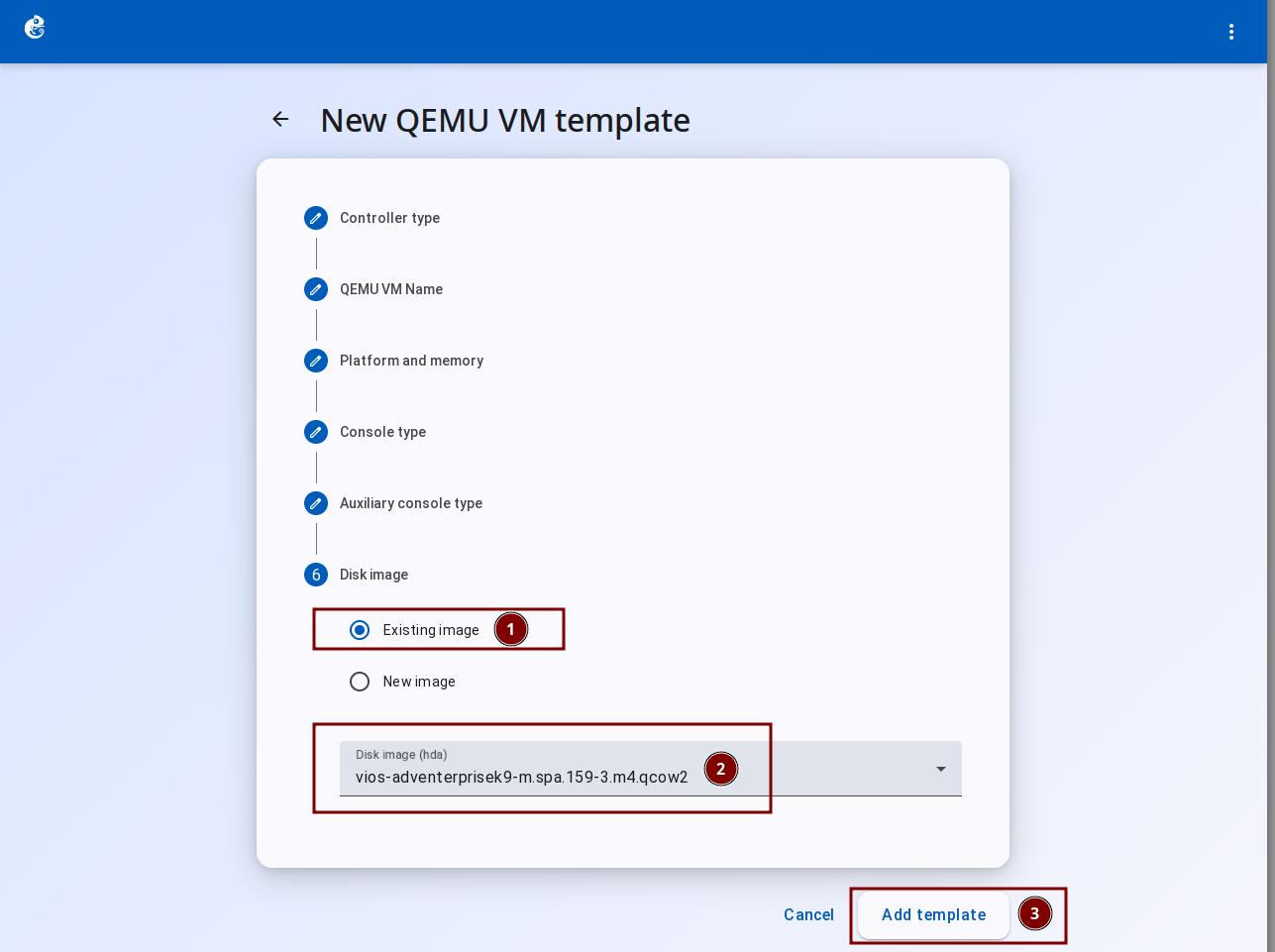
If you already have an image, choose Existing Image and the image file. Click "Add Template" to finish.
-
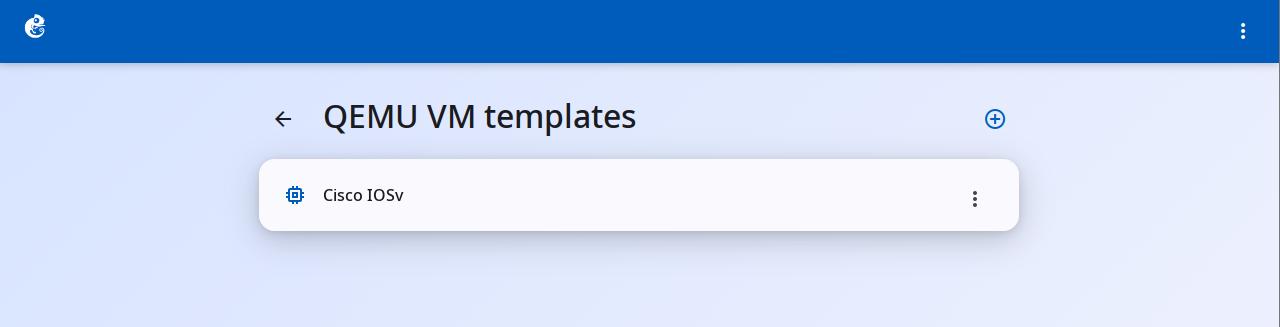
After creation, you can see the new template in the list.
-
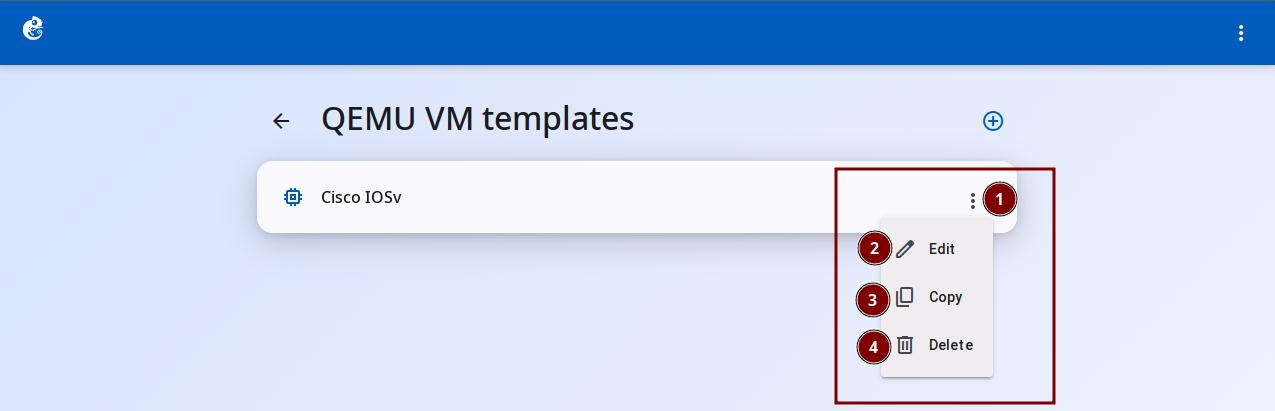
Click the three-dot button on the right to choose Delete, Copy, or Edit.
Differences from Other Node Types
The main difference is that QEMU has the most features and the most configuration options. For specific comparisons between node types, please see the template documentation for each type.
Supported Platforms (28 types)
| Architecture series | Platforms included | Count |
|---|---|---|
| x86 | i386, x86_64 | 2 |
| ARM | arm, aarch64 | 2 |
| MIPS | mips, mips64, mips64el, mipsel | 4 |
| PowerPC | ppc, ppc64, ppcemb | 3 |
| SPARC | sparc, sparc64 | 2 |
| SuperH | sh4, sh4eb | 2 |
| Xtensa | xtensa, xtensaeb | 2 |
| Microblaze | microblaze, microblazeel | 2 |
| Other | alpha, cris, lm32, m68k, moxie, or32, s390x, tricore, unicore32 | 9 |
Common Platforms
| Platform | Architecture | Typical use | Performance |
|---|---|---|---|
| x86_64 | 64-bit x86 | General PC/server VMs (recommended) | 5 stars (KVM acceleration) |
| i386 | 32-bit x86 | Old OS (Windows XP, old Linux) | 3 stars |
| aarch64 | 64-bit ARM | ARM servers, Raspberry Pi 4+, modern phones | 4 stars |
| arm | 32-bit ARM | Raspberry Pi, embedded devices | 3 stars |
| mips64 | 64-bit MIPS | MIPS routers (OpenWrt) | 3 stars |
| ppc64 | 64-bit PowerPC | IBM Power servers | 2 stars |
| s390x | IBM System z | Mainframe simulation | 2 stars |
Suffix Meaning
| Suffix | Description |
|---|---|
| (none) | Default byte order |
| el | Little Endian |
| eb | Big Endian |
For example: mips64 = MIPS64 big endian, mips64el = MIPS64 little endian
NIC Types (25 types)
| Series | Count | Types |
|---|---|---|
| e1000 series | 4 | e1000, e1000-82544gc, e1000-82545em, e1000e |
| i8255x series | 11 | i82550, i82551, i82557a/b/c, i82558a/b, i82559a/b/c/er, i82562, i82801 |
| Other Intel | 1 | igb |
| Legacy NICs | 3 | ne2k_pci, pcnet, rtl8139 |
| High-performance NICs | 4 | virtio, virtio-net-pci, vmxnet3, rocker |
The default NIC type is e1000. This is the most common Intel Gigabit Ethernet emulation. It works with most Linux/Windows guest OS.
Disk Interface Types (10 types)
| Interface type | Typical use | Performance | Guest support |
|---|---|---|---|
| ide | Traditional hard drive, CD/DVD | Low (simulated IDE) | General, all OS support it |
| sata | Modern SATA hard drive, CD/DVD | Medium (AHCI) | Windows Vista+, Linux 2.6+ |
| scsi | SCSI hard drive, tape drive | High (LSI Logic) | Server OS, Linux |
| virtio | Paravirtualized disk (best performance) | Highest (virtio-blk) | Linux/KVM/BSD recommended |
| nvme | NVMe SSD | Very high (modern SSD) | Linux 3.19+, Windows 8+ |
| sd | SD card (embedded devices) | Low | ARM embedded, Raspberry Pi |
| mtd | Memory Technology Device (Flash) | Very low | Embedded Linux, OpenWrt |
| floppy | Floppy disk drive | Very low | Old OS (MS-DOS, Windows 95) |
| pflash | Parallel Flash (BIOS/UEFI firmware) | N/A | UEFI firmware storage |
| none | No drive attached (define only, no connection) | N/A | Advanced use (manual hotplug) |
Console Types (7 types)
| Type | Description |
|---|---|
| vnc | VNC protocol |
| telnet | Telnet (default) |
| ssh | SSH |
| spice | SPICE protocol |
| spice_agent | SPICE with guest agent |
| none | No console |
Boot Priority
Single choice: c (hard disk), d (CD/DVD), n (network) Combinations: cn, cd, dn, dc, nc, nd
Key Features
- Linked Clone -- uses qcow2 backing file. Multiple VMs share the same base image. Only saves changed data
- Config Disk -- automatically creates a config disk on the HDD interface. Uses mcopy to import and export config
- Hardware Acceleration Detection -- detects KVM on Linux, HAXM on macOS. Falls back to TCG software emulation
- Security Limits -- blocked QEMU parameters (to prevent escape):
-blockdev,-drive,-hda,-hdb,-hdc,-hdd,-fsdev,-virtfs,-nic,-netdev - Network State Sync -- automatically sends set_link commands to simulate cable plug/unplug
QEMU Template Configuration Details
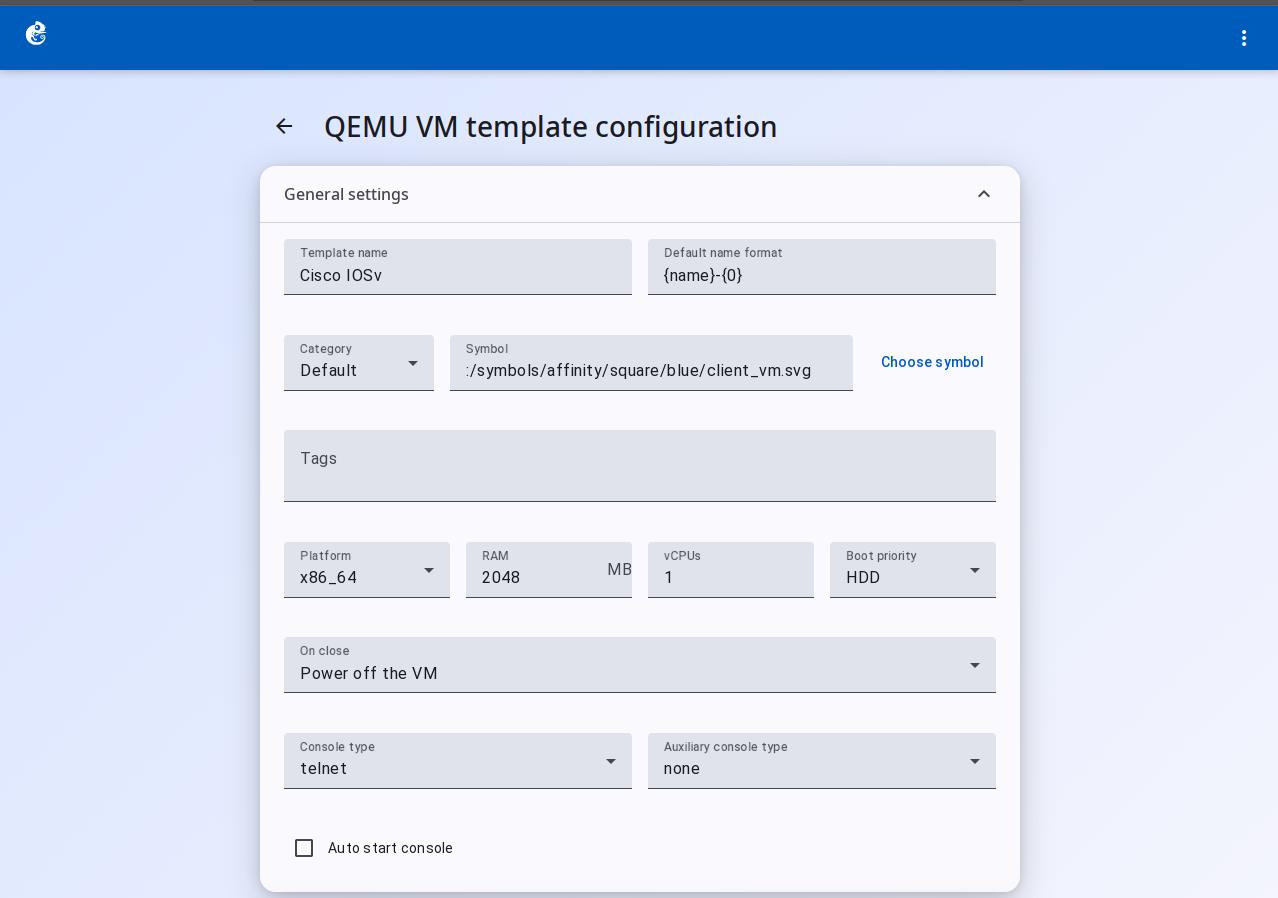
General Settings
| Field | Type | Use |
|---|---|---|
| Template name | Text | Name of the template, shown in the list |
| Default name format | Text | Auto-naming format for instances, e.g. {name}-{0} |
| Category | Dropdown | Device category: Router/Switch/End devices, etc. |
| Symbol | Text + button | Topology icon, can be chosen from the icon library |
| Tags | Chip input | Tags for sorting/filtering |
| Platform | Dropdown | System architecture, 35 types total. Must match the image architecture |
| RAM | Number (MB) | Memory to give to the VM |
| vCPUs | Number | Number of virtual CPU cores |
| Boot priority | Dropdown | Boot order: HDD / CD/DVD-ROM / Network |
| On close | Dropdown | What to do when the VM is closed |
| Console type | Dropdown | Main console type: telnet / ssh / vnc / spice / none |
| Auxiliary console type | Dropdown | Auxiliary console type |
| Auto start console | Checkbox | Automatically opens the console when the VM starts |
HDD Configuration
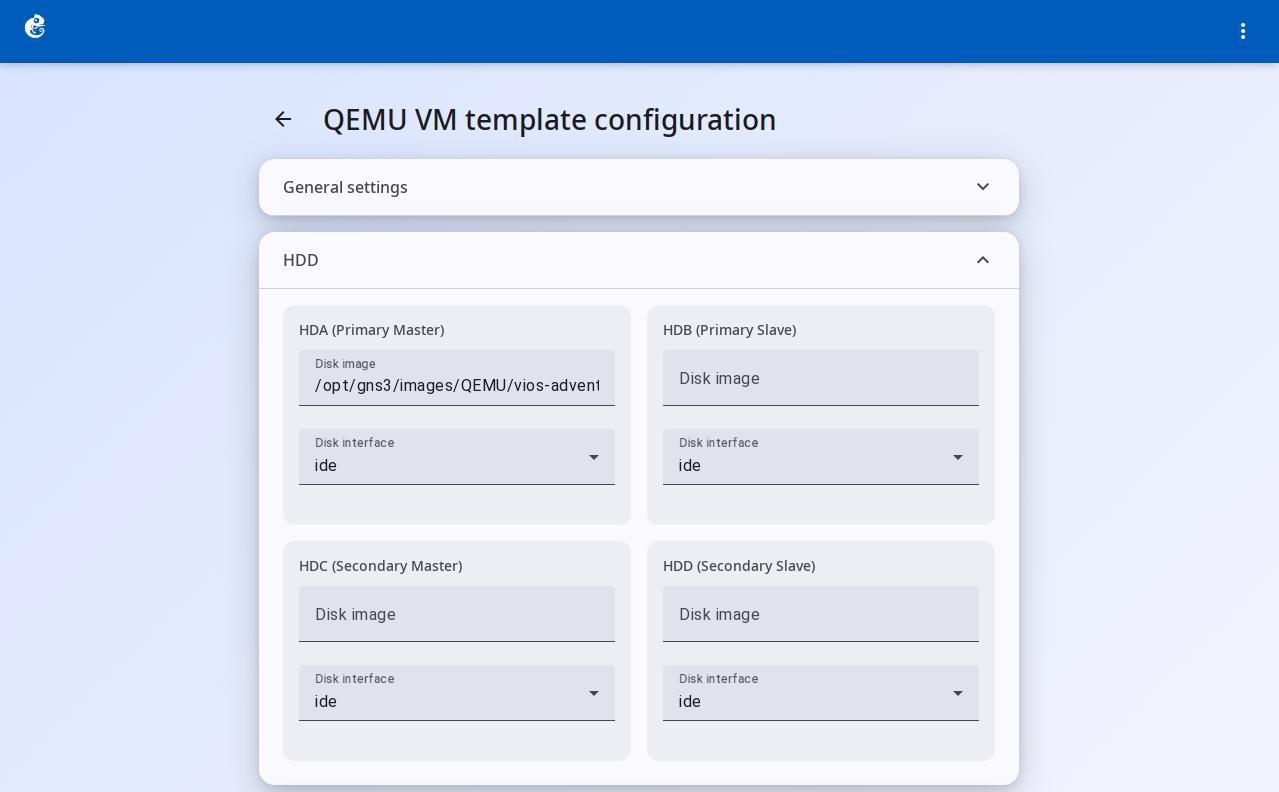
Supports 4 IDE channels (HDA/HDB/HDC/HDD). Each channel is configured separately:
| Channel | Description |
|---|---|
| HDA (Primary Master) | Main disk, usually the system disk |
| HDB (Primary Slave) | Primary slave disk |
| HDC (Secondary Master) | Secondary master disk |
| HDD (Secondary Slave) | Secondary slave disk |
Each disk includes:
| Sub-field | Type | Use |
|---|---|---|
| Disk image | Text + autocomplete | Path to the disk image file |
| Disk interface | Dropdown | Interface type: ide / sata / scsi / sd / virtio / nvme / mtd / floppy / pflash / none |
Interface type description:
- ide -- Traditional IDE interface, good compatibility, low performance
- sata -- Modern SATA interface, recommended for Windows/Linux VMs
- scsi -- SCSI interface, high performance, used for server systems
- virtio -- Paravirtualized driver, best performance, needs virtio drivers installed in the OS
- nvme -- NVMe SSD interface, very high performance, modern Linux and Windows 10+ support
CD/DVD Configuration
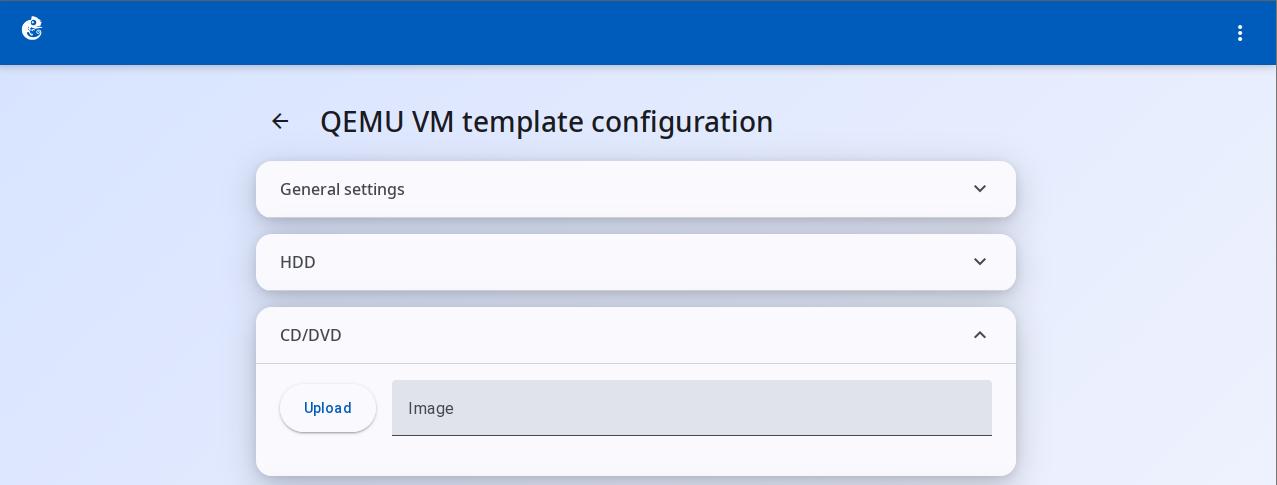
| Field | Type | Use |
|---|---|---|
| Upload | Button | Upload a local ISO image |
| Image | Text + autocomplete | ISO image path |
Network Configuration
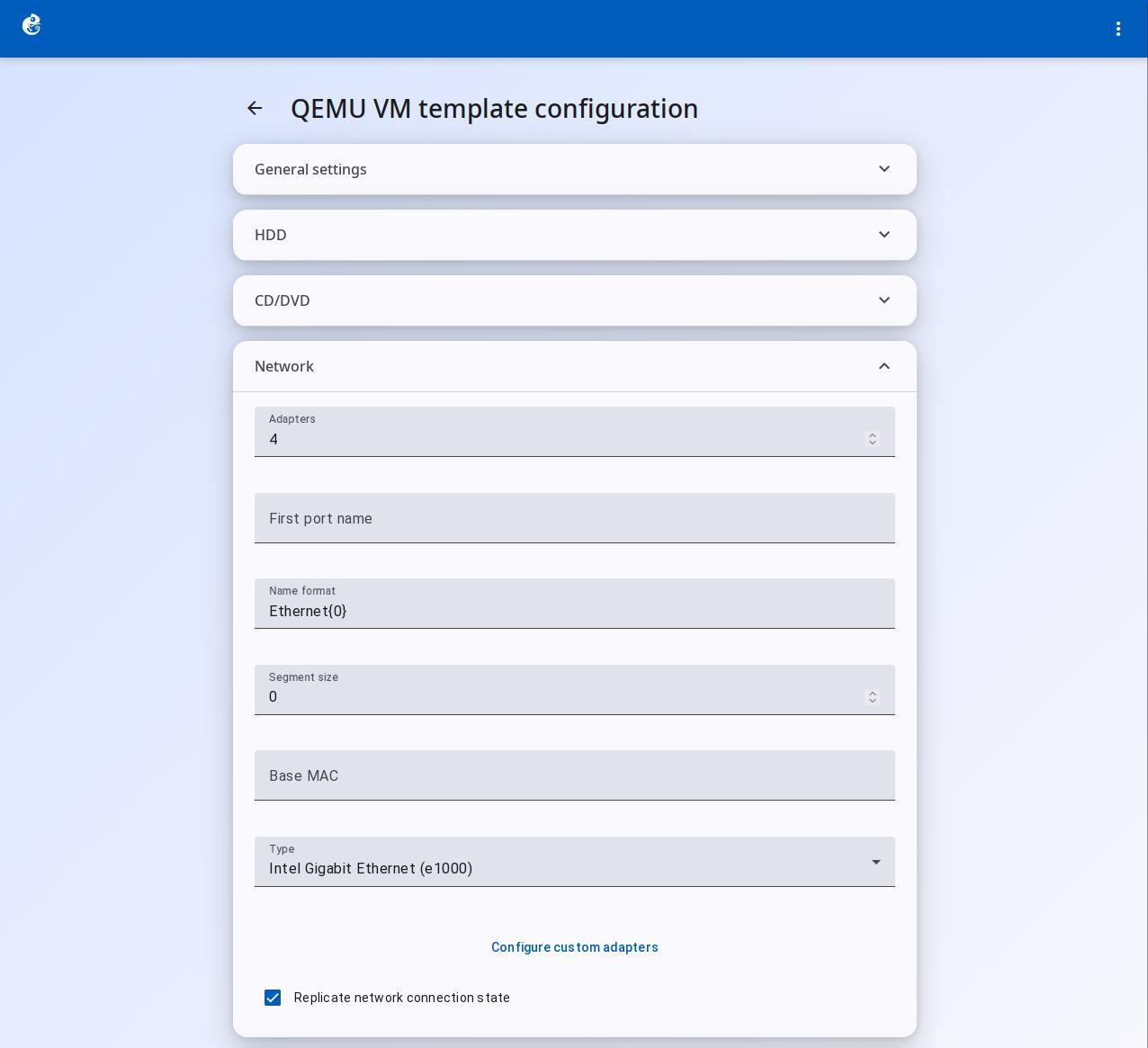
| Field | Type | Use |
|---|---|---|
| Adapters | Number | Number of network adapters |
| First port | Text | Name of the first port, e.g. eth0 |
| Name format | Text | Port naming format, e.g. eth{0} |
| Segment size | Number | Port segment size |
| Base MAC | Text (format xx:xx:xx:xx:xx:xx) | Base MAC address |
| Type | Dropdown | NIC model, 24 types total |
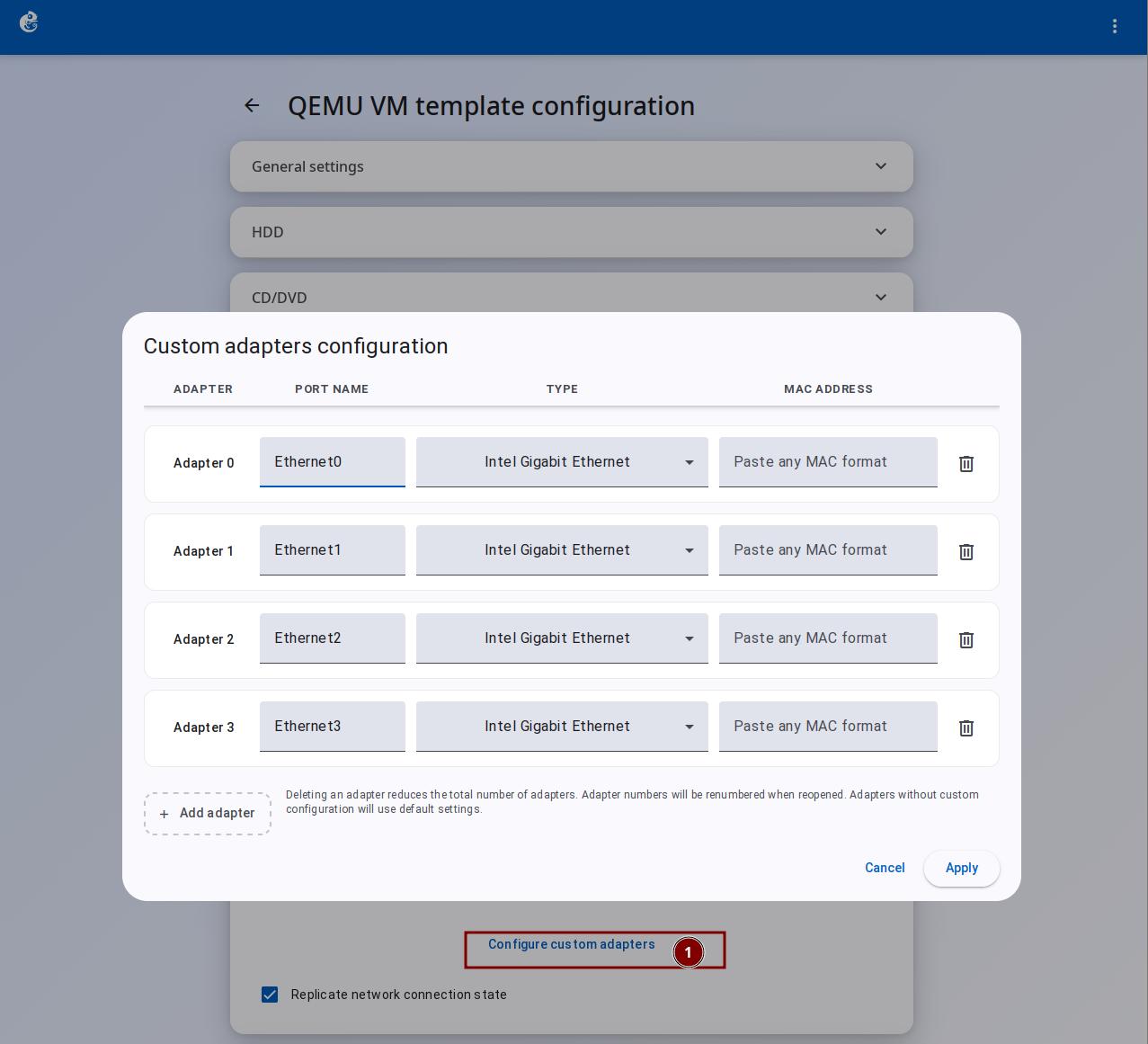
| Configure custom adapters | Button | Set a different NIC model for each port |
| Replicate network connection state | Checkbox | Copy network connection state when saving/restoring |
Common NIC models: e1000 series, virtio (best performance), rtl8139 (very good compatibility), vmxnet3 (VMware optimized)
Custom Adapter Configuration
Click "Configure custom adapters" to open the dialog. One adapter per row:
| Column | Field type | Use |
|---|---|---|
| Adapter | Read-only label | Adapter number, auto-increment |
| Port name | Text input | Port name, can be customized |
| Type | Dropdown | NIC model, can override the template default |
| MAC address | Text input | MAC address, leave empty for auto-generation |
| Action | Delete button | Delete this adapter |
The dialog uses incremental saving: it only saves adapter configurations that are different from the default.
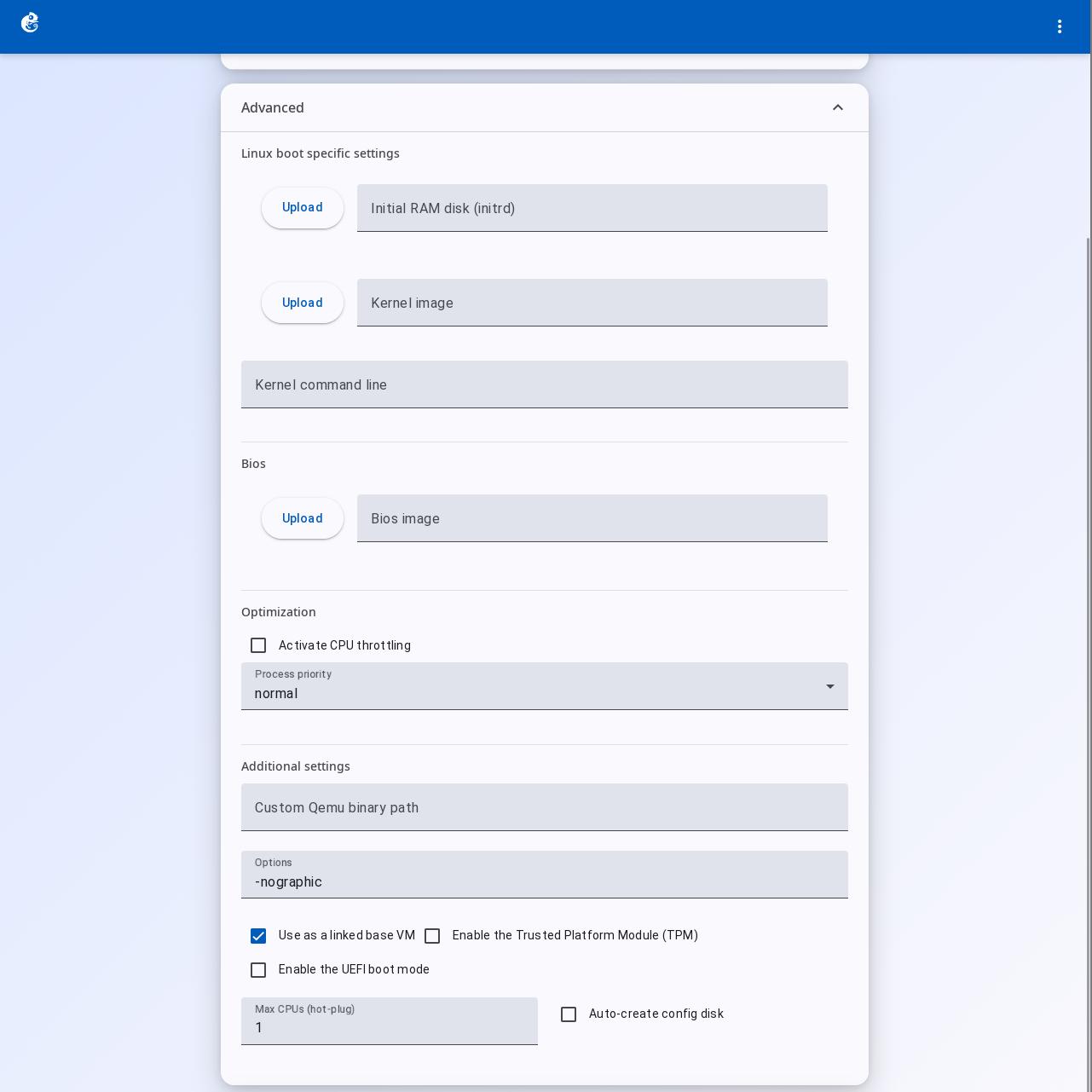
Advanced Settings
Linux Boot Specific Settings
| Field | Type | Use |
|---|---|---|
| Initial RAM disk (initrd) | File + upload | Linux initrd image |
| Kernel image | File + upload | Linux kernel image |
| Kernel command line | Text | Kernel boot parameters, e.g. console=ttyS0 |
BIOS
| Field | Type | Use |
|---|---|---|
| Bios image | File + upload | Custom BIOS image (e.g. SeaBIOS, UEFI firmware) |
Optimization
| Field | Type | Use |
|---|---|---|
| Activate CPU throttling | Checkbox | Enable CPU throttling |
| Percentage of CPU allowed | Number | Allowed CPU usage percentage (0-100) |
| Process priority | Dropdown | QEMU process priority |
Additional Settings
| Field | Type | Use |
|---|---|---|
| Custom Qemu binary path | Text | Custom path to the QEMU executable |
| Options | Text | Extra QEMU command line parameters |
| Use as a linked base VM | Checkbox | Linked clone mode, shares the base image |
| Enable TPM | Checkbox | TPM 2.0 module, required for Windows 11 |
| Enable UEFI boot mode | Checkbox | UEFI boot mode (needs OVMF firmware) |
| Max CPUs (hot-plug) | Number | Maximum number of CPUs (hot-plug limit) |
| Auto-create config disk | Checkbox | Automatically create a config disk |