How to configure VPCS template preferences
VPCS (Virtual PC Simulator) is a lightweight tool in GNS3 that simulates a PC. Unlike routers or switches, VPCS only simulates a very simple virtual PC environment. It is used to test network connectivity.
Features
| Comparison | VPCS | Real Virtual Machine (VMware/QEMU) |
|---|---|---|
| Resource usage | Very low (< 5 MB RAM) | High (hundreds of MB to GB) |
| Startup speed | Seconds | Minutes |
| Function | Only IP/network tools | Full OS |
| When to use | Network connectivity tests, protocol experiments | Tests that need a full application or service |
Create a Template
-
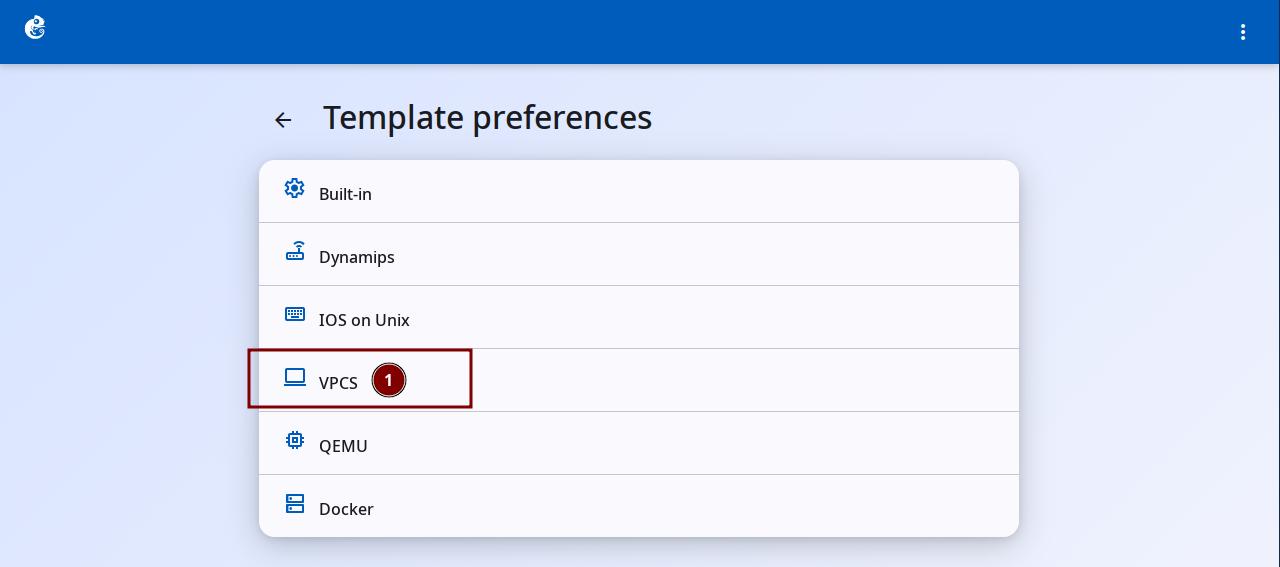
Click the "VPCS" option to enter.
-
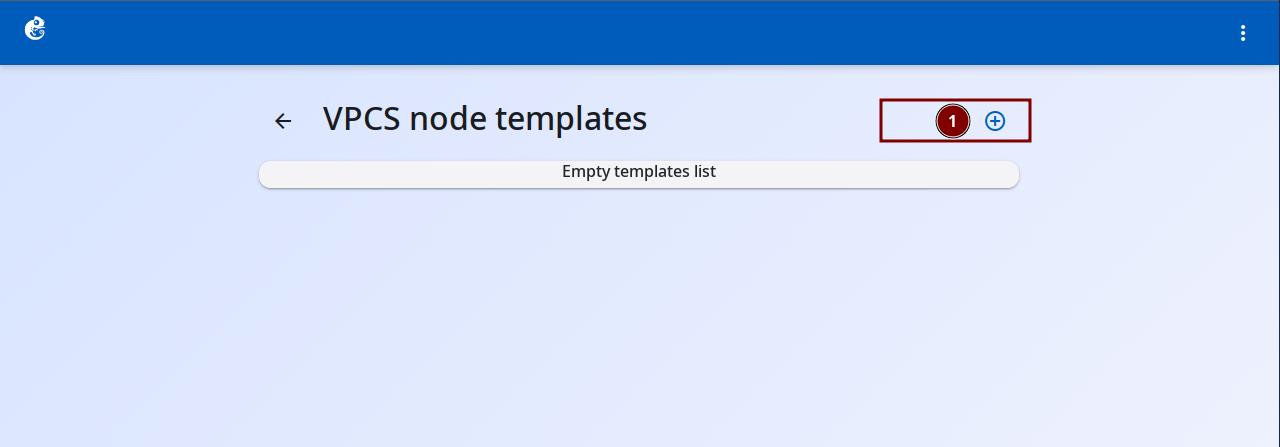
Click the + button at the top right to add a new template.
-
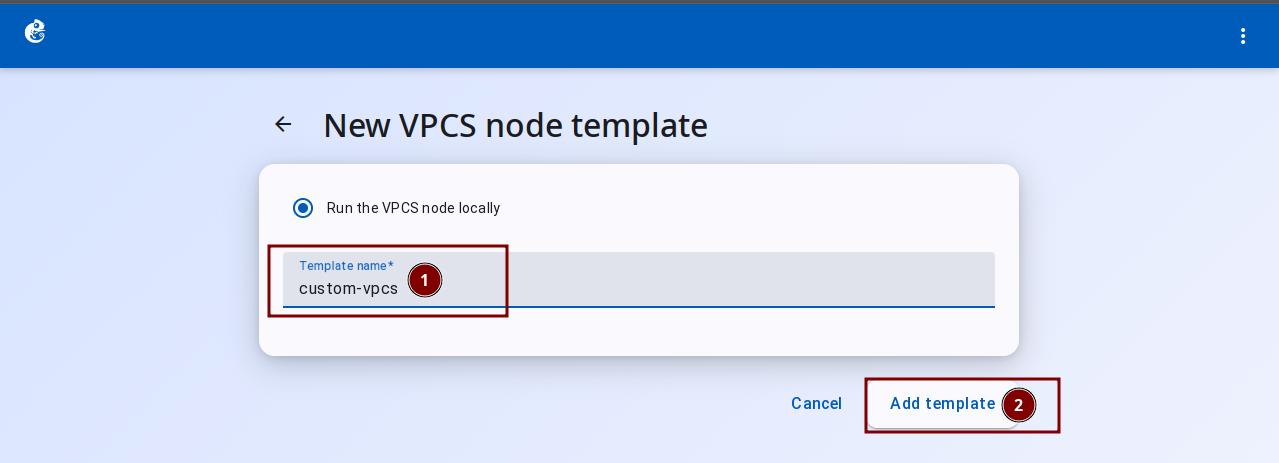
Enter the Template Name, then click "Add Template" to finish.
-
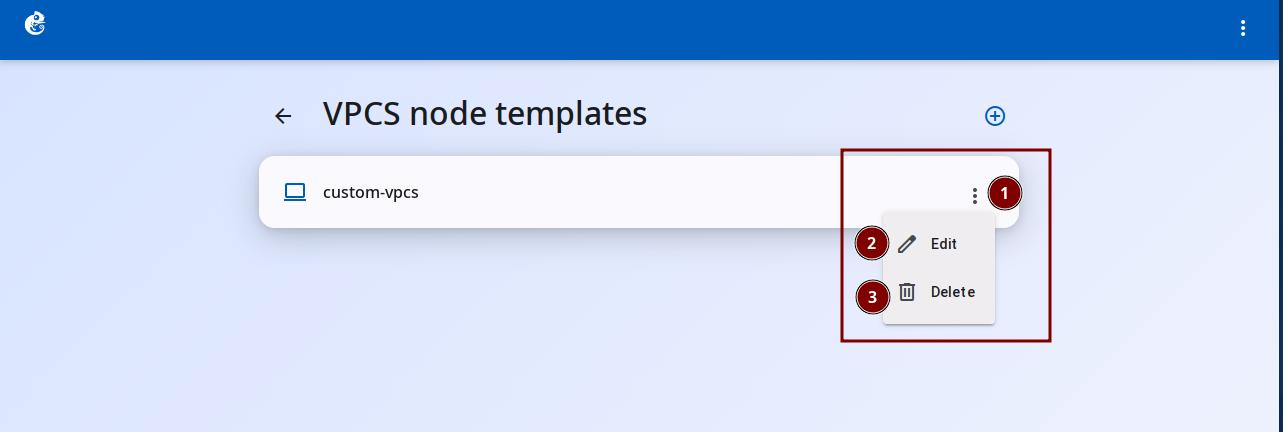
Click the three-dot button on the right to choose Delete or Edit.
VPCS Template Configuration Details
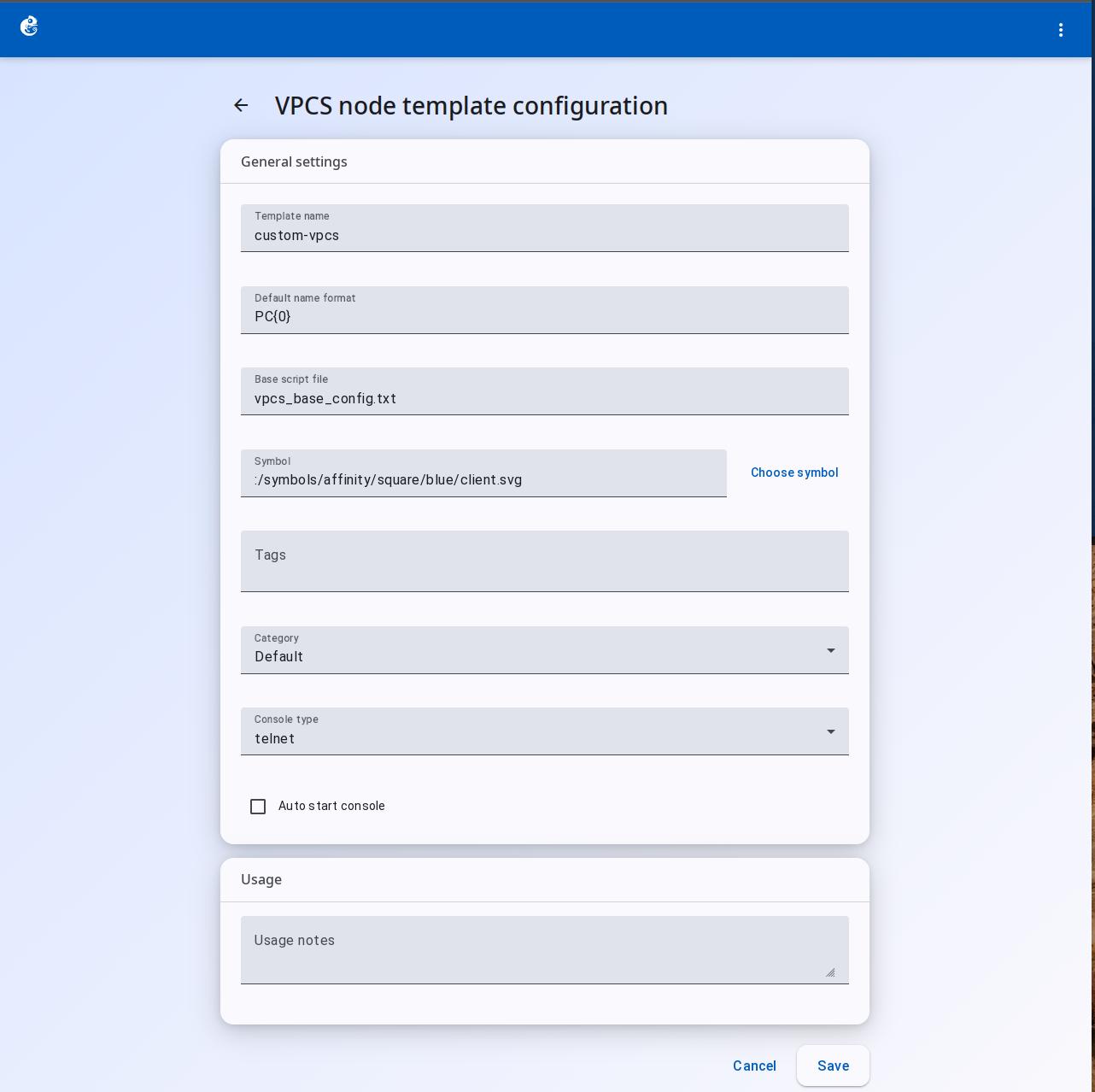
General Settings
| Field | Type | Required | Use |
|---|---|---|---|
| Template name | Text | Yes | Name of the template, shown in lists and when creating instances |
| Default name format | Text | Yes | Auto-naming format for instances, e.g. {name}-{0} |
| Base script file | Text | Yes | Path to the startup script. VPCS commands that run automatically at startup |
| Symbol | Text + button | Yes | Icon shown on the topology |
| Tags | Chip input | No | Tags for sorting/filtering |
| Category | Dropdown | No | Device category, decides position in the device panel |
| Console type | Dropdown | No | Console type: telnet / ssh / none |
| Auto start console | Checkbox | No | When enabled, the console opens automatically when VPCS starts |
Base Script File Details
The Base script file is the main configuration for VPCS. The script uses VPCS commands. Common commands:
| VPCS Command | Description | Example |
|---|---|---|
ip <address> <mask> <gateway> | Set IP, mask, and gateway | ip 192.168.1.10 255.255.255.0 192.168.1.1 |
dhcp | Get IP through DHCP | dhcp -6 |
ping <host> | Ping test | ping 192.168.1.1 |
trace <host> | Route trace | trace 8.8.8.8 |
show ip | Show current IP configuration | -- |
show arp | Show ARP table | -- |
save | Save configuration to startup-config | -- |
Example Base Script:
# VPCS startup script
ip 192.168.1.10 255.255.255.0 192.168.1.1
# or use DHCP
# dhcp -6
After VPCS starts, it runs the script commands one by one. The network is configured automatically. No manual input is needed.