How to use Packet Filter
Packet Filter is a network impairment simulation feature provided by GNS3. It allows you to simulate real-world network issues at the link layer, such as latency, packet loss, and packet corruption.
Only supported on specific node types: VPCS, Dynamips, QEMU, IOU, Cloud, NAT, Docker.
Quick Start
Step 1: Open the Packet Filter Interface
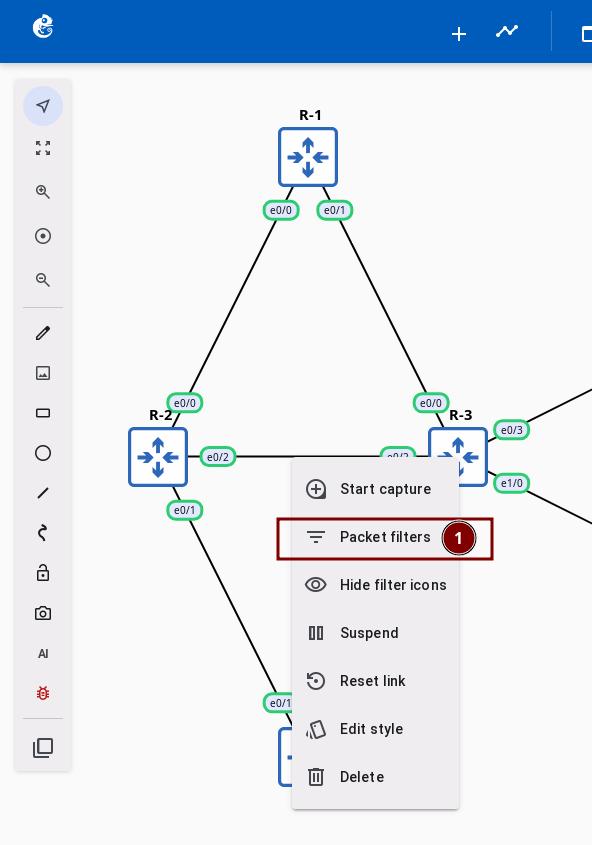
In the project topology, right-click on the link you want to configure and select Packet filters.
Step 2: Select Filter Type
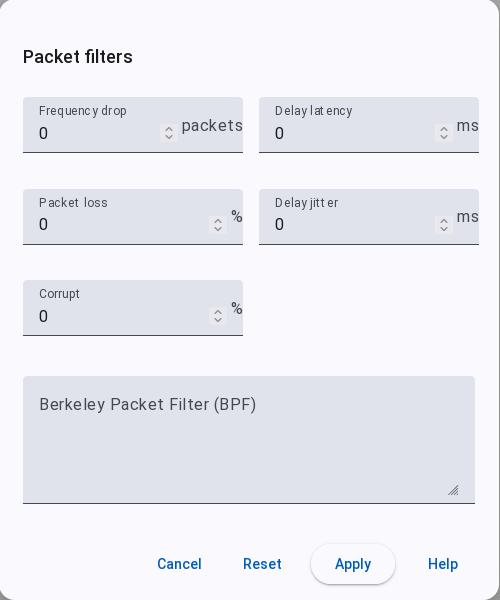
In the Packet filters dialog, select the corresponding tab to configure the filter.
Step 3: Configure Filter Parameters
Choose the filter type and configure its parameters:
| Filter Type | Function | Parameters |
|---|---|---|
| Delay Latency | Latency | 1-32767ms |
| Delay Jitter | Jitter | 0-32767ms |
| Packet loss | Random packet drop | Chance (0-100%) |
| Packet corruption | Packet corruption | Chance (0-100%) |
| Frequency drop | Drop one packet every N packets | Frequency (-1 to 32767, -1=drop all, 0=no filter) |
| BPF | Precise traffic filtering | BPF expression (e.g., icmp, port 80) |
Packet Filter rules take effect bidirectionally. For example, if you configure Delay Latency 100ms and Delay Jitter 20ms:
- A → B direction: 100ms latency, ±20ms jitter
- B → A direction: 100ms latency, ±20ms jitter
Step 4: Apply Configuration
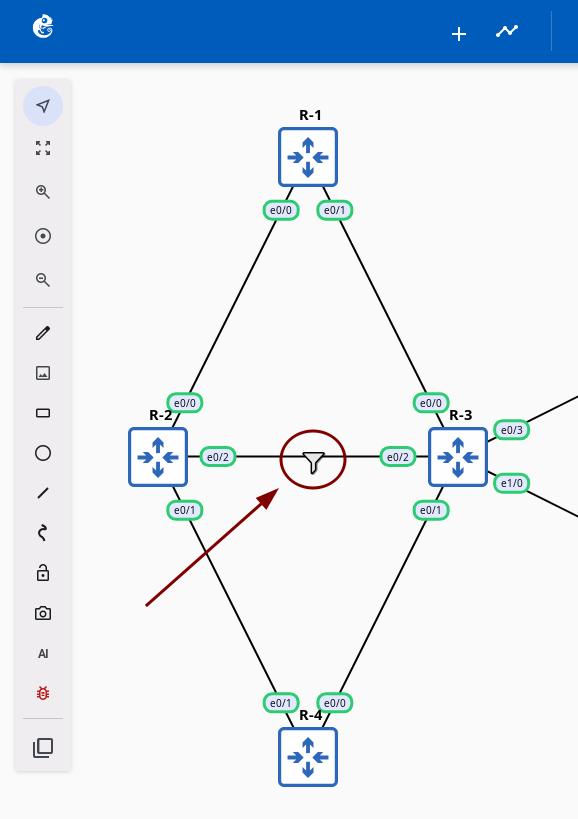
After configuring the parameters, click the Apply button. A Packet Filter icon will appear on the link.
Clearing Filters
Method 1: Reset Parameters
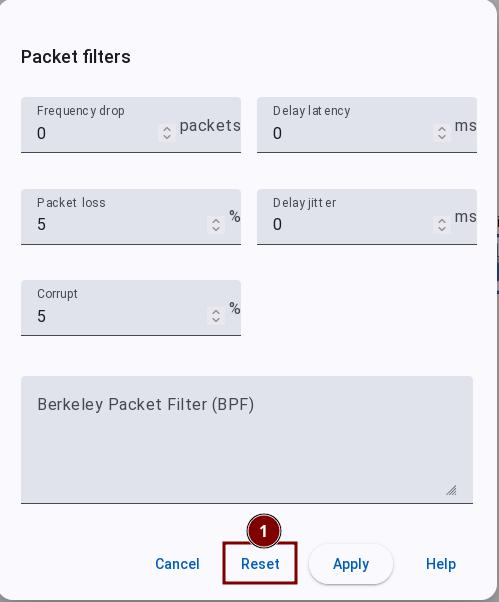
Open the Packet filters dialog and click the Reset button to quickly clear all parameters.
Method 2: Delete the Link
Deleting the link will automatically clear all filter configurations.
BPF Expression Examples
BPF (Berkeley Packet Filter) supports precise traffic filtering using the same syntax as tcpdump:
| Expression | Function |
|---|---|
icmp | Drop all ICMP traffic |
port 80 | Drop traffic on port 80 |
host 10.0.0.1 | Drop traffic to/from a specific host |
dst host 192.168.1.100 and port 80 | Drop traffic to a web server |
src net 10.0.0.0/24 | Drop traffic from a specific subnet |
tcp and not port 53 | Drop TCP traffic except DNS |