How to use Web Console
Web Console is a new feature in GNS3 3.1. It lets you access the command-line terminal of your devices directly in the browser. You do not need to install extra software or open many windows.
Quick Start
Open Web Console
Right-click on a device that supports serial console (like routers or switches) in the project topology and select "Web console" to open the console window in your browser.
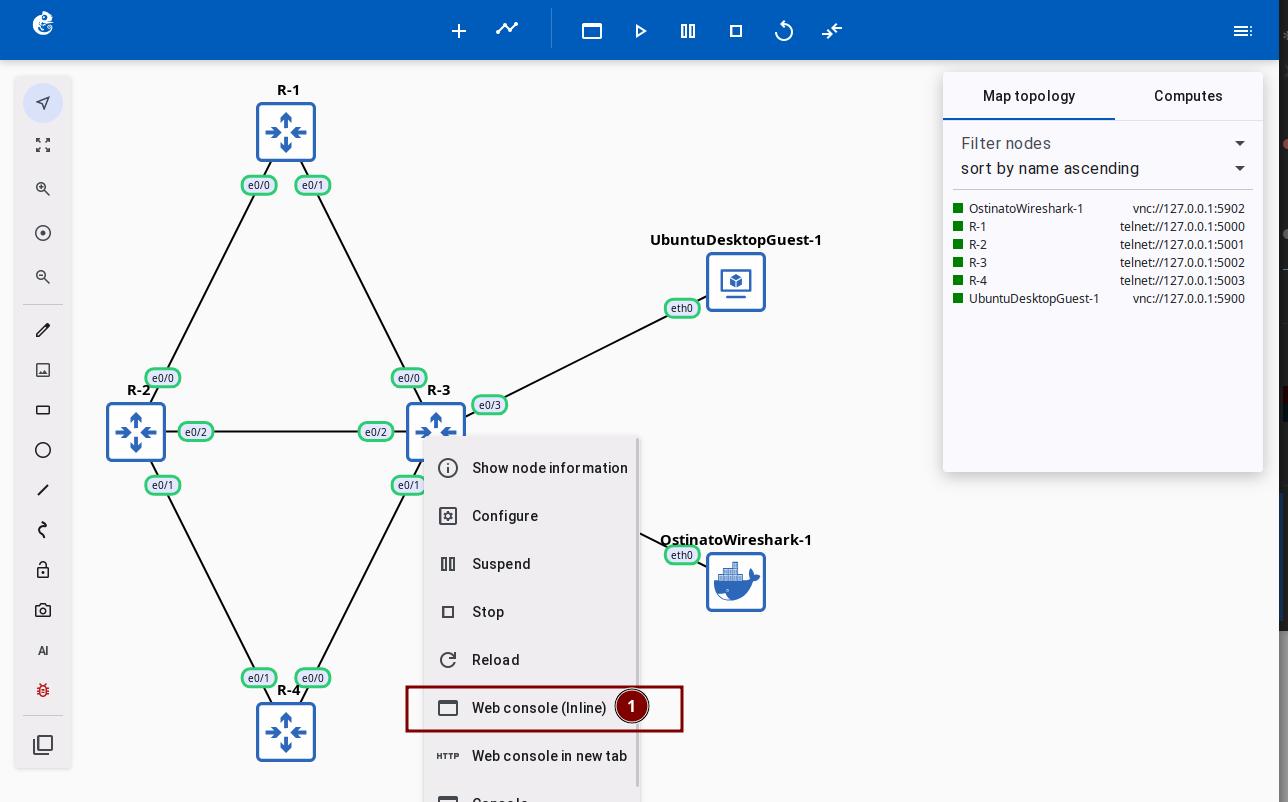
The console window supports dragging, resizing, minimizing, and other operations. You can manage multiple devices conveniently in your browser.
Features
Device Management Sidebar
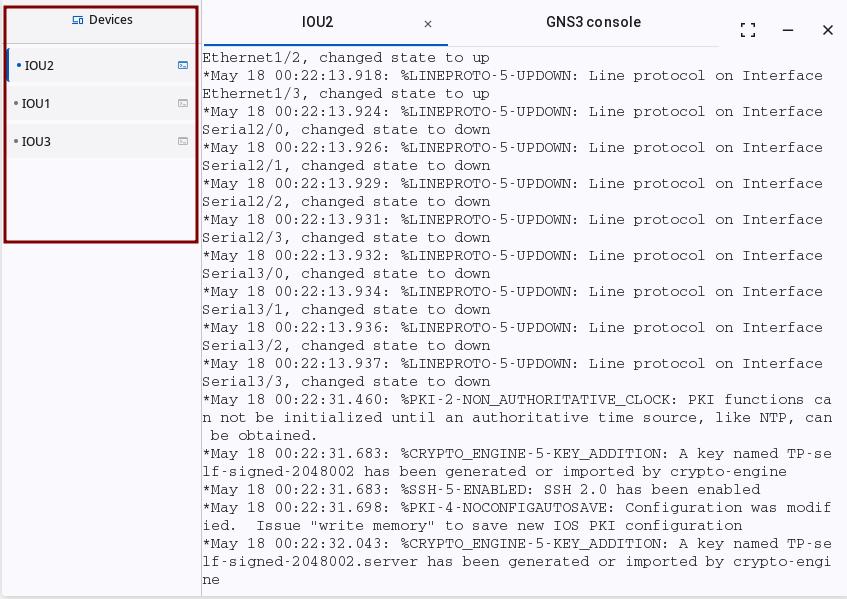
The left side of the console window shows a list of all devices you can connect to in the current project.
Devices shown:
- ✅ Devices that support serial console (like routers and switches)
- ❌ VNC devices (these use a separate window)
Actions:
- Click a device name to open or switch to that device's console tab
- Click the sidebar title to expand or collapse the device list
Multi-Tab Console Window
Window actions:
- Drag: Hold the title bar to move the window
- Resize: Drag the window edges or corners
- Minimize: Click the minimize button to hide the window in the taskbar
- Maximize: Click the maximize button to make the window fill the screen height
- Close: Click the close button to close the current device console
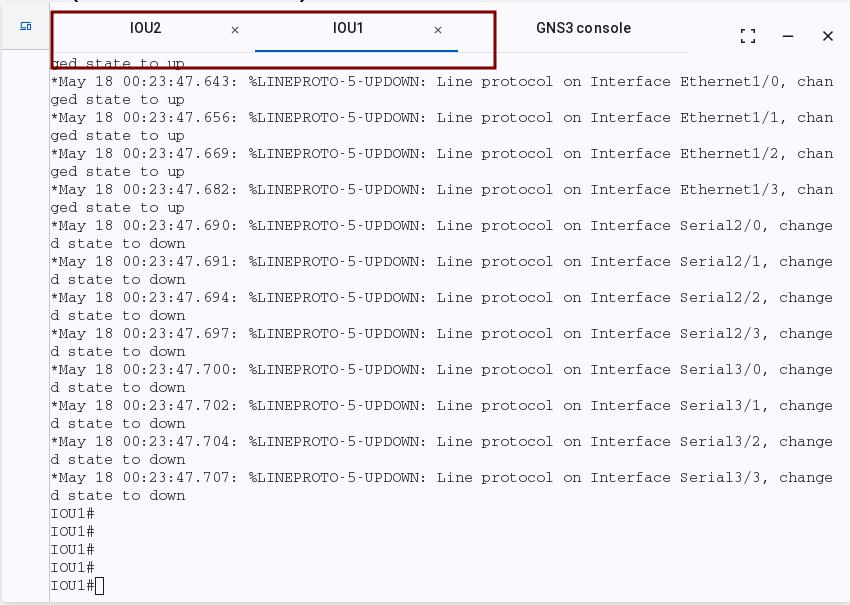
Console tabs:
- Each device shows as its own tab
- Click a tab to switch to a different device
- You can open up to 8 device consoles at the same time
Shortcuts
| Shortcut | Function |
|---|---|
| Alt+1 to Alt+8 | Quickly switch to the 1st to 8th device console |
| Alt+9 | Switch to the GNS3 log console |
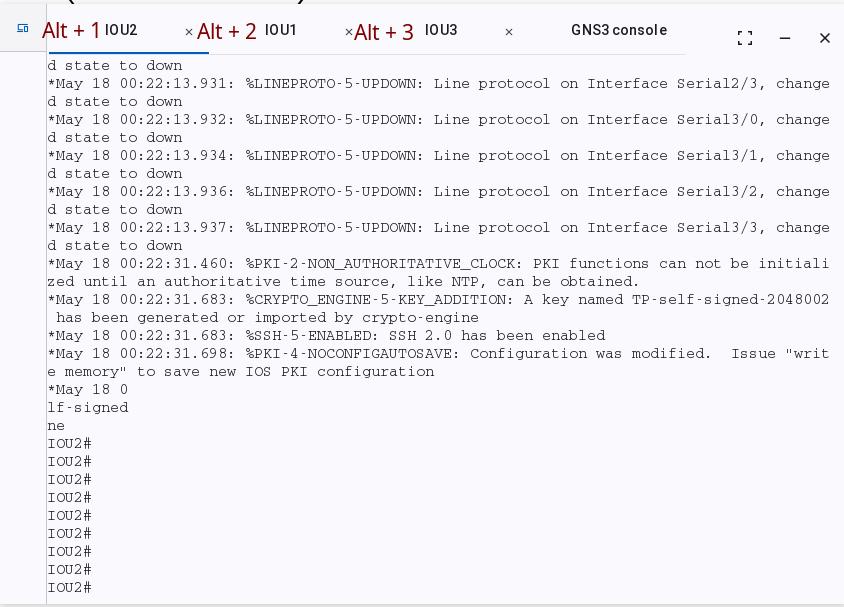
Shortcuts only work when the console window is active (click on the window first).
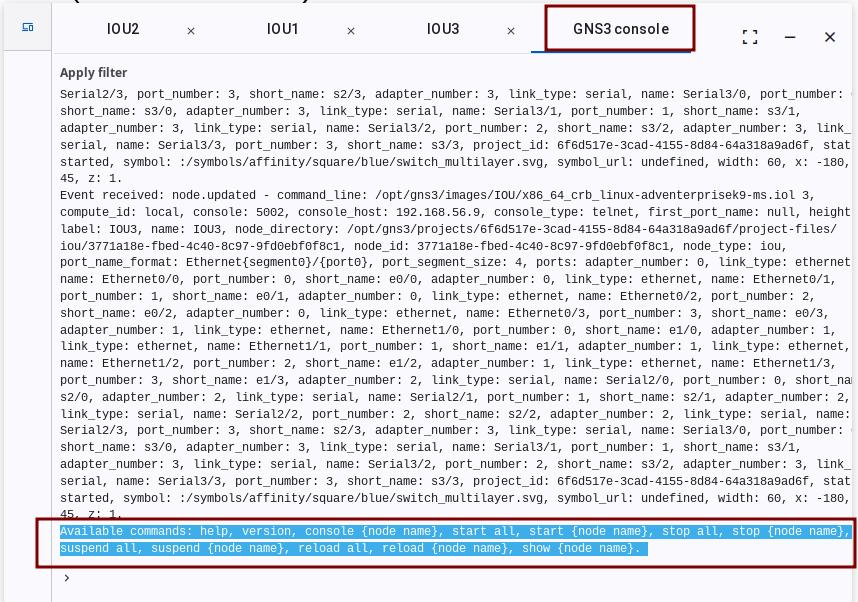
GNS3 Log Console
The last tab in the console window (Alt+9) shows GNS3 project logs. These include:
- Project events
- Errors and warning messages
- Device status changes
You can use this for troubleshooting and project monitoring.
Comparison with the Traditional Way
| Feature | Web Console | Traditional Console |
|---|---|---|
| Installation | No installation needed | Needs terminal software |
| Window management | Browser tabs | Many separate windows |
| Shortcuts | Alt+1-9 to switch | Need to switch windows manually |
| Cross-platform | Any browser | Depends on the operating system |
Feature Contributor
Web Console feature was developed and contributed by YueGuobin.
- LinkedIn: Guobin Yue